


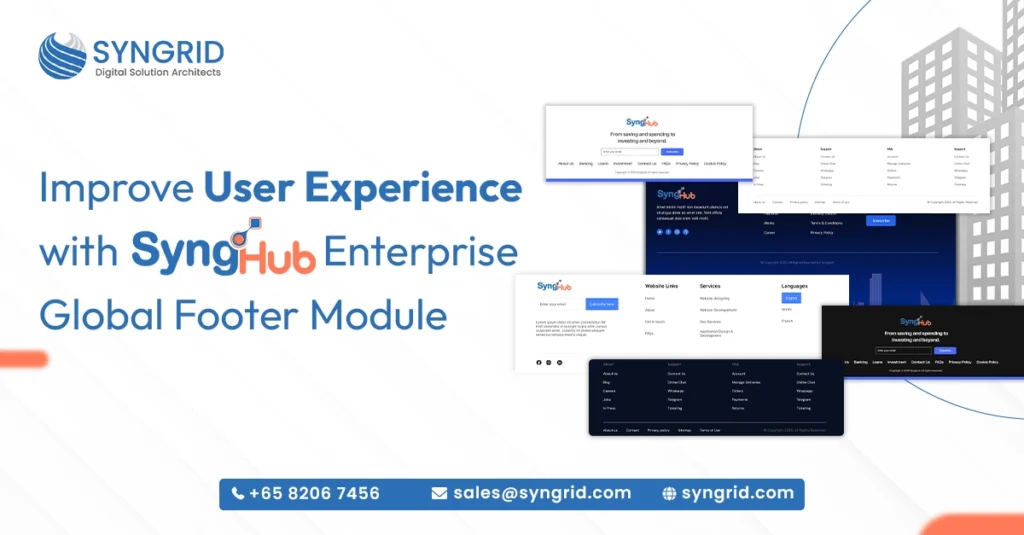
Your website footer is more than just the bottom of a page. It’s where visitors look for navigation, support links, contact details, and trust signals. A poorly designed footer confuses users and increases bounce rates. A well-structured one guides visitors exactly where they need to go. SyngHub’s Enterprise Global Footer is a powerful and highly flexible HubSpot footer module designed to create fully dynamic, enterprise-ready footer layouts without any additional development. Built by Syngrid Technologies and available on the HubSpot Marketplace, it gives content editors complete control over multi-column footer designs using a simple, intuitive toggle-based system. In this blog, you’ll discover exactly what makes this module a must-have for any HubSpot website.
What Is the SyngHub Enterprise Global Footer Module?
The SyngHub Enterprise Global Footer is a purpose-built HubSpot footer module that gives businesses the flexibility to design, manage, and customize professional footer layouts without writing a single line of code.
Built for HubSpot CMS: The module is designed specifically for HubSpot websites, integrating seamlessly into the HubSpot CMS environment without any compatibility issues.
Toggle-based system: Content editors control every element of the footer, logos, navigation links, contact details, subscription forms, and social icons, using a simple toggle-based interface.
Multi-column footer layouts: Create structured, organized footer designs with multiple columns that adapt cleanly to your brand style and content requirements.
No additional development needed: The entire footer can be configured and updated by your content team without involving developers, saving time and reducing costs.
Enterprise-ready scalability: Whether you’re managing one website or multiple, the module is built to handle enterprise-level complexity with consistent performance.
Available on HubSpot Marketplace: SyngHub’s Enterprise Global Footer is officially listed on the HubSpot Marketplace, making it easy to find, install, and activate for any HubSpot website.
For businesses that want a professional, flexible, and fully manageable footer on their HubSpot website, this module delivers everything in one clean package.
Key Features of SyngHub's HubSpot Footer Module
SyngHub’s Enterprise Global Footer is packed with features that give content teams the power to build beautiful, functional footers without relying on developers. Here’s what makes it stand out.
Independent logo control: Add and manage your brand logo directly within the footer module with full control over sizing, placement, and linking.
Flexible navigation menus: Build and organize multi-level navigation menus within the footer, helping visitors find key pages quickly and easily.
Contact details management: Display phone numbers, email addresses, office locations, and other contact information; fully editable without touching any code.
Newsletter subscription forms: Embed email subscription forms directly in the footer, capturing leads passively from every page of your website.
Social media icon integration: Add and manage social media links with branded icons, keeping your footer connected to every platform your audience uses.
Multiple design layouts: Choose from several pre-built footer design styles that suit different brand aesthetics, from clean minimal layouts to rich multi-column enterprise designs.
Expert assistance and online user guide: SyngHub provides dedicated expert support and easy-to-follow documentation to help teams implement the module smoothly and confidently.
Every feature is designed with the content editor in mind, making footer management fast, intuitive, and completely independent from your development team.
Why Your HubSpot Website Needs a Professional Footer Module
Most businesses under invest in their website footer. It’s treated as an afterthought, a place to drop a copyright notice and a few links. But a well-designed footer plays a critical role in user experience, navigation, and conversion.
Reduces user frustration: Visitors who can’t find what they’re looking for in the main navigation often scroll to the footer. A clear, organized footer keeps them on your site longer.
Builds credibility and trust: A professional footer with contact details, privacy links, and social proof signals signals reliability, especially for first-time visitors evaluating your brand.
Supports SEO: Footer navigation links help search engines understand your site structure and distribute page authority across important pages more effectively.
Drives passive lead generation: A newsletter subscription form in the footer captures email leads from visitors who weren’t ready to convert but are interested enough to stay connected.
Improves mobile experience: A well-structured HubSpot footer module like SyngHub’s adapts cleanly to mobile devices, ensuring a consistent experience across every screen size.
Saves development time and cost: With a flexible module like SyngHub’s, your content team manages footer updates independently, eliminating the need for developer involvement on routine changes.
Investing in the right HubSpot footer module isn’t just about aesthetics; it’s about making every corner of your website work harder for your business.
How SyngHub's Footer Module Improves User Experience
User experience isn’t just about how a website looks. It’s about how easily visitors can find what they need, trust what they see, and take the actions you want them to take. SyngHub’s Enterprise Global Footer contributes to all three.
Clear information hierarchy: Multi-column layouts organize links, contact details, and resources in a logical structure so visitors find what they need without searching.
Consistent branding across pages: The global footer ensures your logo, colors, and brand elements appear consistently on every page, reinforcing brand identity throughout the user journey.
Faster access to support: Contact information and support links placed prominently in the footer reduce friction for visitors who need help, improving satisfaction and reducing abandonment.
Seamless newsletter capture: An embedded subscription form in the footer gives interested visitors an easy, low-commitment way to stay connected with your brand.
Social connectivity: Visible social media icons in the footer extend the user journey beyond your website, keeping your audience engaged across multiple channels.
Mobile-responsive design: SyngHub’s footer module renders cleanly and intuitively on all devices, ensuring a smooth, frustration-free experience for mobile visitors.
A footer built with SyngHub’s HubSpot footer module doesn’t just close a page; it opens the next opportunity for your visitor to engage, connect, and convert.
Who Should Use SyngHub's Enterprise Global Footer?
SyngHub’s Enterprise Global Footer is built for businesses that take their HubSpot website seriously. It’s the right solution for a wide range of teams and use cases.
Marketing teams: Content editors who need to update footer navigation, contact details, and promotional links quickly without waiting on developers to make changes.
Enterprise businesses: Companies managing complex websites with multiple sections, services, and locations that need a footer system capable of handling that scale cleanly.
HubSpot CMS developers: Developers building client websites on HubSpot who want a reliable, professionally built footer module they can customize and deploy rapidly.
E-commerce businesses: Online stores that need a footer with clear navigation, customer support links, policy pages, and newsletter capture working together seamlessly.
Agencies and partners: HubSpot agencies building websites for multiple clients who need a flexible, reusable footer solution that adapts to different brand requirements.
Startups and growing businesses: Companies that want a professional, enterprise-quality footer from day one without the development cost of building one from scratch.
If your business runs on HubSpot CMS and you want a footer that performs as well as the rest of your website, SyngHub’s module is built for you.
How to Get Started With SyngHub's HubSpot Footer Module
Getting started with SyngHub’s Enterprise Global Footer is straightforward. It’s available directly on the HubSpot Marketplace, making installation quick and hassle-free.
Find it on the HubSpot Marketplace: Search for SyngHub Enterprise Global Footer on the HubSpot Marketplace and install it directly to your HubSpot portal with a single click.
Access the online user guide: SyngHub provides clear, easy-to-follow documentation that walks your team through every step of the setup and configuration process.
Configure using the toggle system: Use the intuitive toggle-based interface to enable or disable footer elements—logos, menus, contact info, forms, and social icons—without any coding.
Choose your layout style: Select from the available multi-column footer design options and apply the one that best fits your brand’s visual identity.
Connect expert support if needed: SyngHub’s expert assistance team is available to help with implementation questions, ensuring your footer goes live smoothly and correctly.
Publish and manage independently: Once live, your content team can update and manage the footer entirely on their own; no developer dependency required.
From installation to going live, SyngHub’s Enterprise Global Footer is designed to get your HubSpot website looking professional and performing better as quickly as possible.
Conclusion
Your website footer deserves the same attention and investment as any other part of your HubSpot website. It’s a navigation tool, a trust signal, a lead generation asset, and a brand touchpoint all in one place. SyngHub’s Enterprise Global Footer module gives your team the power to build professional, scalable, and fully customizable footer layouts without writing a single line of code. Built by Syngrid Technologies and available on the HubSpot Marketplace, it’s the smart choice for businesses that want their entire website, right down to the footer, working as hard as possible. Ready to upgrade your HubSpot footer?
Find SyngHub’s Enterprise Global Footer on the HubSpot Marketplace and get started today.
Frequently Asked Questions About This Blog
What is SyngHub's Enterprise Global Footer?
It is a flexible HubSpot footer module built by Syngrid Technologies that lets content editors create and manage dynamic, multi-column footer layouts without any development work.
Is the module available on the HubSpot Marketplace?
Yes. SyngHub’s Enterprise Global Footer is officially listed and available for installation directly from the HubSpot Marketplace.
Do I need a developer to use this module?
No. The toggle-based system allows content editors to configure and update the entire footer independently without writing any code.
Does the footer module work on mobile devices?
Yes. SyngHub’s HubSpot footer module is fully responsive and renders cleanly across all screen sizes and devices.
Can I get support if I face issues during setup?
Yes. SyngHub provides expert assistance and a detailed online user guide to help you implement and manage the module with confidence.