Syngrid

Global Payroll

Global Payroll

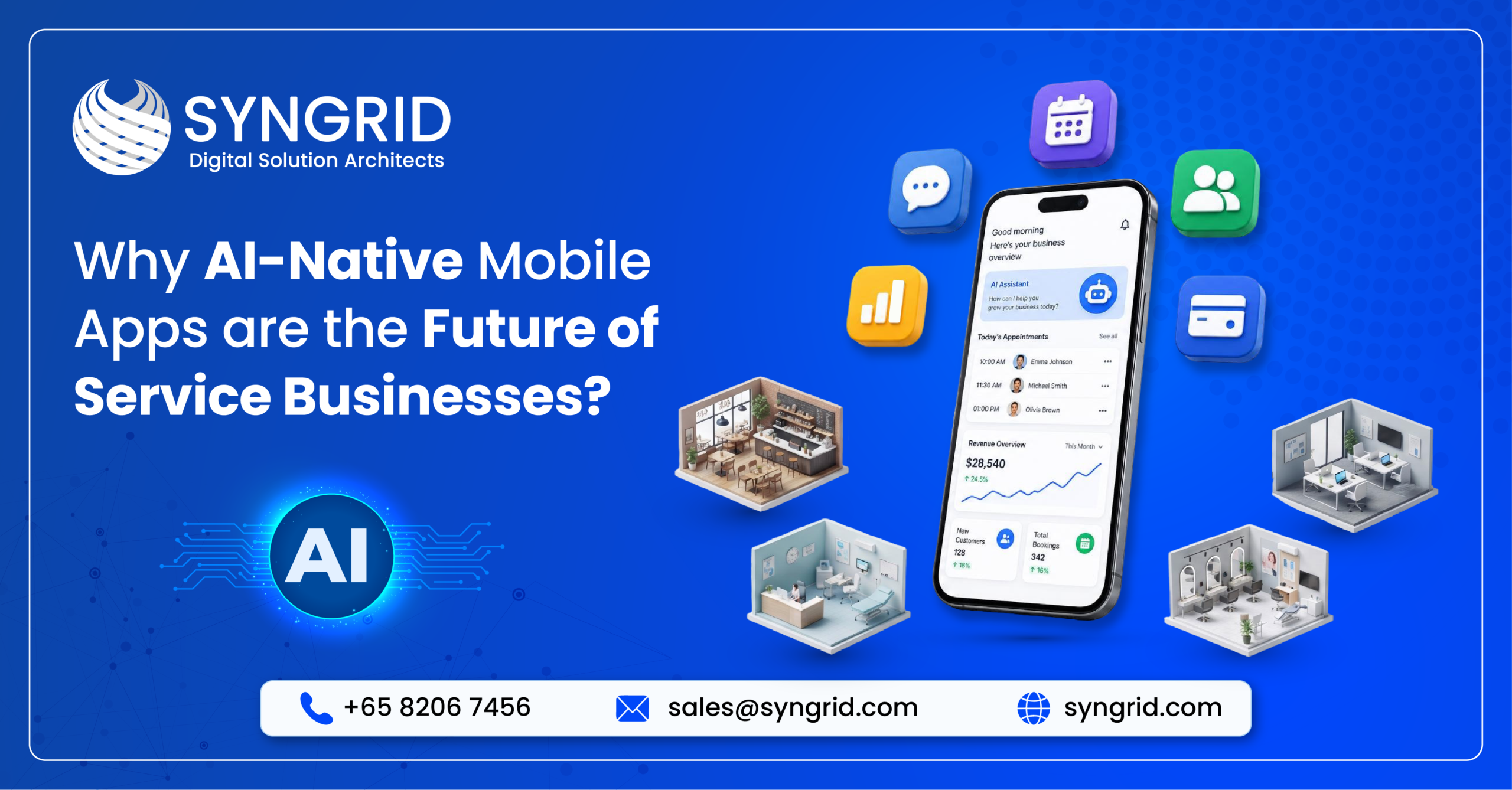
Why AI-Native Mobile Apps Are the Future of Service Businesses

The service industry is rapidly evolving as customer expectations continue to rise. Today’s customers expect businesses to provide instant support, personalized experiences, and seamless digital interactions anytime and anywhere.   This shift has accelerated the adoption of AI-native mobile apps applications built with artificial intelligence at their core. Unlike traditional apps, AI-native apps continuously learn, automate tasks, and make intelligent decisions, helping service businesses improve efficiency, customer satisfaction, and long-term growth. What Are AI-Native Mobile Apps? AI-native mobile apps are designed with artificial intelligence integrated into their core architecture rather than adding AI as an optional feature. These applications learn from user behavior, automate repetitive tasks, and continuously improve the overall user experience. Key Characteristics   AI at the Core   Artificial intelligence powers every major function of the application, making it smarter, faster, and more adaptive than traditional mobile apps. Continuous Learning   The app analyzes customer interactions and improves its recommendations over time, creating a more personalized experience for every user. Real-Time Decision Making   AI processes live data to provide instant recommendations, automate workflows, and support better business decisions. Intelligent User Experience   The application understands user preferences and delivers relevant content, services, and recommendations without requiring manual input. Smart Automation   Routine activities such as appointment scheduling, reminders, notifications, and customer support can be automated, reducing manual effort. AI-native mobile apps help businesses work smarter while delivering faster and more personalized customer experiences. Why Traditional Mobile Apps Are No Longer Enough Customer expectations have changed dramatically over the last few years. Traditional mobile applications often depend on manual workflows and fixed processes, making it difficult to deliver the intelligent experiences users expect today. Limitations of Traditional Apps   Limited Personalization   Most traditional apps provide the same experience to every user without understanding their preferences or behavior. Manual Operations   Users often spend unnecessary time searching, entering information, or completing repetitive tasks manually. Slower Customer Support   Without AI capabilities, businesses rely heavily on human intervention, increasing response times and operational costs. Lack of Business Insights   Traditional applications collect data but often fail to convert it into actionable insights that improve business performance. Poor Scalability   As businesses grow, managing customer requests and operations manually becomes increasingly difficult.   To stay competitive, businesses need intelligent applications that automate processes and adapt to changing customer needs. Benefits of AI-Native Mobile Apps for Service Businesses AI-native mobile apps do much more than improve customer convenience. They help businesses optimize operations, increase productivity, and deliver exceptional service experiences. Key Benefits   Personalized Customer Experience   AI analyzes customer behavior and preferences to provide customized recommendations, relevant content, and personalized services. Faster Service Delivery   Smart automation reduces delays by optimizing scheduling, assigning tasks, and streamlining service workflows. Improved Customer Engagement   AI-powered notifications, recommendations, and chatbots keep customers engaged throughout their journey. Better Business Decisions   Real-time analytics and predictive insights help business owners make informed decisions based on customer behavior and operational data. Increased Operational Efficiency   By automating repetitive tasks, businesses reduce manual effort, improve productivity, and lower operational costs.   Organizations adopting AI-native mobile apps gain a significant competitive advantage through smarter operations and better customer experiences. Essential AI Features Every Modern Service App Should Have The success of an AI-native mobile app depends on the intelligent features it offers. These capabilities not only improve user experience but also help businesses automate operations and increase efficiency. Must-Have Features   AI Chatbot   Provide instant customer support, answer frequently asked questions, and assist users 24/7 without human intervention. Voice Assistant   Allow users to interact with the application using natural voice commands for faster and more convenient experiences. Smart Recommendations   Recommend products, services, or actions based on customer preferences, browsing history, and previous interactions. Predictive Analytics   Analyze historical and real-time data to forecast customer behavior, service demand, and business opportunities. Intelligent Notifications   Send personalized reminders, promotions, and updates based on customer activity and preferences. Automated Workflow   Simplify business processes by automatically assigning tasks, updating records, and managing routine operations.   Integrating these AI features helps businesses improve customer satisfaction while creating a smarter and more efficient service ecosystem. Industries Already Benefiting from AI-Native Mobile Apps AI-native mobile apps are helping service businesses improve customer experiences, automate operations, and make faster business decisions. Across industries, organizations are using AI to deliver smarter, more efficient services. Healthcare   AI-powered mobile apps assist with appointment scheduling, virtual consultations, patient monitoring, and personalized healthcare recommendations, improving both patient care and operational efficiency. Field Service   Field service businesses use AI to assign jobs, optimize technician routes, track workforce activities, and reduce service delays, resulting in faster response times. Logistics & Transportation   AI helps optimize delivery routes, predict maintenance needs, monitor fleets in real time, and improve overall supply chain efficiency. Retail & E-commerce   Retail businesses use AI for personalized shopping experiences, intelligent product recommendations, automated customer support, and inventory optimization. Hospitality & Travel   Hotels and travel companies leverage AI to recommend destinations, automate bookings, provide virtual assistance, and deliver personalized guest experiences. Banking & Financial Services   Financial institutions use AI for fraud detection, secure authentication, intelligent financial insights, and personalized banking services.   AI-native mobile apps are enabling businesses across industries to improve productivity while delivering better customer experiences. Future Trends Shaping AI-Native Mobile Apps As artificial intelligence continues to evolve, mobile applications will become even more intelligent, predictive, and autonomous. Businesses adopting these innovations early will gain a competitive advantage. Emerging Trends   Generative AI Integration   Businesses are integrating generative AI to create personalized content, automate customer interactions, and simplify complex workflows. Voice-First Experiences   Voice assistants are making mobile apps more accessible by allowing users to search, book services, and perform actions using natural conversations. Predictive Intelligence   AI will increasingly predict customer needs, recommend services, and identify business opportunities before they arise. Hyper-Personalization   Future apps will deliver highly customized experiences based on customer behavior, preferences, and real-time interactions. AI-Powered Automation   Businesses will automate end-to-end workflows, reducing manual effort while improving speed and operational efficiency.   Organizations that embrace these trends will be better prepared to meet evolving customer expectations and drive long-term
Global Payroll

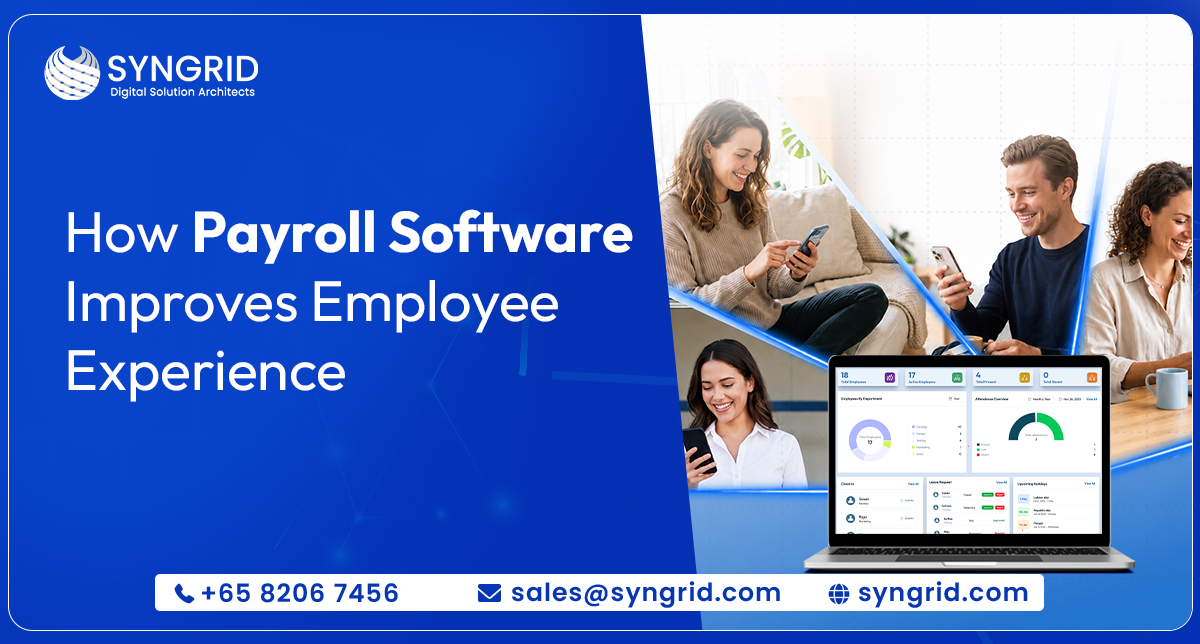
How Payroll Software Improves Employee Experience

Payroll has traditionally been viewed as a back-office function.   Employees submit attendance.   HR processes salaries.   Payslips are generated.   Payments are completed.   But employee expectations have changed.   Today’s workforce expects the same experience from workplace systems that they receive from modern consumer applications—fast access, transparency, convenience, and real-time information.   Employees no longer want to wait for payroll updates, request documents manually, or depend on HR teams for routine tasks.   That’s why businesses are increasingly investing in modern payroll software to improve employee experience while creating more efficient HR operations.   Because payroll today impacts more than salary processing.   It shapes how employees experience the workplace. Why Employee Experience Has Become a Business Priority Employee experience directly affects:   ✔ Productivity✔ Employee satisfaction✔ Retention✔ Engagement✔ Operational efficiency   When employees repeatedly face payroll issues such as:   • Salary delays• Manual approvals• Attendance disputes• Leave tracking confusion• Limited visibility into deductions   Trust begins to decline.   Modern payroll systems solve these challenges by creating transparency and reducing administrative friction. 1. Faster Salary Processing Creates Better Employee Trust One of the biggest employee frustrations is delayed payroll.   Even small processing delays can create uncertainty.   Modern payroll software automates:   ✔ Salary calculations✔ Allowances✔ Overtime computation✔ Statutory deductions✔ Bonus processing   Employees receive salaries accurately and on time.   This builds confidence in internal processes.   Employee Experience Impact     → Improved trust→ Reduced payroll disputes→ Higher satisfaction 2. Self-Service Access Gives Employees More Control Employees increasingly expect instant access to information.   Modern payroll platforms provide employee dashboards where teams can:   ✔ Download payslips✔ View attendance records✔ Track leave balances✔ Update profiles✔ Monitor payroll history   Employees no longer depend on HR for every request. Employee Experience Impact     → Faster access→ Improved convenience→ Reduced administrative delays 3. Payroll Transparency Improves Employee Confidence Employees want clarity.   Questions like:   Why was this deduction made?   How was overtime calculated?   When was leave adjusted? should not require manual clarification.   Payroll software improves transparency through:   ✔ Real-time records✔ Automated calculations✔ Digital approvals✔ Historical visibility   Transparency reduces confusion and improves employee trust. 4. Leave and Attendance Integration Creates Seamless Experiences Disconnected HR systems often create payroll inaccuracies.   Employees experience:   • Incorrect leave deductions• Missing attendance records• Delayed approvals   Integrated HRMS payroll platforms synchronize:   ✔ Attendance tracking✔ Leave approvals✔ Payroll processing✔ Holiday calendars   This creates smoother employee experiences.   Employee Experience Impact     → Reduced manual corrections→ Better payroll accuracy→ Faster approvals 5. Faster Reimbursements Improve Employee Satisfaction Manual reimbursement processes create frustration.   Employees often wait for:   Expense approvals. Status updates. Payment confirmation.   Payroll software streamlines:   ✔ Expense claims✔ Approval workflows✔ Automated reimbursements   This improves employee confidence and reduces delays. 6. Mobile Accessibility Improves Workforce Convenience Modern employees expect workplace access anywhere.   Payroll platforms increasingly support mobile access for:   ✔ Payslip viewing✔ Leave requests✔ Attendance tracking✔ Notifications✔ Employee updates   Convenience directly improves engagement. 7. Global Payroll Improves Employee Consistency Across Regions Organizations operating across locations face additional complexity.   Global payroll software enables:   ✔ Country-wise payroll processing✔ Multi-currency support✔ Compliance alignment✔ Standardized employee experiences   Employees receive consistent service regardless of location. Why Businesses Are Investing in Modern Payroll Platforms Organizations are adopting payroll software to:   ✔ Improve employee satisfaction✔ Reduce HR workload✔ Increase payroll accuracy✔ Automate repetitive tasks✔ Improve workforce transparency✔ Support digital transformation   Payroll is evolving from administration into employee experience management. How Syngrid Technologies Helps Businesses Modernize Payroll Operations At Syngrid Technologies, businesses use Syngroo — Global Payroll Software to simplify HR and payroll operations while creating better employee experiences.   Syngroo helps organizations:   ✔ Automate payroll processing✔ Manage employee records✔ Generate payslips instantly✔ Integrate attendance and leave✔ Support multi-country payroll operations✔ Improve HR workflow efficiency   Key capabilities include:   • Employee Dashboard• Dynamic Payroll Forms• Leave Management System• Holiday Management• Check-In / Check-Out Tracking• Reimbursement Claims• Timesheet Management• Payroll Analytics   By combining payroll automation with employee-first experiences, businesses can improve both operational performance and workforce satisfaction.   Explore More: https://syngrid.com/products/ Final Thoughts Employee experience is no longer influenced only by workplace culture.   It is shaped by everyday interactions.   Payroll. Leave. Approvals. Access. Visibility.   Modern payroll software removes friction and creates experiences employees actually value.   Because when payroll becomes easier—work becomes better. Frequently Asked Questions About This Blog 1. How does payroll software improve employee experience? Payroll software improves employee experience by increasing payroll accuracy, reducing delays, enabling self-service access, and improving transparency. 2. What features should payroll software include? Key features include payroll automation, employee dashboards, attendance integration, leave management, reimbursement processing, and reporting. 3. Can payroll software reduce HR workload? Yes. Payroll automation reduces manual calculations, approvals, and administrative tasks. 4. Why do businesses use HRMS payroll software? Businesses use HRMS payroll software to improve efficiency, automate operations, and deliver better employee experiences. Payroll software improves employee experience by increasing payroll accuracy, reducing delays, enabling self-service access, and improving transparency. Key features include payroll automation, employee dashboards, attendance integration, leave management, reimbursement processing, and reporting. Yes. Payroll automation reduces manual calculations, approvals, and administrative tasks. Businesses use HRMS payroll software to improve efficiency, automate operations, and deliver better employee experiences.

Global Payroll

10 Signs Your Business Needs a Lead Management System

More leads should mean more revenue.   But for many businesses, that’s not what happens.   Marketing campaigns start generating inquiries.   Website traffic increases. Sales teams become busier.   Yet conversions remain inconsistent.   The reason is often simple:   Your business doesn’t have a lead problem. It has a lead management problem.   As companies grow, managing leads manually through spreadsheets, emails, chat platforms, and disconnected tools creates friction that slows every stage of the sales process.   Eventually, opportunities start slipping away. If your business feels busy but growth feels slower than expected, these signs may explain why. 1. Your Team Spends More Time Managing Leads Than Selling Your sales team should focus on conversations.   Instead, many businesses unknowingly create processes where teams spend hours: Updating spreadsheets Searching old conversations Moving data manually Following up manually This reduces selling time.   A centralized lead management system removes repetitive administration and helps teams spend more time closing opportunities. 2. Leads Enter Your Business but Nobody Owns Them This happens more often than businesses realize.   A customer submits an inquiry.   The lead waits.   Someone assumes another person replied.   Days pass.   The customer chooses another provider. Without ownership, response speed drops.   Lead assignment workflows ensure every opportunity has accountability from the beginning. 3. Follow-Ups Depend on Human Memory One missed follow-up can mean losing a customer.   Manual processes create gaps because teams rely on the following: Notes Reminders Emails Memory Lead management software introduces automation so no opportunity gets forgotten. 4. You Can’t Clearly See Where Leads Are Stuck Questions every business should answer instantly:   How many active leads exist? Which stage loses customers? Which campaigns convert? If reporting requires manual work, visibility becomes your bottleneck.   Lead dashboards create real-time sales transparency. 5. Your Response Time Is Slower Than Customer Expectations Customers expect immediate engagement.   The faster your response, the higher your chance of conversion.   Businesses that reduce lead response delays often improve sales outcomes significantly.   Speed creates trust. 6. Marketing Generates Leads, but Sales Questions Quality This is usually not a campaign problem.   It’s a process problem.   Without a shared lead system: Marketing cannot track outcomes. Sales cannot prioritize effectively.   A lead management platform creates alignment. 7. Growth Feels Chaotic Instead of Predictable More leads should create growth.   Not confusion.   If scaling creates: Lost inquiries Delayed responses Duplicate records Your systems need to evolve. 8. Reporting Happens After Opportunities Are Lost By the time reports are created:   Deals are already gone.   Modern businesses need live reporting, not historical reporting. 9. Your Conversion Rates Stay Flat Even When Leads Increase This is one of the clearest signals.   More leads without more customers usually means process inefficiency.   Lead tracking reveals where conversions slow down. 10. You’re Growing Faster Than Your Current Process What works for 50 leads often breaks at 500.   Scaling requires structure.   Without automation, growth becomes harder, not easier. Why Modern Businesses Are Investing in Lead Management Software Lead management is no longer just about tracking inquiries.   It’s about creating a connected customer journey.   Businesses increasingly adopt lead management platforms to:   ✓ Respond faster✓ Improve visibility✓ Reduce manual effort✓ Increase conversion efficiency✓ Build scalable sales operations   How Syngrid Lead Management Software Supports Business Growth At Syngrid Technologies, businesses use intelligent lead management software designed to simplify how leads move from inquiry to conversion. The platform helps teams: Capture leads from multiple channels Assign opportunities instantly Track follow-ups automatically Monitor pipeline performance Improve sales visibility Build structured customer journeys Instead of relying on disconnected tools, businesses gain one centralized system for smarter decision-making. Final Thoughts Businesses often focus on generating more leads.   But growth doesn’t come from volume alone.   It comes from how efficiently opportunities move through your process.   If your team feels busy but conversions feel inconsistent, now may be the right time to modernize how leads are managed.   Because better lead management doesn’t just organize growth.   It accelerates it.

Global Payroll

Why Are Projects Delayed Even When Your Team Is Working Hard?

Your team is busy. Tasks are moving. Meetings happen.   Everyone seems productive.   Yet somehow… project deadlines keep getting pushed.   If this sounds familiar, the issue may not be your team’s effort.   Most project delays happen because businesses lack visibility, structured execution, and real-time project control—not because employees are underperforming.   This is where a modern project management system becomes essential.   Instead of relying on scattered updates and manual follow-ups, businesses can manage projects, track execution, and improve accountability through a centralized workflow   Working Hard Does Not Always Mean Working Efficiently Many businesses mistake activity for progress. A team can spend long hours working but still experience delays due to the following: Unclear ownership Poor task prioritization Limited visibility Delayed approvals Resource conflicts Manual reporting According to project performance research, organizations with standardized project management practices consistently improve delivery outcomes and operational efficiency.   Without structured project management, deadlines become difficult to control. 1. Teams Don’t Have Clear Task Ownership One of the biggest reasons projects slow down is confusion. Questions often appear like the following: Who owns this task? Is this approved? What is blocking progress? Which team is responsible? When ownership is unclear, projects stall. A centralized project management system creates the following: Assigned responsibilities Every task has a defined owner. Transparent workflows Teams know what happens next. Progress visibility Leaders can monitor completion status.   This reduces dependency bottlenecks. 2. Managers Can’t See Project Progress in Real Time Many teams still manage projects through the following: Email threads Meetings Excel trackers Messaging apps These tools create reporting delays. A centralized dashboard enables the following: Real-time project tracking Monitor project movement instantly. Cross-team visibility Keep remote and distributed teams aligned. Faster decision-making Identify issues before deadlines slip. According to workplace productivity research, visibility improves execution speed and collaboration outcomes.   3. Time Tracking Is Missing or Inaccurate Projects rarely fail because of effort.   They fail because businesses don’t understand where time is actually spent.   Without timesheet tracking: Productivity becomes difficult to measure Budget forecasting becomes inaccurate Resource planning suffers   A digital timesheet management system helps teams Capture work hours automatically Track project activity in real time. Improve accountability Connect effort with outcomes. Approve work efficiently. Reduce manual reporting.   Timesheet visibility supports smarter project planning. 4. Remote and Cross-Border Teams Create Coordination Challenges Modern teams work across the following: Multiple locations Different time zones Distributed departments Without centralized execution: Updates become fragmented Communication slows Accountability decreases Project management software enables: Unified project execution Manage all projects from one dashboard. Remote collaboration Track progress across teams. Centralized approvals Reduce waiting time. 5. Projects Are Measured Too Late Many businesses only review progress near deadlines. By then: Budget overruns happen Work accumulates Resources become overloaded Successful teams monitor continuously. A structured project system provides the following: Milestone tracking Measure progress early. Task status monitoring Identify delays immediately. Resource allocation visibility Balance workloads effectively. How Modern Project Management Systems Improve Delivery High-performing organizations focus on: Centralized Task Management Organize project execution. Real-Time Timesheet Tracking Measure effort accurately. Workflow Transparency Improve accountability. Cross-Team Collaboration Align distributed teams. Performance Visibility Track outcomes continuously. Smarter Project Execution with Syngroo Project Management System Syngroo’s built-in project management system helps teams create, assign, and track projects from a centralized dashboard. The platform supports: Task creation and assignment Real-time project visibility Cross-border collaboration Remote workforce alignment Timesheet approvals Work-hour tracking Centralized project monitoring Its integrated timesheet management system captures working hours against projects and enables managers to review and approve activities efficiently.   This creates better accountability and faster project execution. Final Thoughts When projects are delayed, effort is rarely the problem.   The real challenge is visibility.   Without structured execution and measurable progress, hardworking teams can still miss deadlines.   Modern project management software helps organizations move from activity-based execution to outcome-driven delivery.   If your team is constantly busy but projects continue slipping, it may be time to improve how work is tracked—not how hard people work.   Start Your 15-Day Free Trial and experience smarter project execution with Syngroo. Frequently Asked Questions About This Blog Why do projects get delayed even when teams work hard? Projects often get delayed because of poor visibility, unclear ownership, communication gaps, and inefficient tracking not lack of effort. How does a project management system improve delivery? Project management systems centralize tasks, improve collaboration, track milestones, and provide real-time visibility. What is timesheet management? Timesheet management tracks employee working hours against projects and helps businesses improve accountability and planning. Is project management software useful for remote teams? Yes. It enables centralized communication, project tracking, and workflow visibility across distributed teams. Projects often get delayed because of poor visibility, unclear ownership, communication gaps, and inefficient tracking not lack of effort. Project management systems centralize tasks, improve collaboration, track milestones, and provide real-time visibility. Timesheet management tracks employee working hours against projects and helps businesses improve accountability and planning. Yes. It enables centralized communication, project tracking, and workflow visibility across distributed teams.

Global Payroll

Managing Payroll Across Multiple Hospitals? Here’s Where Most Teams Struggle

Running payroll for a single hospital is already complex. Managing payroll across multiple hospitals introduces an entirely different level of operational pressure.   Healthcare organizations operate across departments, shifts, countries, contract types, and compliance frameworks. HR and payroll teams often deal with overtime calculations, different employee classifications, leave synchronization, reimbursement tracking, and country-specific regulations—all while ensuring employees receive accurate salaries on time.   As healthcare networks continue expanding, traditional payroll processes become difficult to sustain. This is where modern Hospital payroll management systems create measurable improvements. Why Multi-Hospital Payroll Operations Become Difficult to Scale Hospitals do not operate like conventional businesses.   A healthcare workforce includes permanent staff, temporary employees, contract nurses, consultants, remote teams, and rotating shift workers—all generating different payroll conditions.   According to the World Health Organization, healthcare workforce optimization remains a major operational priority globally   When payroll systems remain disconnected, hospitals often experience the following: Delayed salary processing Payroll discrepancies Attendance mismatch Manual compliance tracking Complex leave reconciliation Limited payroll visibility Without centralized processes, administrative overhead increases rapidly. 1. Managing Multiple Payroll Structures Across Hospital Locations One hospital network may operate multiple compensation models.   Examples include: Monthly payroll Hourly wages Shift-based compensation Country-specific tax structures Department-specific incentives Finance teams frequently manage payroll manually through spreadsheets and disconnected systems. The result: Increased payroll processing time Calculation errors Reporting inconsistencies Modern global payroll software centralizes payroll administration across all locations through a unified workflow. 2. Compliance Requirements Change Across Regions Compliance is one of the biggest challenges in healthcare payroll.   Hospitals operating internationally or even across different regulatory environments must comply with changing labor rules, tax regulations, overtime policies, and employee benefit requirements. Common compliance risks: Statutory deduction errors Incorrect tax and contribution calculations. Audit challenges Missing payroll history and approvals. Reporting inconsistencies Difficulty generating region-based reports.   A centralized payroll environment significantly reduces compliance exposure. 3. Attendance, Leave, and Payroll Often Operate Separately One of the most common operational bottlenecks is disconnected employee management. Employees may: Request leave on one platform Mark attendance elsewhere Receive payroll through another system This separation increases reconciliation work. Integrated HRMS payroll platforms automatically connect: Check-In / Check-Out Tracking Real-time work-hour visibility. Leave Management Auto-sync approved leave into payroll. Holiday Management Country and region-specific holiday mapping. Employee Dashboard Self-service access to payslips and records.   The result is faster payroll processing with fewer manual interventions. 4. Payroll Teams Spend Too Much Time on Manual Calculations Healthcare payroll contains variables that standard payroll tools rarely handle efficiently. Examples include: Shift differentials Overtime Reimbursements Project allocations Benefit deductions Contract renewals Manual calculations increase operational costs. According to healthcare workforce and HR operational recommendations published through healthcare HR organizations, automation significantly improves payroll consistency and administrative efficiency. Payroll automation capabilities should include the following: Employee earnings and deductions Bulk payslip generation Dynamic payroll forms Automated approval workflows Integrated accounting 5. Limited Visibility Across Hospital Groups Hospital leadership requires real-time visibility. Without centralized reporting: Payroll forecasting becomes difficult. Budget planning slows down Department allocation becomes unclear Advanced payroll systems solve this through: Payroll Analytics & Reporting Track salary expenses and workforce trends. Project Management Integration Connect labor costs with operations. Timesheet Compliance Maintain complete employee work records. Role-Based Access Control Secure payroll visibility by user role. How Modern Global Payroll Software Solves These Challenges Organizations moving toward centralized payroll management typically look for five priorities: 1. Automated Salary Processing Reduce repetitive payroll activities. 2. Global Compliance Monitoring Support country-level payroll requirements. 3. Employee Self-Service Improve employee experience. 4. Multi-Currency Payroll Enable accurate international payouts. 5. Enterprise Data Security Protect sensitive employee information.   Solutions such as Syngroo Global Payroll Software are designed to simplify payroll administration across healthcare environments by combining payroll, HRMS, attendance, leave, project management, and compliance workflows into one connected ecosystem.   Features include: Applicant Tracking System Dynamic Employee & Payroll Forms Employee Earnings & Deductions Payslip Automation Leave & Holiday Management Attendance Tracking Reimbursement Management Timesheet Management Integrated Accounting Country-Wise Compensation Management Global Payments & Currencies Final Thoughts Healthcare organizations cannot scale payroll operations using disconnected systems forever.   As hospital groups expand, payroll complexity grows exponentially.   Centralized hospital payroll management supported by automation, compliance tracking, and integrated HRMS workflows allows healthcare organizations to reduce errors, improve employee experience, and maintain operational control.   If your hospital network is still dependent on manual payroll processing, now may be the right time to modernize your payroll infrastructure. Frequently Asked Questions About This Blog What is hospital payroll management? Hospital payroll management is the process of calculating, processing, and managing employee compensation across healthcare organizations. It includes salaries, overtime, shift allowances, reimbursements, statutory deductions, attendance tracking, and compliance reporting for healthcare staff. Why is payroll difficult to manage across multiple hospitals? Managing payroll across multiple hospitals becomes challenging because healthcare organizations often operate with different employee categories, rotating shifts, multiple departments, varying compensation structures, and regional compliance requirements. Manual payroll processes can lead to delays, errors, and reporting inconsistencies. How does global payroll software help healthcare organizations? Global payroll software centralizes payroll operations into one platform and automates salary calculations, leave synchronization, attendance tracking, compliance monitoring, and employee payments across multiple locations and countries. This improves payroll accuracy and reduces administrative workload.   What features should hospitals look for in payroll software? A faster recruitment process allows businesses to engage top candidates before competitors do. Quick communication, efficient screening, and timely decision-making improve candidate experience and increase the chances of securing high-quality talent.   Hospital payroll management is the process of calculating, processing, and managing employee compensation across healthcare organizations. It includes salaries, overtime, shift allowances, reimbursements, statutory deductions, attendance tracking, and compliance reporting for healthcare staff. Managing payroll across multiple hospitals becomes challenging because healthcare organizations often operate with different employee categories, rotating shifts, multiple departments, varying compensation structures, and regional compliance requirements. Manual payroll processes can lead to delays, errors, and reporting inconsistencies. Global payroll software centralizes payroll operations into one platform and automates salary calculations, leave

Global Payroll

Why Top Candidates Accept Other Offers Before You Contact Them

“The best candidates don’t stay available for long. The companies that move faster usually win.” Recruitment today isn’t suffering from a lack of talent. It’s suffering from a lack of speed. Many businesses spend weeks reviewing resumes, coordinating interviews, and manually shortlisting applicants only to discover their strongest candidates have already accepted another opportunity. By the time recruiters reach out, the decision has already been made. And the cost is higher than most companies realize. The Hiring Delay Most Businesses Don’t Notice Hiring teams often assume candidates remain available throughout the recruitment process. Reality is different. Top candidates actively apply across multiple companies and typically receive several opportunities simultaneously. Even a few days of delay can impact outcomes. Common causes include: Manual resume screening Slow candidate shortlisting Delayed internal approvals Poor recruiter visibility Too many applications to review The result? High-quality candidates disappear before meaningful engagement begins. Why Speed Has Become a Competitive Hiring Advantage Candidates evaluate employers the same way businesses evaluate talent. A slow process often signals the following: Poor internal coordination Lack of decision-making speed Weak candidate experience Fast hiring creates momentum. Candidates feel valued. Recruiters stay productive. Teams fill roles faster. Modern recruitment is no longer about reviewing more resumes. It’s about identifying the right people faster. The Problem With Traditional Recruitment Processes Manual hiring workflows create unnecessary friction.   Recruiters spend hours reading resumes, comparing candidates, updating spreadsheets, and tracking applications across disconnected systems.   As hiring volume grows, delays multiply.   Businesses struggle with: Resume overload Missed top candidates Inconsistent evaluations Limited recruitment visibility Longer time-to-hire This situation creates hiring bottlenecks that directly impact business growth. How AI-Powered ATS Is Changing Recruitment AI is helping recruitment teams reduce repetitive work and focus on decision-making.   Instead of manually reviewing every application, recruiters can instantly identify stronger matches using structured evaluation.   Modern ATS platforms help businesses: Screen resumes faster Match candidates against job descriptions Generate candidate insights Centralize hiring workflows Improve recruiter productivity The outcome is simple:   Better hiring decisions in less time. How Syngrid Helps Businesses Hire Faster Syngrid Technologies offers an AI-Powered Applicant Tracking System (ATS) designed to simplify and accelerate recruitment.   The platform combines intelligent screening with centralized hiring workflows to help businesses identify stronger candidates faster.   Key capabilities include:   ✔ AI-powered resume screening✔ JD-based Resume Analyzer✔ AI Score Summary✔ Keyword Match Evaluation✔ Candidate tracking dashboard✔ Faster shortlisting and hiring decisions   By reducing manual recruitment effort, Syngrid helps businesses engage top candidates before competitors do. Final Thoughts Top candidates are rarely unavailable. They’re simply hired faster. Companies that continue relying on manual recruitment processes risk losing strong talent before conversations even begin. The businesses winning talent today are not reviewing more resumes. They’re making smarter and faster hiring decisions. Because in modern recruitment, speed creates opportunity. Frequently Asked Questions About This Blog Why do top candidates accept other job offers before recruiters contact them? Top candidates often apply to multiple companies at the same time and receive several offers quickly. When recruitment processes are slow due to manual screening and lengthy approvals, qualified candidates may accept other opportunities before recruiters can engage with them. How can an Applicant Tracking System (ATS) speed up hiring? An ATS automates tasks such as resume screening, candidate tracking, and shortlisting. This reduces manual effort, improves recruiter efficiency, and helps businesses identify and contact qualified candidates faster, reducing overall time-to-hire.   What are the benefits of using an AI-powered ATS for recruitment? An AI-powered ATS can analyze resumes, match candidates to job descriptions, generate candidate scores, and provide hiring insights. This helps recruiters make faster, more accurate hiring decisions while improving the candidate experience.   How does faster recruitment help businesses attract better talent? A faster recruitment process allows businesses to engage top candidates before competitors do. Quick communication, efficient screening, and timely decision-making improve candidate experience and increase the chances of securing high-quality talent.   Top candidates often apply to multiple companies at the same time and receive several offers quickly. When recruitment processes are slow due to manual screening and lengthy approvals, qualified candidates may accept other opportunities before recruiters can engage with them. An ATS automates tasks such as resume screening, candidate tracking, and shortlisting. This reduces manual effort, improves recruiter efficiency, and helps businesses identify and contact qualified candidates faster, reducing overall time-to-hire.   An AI-powered ATS can analyze resumes, match candidates to job descriptions, generate candidate scores, and provide hiring insights. This helps recruiters make faster, more accurate hiring decisions while improving the candidate experience.   A faster recruitment process allows businesses to engage top candidates before competitors do. Quick communication, efficient screening, and timely decision-making improve candidate experience and increase the chances of securing high-quality talent.  

Global Payroll

Struggling with Asset Transfers? Here’s What’s Holding Your Business Back

“You can’t manage what you can’t track—and you can’t track what you’ve never recorded.” Asset transfers are a routine part of daily business operations. Laptops move between employees, equipment is reassigned across project sites, and office resources shift between departments. While these transfers may appear straightforward, they often become one of the biggest sources of asset loss, accountability issues, and operational inefficiencies when not managed properly.   Without a structured process, businesses quickly lose track of who owns what, where assets are located, and whether they have been returned in good condition. As organisations grow, these small oversights turn into costly operational challenges.   When employees leave the company, managers often struggle to determine which assets were assigned to them. During audits, incomplete records create compliance risks. Teams waste valuable time searching for equipment that should already be accounted for.   This is where employee asset handover software becomes essential. It creates a structured, documented, and auditable process for managing asset transfers, ensuring accountability and visibility throughout the entire asset lifecycle. Why Asset Transfers Become a Business Challenge Many organisations still rely on spreadsheets, email confirmations, paper forms, or verbal communication to manage asset handovers.   While these methods may work for small teams, they become increasingly difficult to manage as organisations expand. More employees, multiple locations, and growing asset inventories introduce complexities that manual processes simply cannot handle efficiently.   Without a centralised asset transfer management system, businesses often face the following: Missing or undocumented asset transfers Unclear ownership records Asset losses during employee exits Duplicate purchases of existing assets Compliance and audit issues Confusion across multiple locations Data entry errors during asset migration Disputes regarding asset condition during handovers Each of these challenges carries a direct financial impact. Fortunately, all of them can be prevented through a structured employee asset handover process. What Employee Asset Handover Software Does Employee asset handover software centralises and automates the process of assigning, transferring, and tracking business assets.   Instead of relying on manual communication, every transfer is documented within a secure platform. The system records who transferred the asset, who received it, when the transfer occurred, and the condition of the asset at the time of handover.   This creates a transparent and accountable environment where managers can instantly identify the current status and ownership of any asset.   Key capabilities include: Bulk asset import and export Employee asset assignment Employee asset reassignment Structured handover workflows Transfer documentation Ownership tracking Audit trails Multi-location asset visibility The result is a well-organised asset ecosystem where accountability is built into every transfer. Why Bulk Asset Import and Export Matter One of the biggest challenges businesses face when implementing asset management software is importing existing asset data. Organisations often maintain hundreds or thousands of asset records. Manually entering each record consumes valuable time and increases the risk of errors. Bulk asset import and export features eliminate this challenge by allowing organisations to upload and manage large volumes of asset information quickly and accurately. Benefits include: Faster onboarding of asset inventories Reduced manual entry errors Improved data consistency Simplified audit preparation Easier migration from legacy systems Faster reporting and analysis Rather than spending weeks entering data manually, businesses can begin managing their assets immediately. Employee Asset Assignment and Reassignment Made Simple Asset movement between employees is one of the most common business scenarios. New hires require laptops and equipment. Employees leaving the organization must return assigned assets. Departments frequently reallocate resources based on project requirements.   Without proper documentation, these transitions often create accountability gaps and ownership confusion.   Employee asset handover software ensures that every assignment and reassignment is recorded automatically, creating a permanent history of asset ownership.   Organisations can: Assign assets to employees Reassign assets when roles change Track assignment history Manage temporary asset loans Recover assets during employee exits Generate assignment reports This level of visibility significantly reduces asset loss and improves accountability across teams. The Hidden Cost of Poor Asset Handover Management Many businesses underestimate how much poor asset tracking actually costs. The financial impact often appears in different areas rather than a single budget line: Unnecessary replacement purchases Failed audits and compliance penalties Increased IT recovery costs Time spent locating missing assets Reduced employee productivity Insurance claim complications Operational inefficiencies Reputational risks Over time, these hidden costs can exceed the investment required for a dedicated asset management solution.   Investing in proper employee asset handover software helps organisations eliminate these unnecessary expenses while improving operational efficiency. How Syngrid Technologies Simplifies Asset Handover Management Syngrid Technologies provides an intelligent asset management platform designed to help organisations manage assets efficiently from acquisition through retirement. The platform includes advanced employee asset handover capabilities that simplify asset transfers, improve accountability, and enhance visibility across the organisation.   Key features include the following: Bulk Asset Import Bulk Asset Export Employee Asset Assignment Employee Asset Reassignment Multi-Location Asset Management Asset Lifecycle Management Asset Classification and Tracking Scrap Asset Management Third-Party Integrations with HRMS, ERP, and Payroll Systems Customisable Fields and Workflows Whether you’re managing hundreds or thousands of assets, Syngrid provides a centralised platform that keeps your asset data accurate, accessible, and audit-ready. Why Businesses Choose Syngrid Organisations choose Syngrid because it offers more than basic asset tracking.   Benefits include: End-to-end asset lifecycle management Complete ownership and transfer history Bulk import and export capabilities Multi-location visibility Flexible customisation options Seamless integrations Enterprise-grade security Dedicated implementation support Built using modern technologies such as MongoDB, ExpressJS, ReactJS, and NodeJS, Syngrid delivers a fast, scalable, and user-friendly experience for organisations of all sizes. Conclusion Asset transfers should never become a source of operational chaos, financial loss, or compliance risk. Yet many organisations continue to rely on spreadsheets, emails, and manual processes that leave significant gaps in accountability and visibility.   Employee asset handover software eliminates these challenges by providing a structured, automated, and transparent approach to asset transfer management.   With powerful features such as bulk asset import, bulk asset export, employee asset assignment, employee asset reassignment,

Global Payroll

What is Software as a Service (SaaS)?

“Software is eating the world. And SaaS is how most businesses are taking their first bite.” — Marc Andreessen The way businesses consume software has changed permanently. Buying software no longer means purchasing licenses, installing applications, and paying IT teams to maintain servers. Today, businesses access powerful SaaS software instantly through a web browser, pay a predictable subscription, and never worry about installations or updates again.   What is SaaS? It is the cloud-based software delivery model transforming how businesses of every size access; use; and pay for technology. From payroll software and CRM platforms to asset management and AI-powered tools, Software as a Service has made enterprise-grade technology accessible to startups and global enterprises simultaneously. What Is SaaS? Software as a Service is a cloud-based delivery model where applications are hosted by a vendor and accessed over the internet on a subscription basis. Unlike traditional software requiring local installation, SaaS applications run on vendor servers and are accessible through any browser from any device anywhere.   The SaaS model eliminates hardware investment; IT maintenance; security patching; and version management entirely. The vendor handles everything automatically while businesses simply log in and start working immediately. Cloud-hosted applications accessible through any browser without local installation Subscription-based pricing replacing large upfront software license costs Automatic updates delivered by the vendor without IT team involvement Scalable user management: adding or removing users instantly as needed Multi-device accessibility from desktops, laptops, tablets, and smartphones Vendor-managed security, including data protection, backups, and compliance No hardware investment since all processing happens on vendor cloud infrastructure Rapid deployment: getting businesses productive within hours, not weeks How Does SaaS Work? When a business subscribes to a SaaS application, it purchases access to a continuously maintained application running on the vendor’s cloud infrastructure. Multiple customers share the same infrastructure while maintaining complete data separation and security between them at all times. The SaaS delivery model concentrates technical expertise and infrastructure management with the vendor, freeing businesses to focus entirely on using the software rather than managing it operationally. Multi-tenant architecture serving multiple customers from shared cloud infrastructure Internet-based access through browsers eliminating client-side installation requirements Centralized data storage on secure vendor servers with automated backup procedures Continuous delivery releasing updates and new features automatically without disruption API integration capabilities connecting SaaS applications with other business systems Role-based access control managing user permissions and data visibility effectively Usage-based subscription pricing aligned with business size and feature requirements Service Level Agreements guaranteeing uptime, performance, and support standards SaaS vs. Traditional Software Factor Traditional Software SaaS Software Deployment Local installation Browser-based instant access Cost Model Large upfront license Monthly subscription Updates Manual IT upgrades Automatic vendor updates Scalability Complex and expensive Instant user changes Accessibility Office-based only Anywhere; any device Maintenance Internal IT team Vendor managed Security Business managed Enterprise-grade vendor security Implementation Weeks or months Hours or days   Key Benefits of SaaS for Modern Businesses SaaS solutions deliver operational advantages that traditional software delivery models cannot match for modern business requirements. These benefits compound over time as businesses integrate multiple SaaS applications creating connected technology ecosystems across every department. Cost efficiency through predictable subscription pricing replacing capital expenditure Immediate deployment getting teams productive within hours of activation Automatic feature updates continuously improving software without additional investment Infinite scalability growing from ten users to thousands without platform migration Remote work enablement giving every team member full access from any location Reduced IT burden, eliminating server management and maintenance overhead entirely Integration flexibility connecting SaaS applications with existing systems through APIs Centralized data accessibility, maintaining current complete data for authorized users Common Types of SaaS Applications SaaS applications now cover virtually every business function organizations depend on daily. Businesses can build complete technology stacks entirely from cloud-based software without any on-premise infrastructure investment required. CRM Software: Managing customer relationships, sales pipelines, and communication HRMS and Payroll SaaS: Automating HR operations, payroll, and employee management Project Management SaaS: Organizing tasks; tracking progress; and team collaboration Asset Management SaaS: Tracking; managing; and optimizing business assets Marketing Automation SaaS: Managing campaigns, leads, and customer engagement Accounting and Finance SaaS: Handling invoicing, expenses, and financial reporting Lead Management SaaS: Capturing; qualifying; and converting leads through workflows AI-Powered SaaS: Delivering intelligent automation; analytics; and decision support Syngrid Technologies: Powerful SaaS Products for Modern Businesses Syngrid Technologies delivers intelligent; scalable; and secure SaaS products for modern enterprises across multiple industries. As a trusted Zoho Partner and HubSpot specialist; Syngrid combines SaaS product development expertise with deep implementation experience helping businesses maximize cloud-based software value.   Syngrid’s SaaS portfolio addresses the complete spectrum of modern business operational requirements from global payroll and HR automation to asset tracking; lead management; AI quotation generation; and intelligent chatbot deployment. Syngroo: Complete SaaS platform for global payroll; HR; recruitment; attendance; and project management Asset Management Software: SaaS solution for real-time asset tracking; lifecycle management; and compliance Lead Management Software: Cloud-based platform for capturing; assigning; and converting leads AI Quotation Management:AI-powered SaaS generating professional quotations instantly from text input AI Chatbot Platform: Intelligent SaaS chatbot for automated customer engagement and lead capture ERP Solutions: Comprehensive SaaS ERP connecting business operations in one integrated system Real-Time Technician Tracking: Monitor and manage field personnel efficiently to optimize worker safety, track location data, and improve workforce productivity.   Why Businesses Choose Syngrid SaaS Products Syngrid delivers SaaS products with technical depth, industry expertise, and genuine customer commitment, positioning every client for long-term success. Every product is built on modern secure technology stacks and designed for immediate adoption without friction. Complete SaaS portfolio covering payroll; HR; assets; leads; AI; and chatbot solutions Authorized Zoho Partner delivering certified Zoho SaaS implementation and optimization HubSpot expertise, including module development, integration, and platform optimization Modern technology stack ensuring high performance, security, and scalability Global delivery capability supporting businesses in Singapore, India, and internationally End-to-end implementation from consultation through deployment and ongoing optimization Free demo availability: evaluating every SaaS product before any commitment is required Dedicated support team ensuring successful SaaS

Global Payroll

Too Many Projects? Here’s How High Performers Handle It

  “It’s not about having time. It’s about making time for what matters most.” The Monday Morning Crisis It is 8:47 AM. Your inbox has 23 unread messages. Your team is waiting for approvals. Three project deadlines are this week. And you haven’t even opened your task list yet. This is not a productivity problem. This is a systems problem. Most professionals respond to this situation by working longer. Sleeping less. Stressing more. High performers respond differently. They build systems that work even when they don’t. And at the center of every high performer’s system is one thing. The right task management software. Let’s Be Honest About What’s Really Happening Here is the uncomfortable truth about managing multiple projects. Your brain was never designed to track dozens of tasks, deadlines, dependencies, and team responsibilities simultaneously. That’s not a personal failing. That’s biology. Every time you try to remember what needs doing, when, and by whom, you burn cognitive energy. Energy that should go toward creative thinking; problem-solving; and actual work. The result? Important tasks get forgotten. Deadlines get missed Team members feel confused Stress levels rise Quality of work drops Furthermore, the harder you try to hold everything in your head, the worse it gets. Additionally, the longer you operate without a proper system, the more ground you lose every single day. The fix is not motivation. The fix is a system. What Separates High Performers From Everyone Else Forget the hustle culture myths. High performers are not superhuman. They do not work 18-hour days. And they are not immune to stress. However, they do think about work organization very differently. Here is exactly how: They work from a single source of truth. High performers keep everything in one place. One system. One dashboard. One place where every task, deadline, and project update lives. No sticky notes. No scattered emails. No “I think I saved it somewhere” moments. As a result, they start every day with complete clarity on what needs attention. They prioritize ruthlessly. Not all tasks are equal. High performers know this instinctively.   Category: Action, Urgent and Important Do it now (Important but Not Urgent). Schedule It (Urgent but Not Important) Delegate it: Neither Urgent nor Important Eliminate it. Consequently, their energy always goes where it creates the most impact.   They Review, Adjust, and Improve Constantly High performers treat their task system like a living document. They review it daily. They adjust it weekly. And they use data from their task management software to identify patterns, bottlencks, and improvement opportunities. Therefore, they get better at managing projects over time. Not just busier.   They Delegate With Confidence High performers delegate clearly. They assign tasks with specific descriptions, deadlines, and expectations. And they track delegated work through their task management software without micromanaging. As a result, they multiply their output without multiplying their hours.   Enter Syngroo: Task Management for People Who Mean Business Syngroo is not just another task app. It is the global payroll HRMS software by Syngrid Technologies, built with a powerful project and task management system at its core. It was designed for exactly this problem. Too many projects. Too many moving parts. Not enough clarity. Here is what makes Syngroo different:   One Dashboard for Everything Syngroo brings every project, every task, every deadline, and every team member’s responsibilities into one clean, centralized dashboard. No more jumping between tools. No more missed updates. Everything your team needs is visible in one place, at any time, from any device.   Task Creation in Seconds Creating a task in Syngroo takes seconds. Add a title. Set a deadline. Assign it to the right team member. Choose a priority level. Done. Furthermore, assigned team members receive instant notifications. They know exactly what is expected; when it is due; and how important it is. As a result, nothing gets lost in handoff.   Multi-Project Visibility Managing three projects simultaneously? No problem. Syngroo displays all active projects side by side. Progress; pending tasks; overdue items; and upcoming deadlines are all visible at a glance. Consequently, switching between projects takes seconds, not minutes. And context is never lost in the transition.   Smart Deadline and Priority Tracking Syngroo tracks every deadline automatically. Automated reminders notify team members before due dates arrive. High-priority tasks are flagged clearly. Therefore, last-minute deadline surprises become a thing of the past for teams using Syngroo consistently.   Collaboration Without the Chaos Team members comment directly on tasks. Updates stay connected to the work they relate to. And important information never gets buried in email threads. Additionally, Syngroo’s built-in announcement section keeps the entire team informed about company updates, policy changes, and important news. All within the same platform. No separate emails required.   Connected to Payroll; HR; and More Here is what truly sets Syngroo apart from standalone task management tools. Because Syngroo is a complete HRMS platform, your task and project data connect directly with: Payroll processing Leave management Attendance tracking Employee records Furthermore, this gives leadership a complete picture of team productivity, workload distribution, and resource utilization across the entire organization.   The High Performer’s Weekly System Want to know exactly how high performers use task management software week by week? Here is their proven rhythm:   Sunday evening. 20 Minutes: Review all active projects. Identify the three most important outcomes for the week. Organize the task list around those priorities. Start Monday with a clear plan.   Monday Morning: 10 Minutes Open Syngroo. Review today’s tasks. Confirm priorities. Check team assignments. Begin deep work on the most important task first. Daily: 5 minutes Quick progress check. Mark completed tasks. Done. Note any blockers. Adjust priorities if needed. Stay ahead of tomorrow.   Friday Afternoon: 15-minute weekly review. What got done? What didn’t? Why? What needs to be carried forward? What can be delegated or eliminated? Update the system for next week.   Total system time: Under an hour per week. The payoff? Complete clarity; zero missed deadlines; and a

Global Payroll

5 Reasons Employees Love Real-Time Leave Tracking Software  

Picture this. An employee wants to take a day off next Friday. So they send a message to their manager on WhatsApp. The manager says they’ll check and get back. Three days pass. No response. The employee follows up. The manager forgot. HR has no record of it. And by Friday, the employee either shows up frustrated or takes the day off without proper approval.   Sound familiar?   This is the daily reality for businesses still managing leave through spreadsheets; email chains; and manual approval processes. It’s slow; inconsistent; and frustrating for everyone involved. Real-time employee leave management software changes this completely. It gives employees clarity, control, and confidence over their own time off while giving HR and managers the visibility they need to keep operations running smoothly. In this blog, we explore 5 compelling reasons why employees genuinely love using real-time leave tracking software and how Syngroo, the global payroll HRMS software by Syngrid Technologies, makes it happen effortlessly.  What Is Employee Leave Management Software?   Employee leave management software is a digital platform that automates the entire leave process, from application and approval to tracking and reporting, replacing manual, error-prone processes with a structured, transparent, and real-time system. It enables businesses to manage the following: Leave applications and approvals in real time. Leave balances and entitlements per employee Different leave types: annual, sick, casual, and maternity Team calendars showing who is on leave and when HR announcements and policy updates Payroll integration for accurate leave-based pay calculations By centralizing the entire leave process in one platform, businesses eliminate confusion, reduce administrative workload, and create a better experience for every employee across the organization.  Why Manual Leave Management Is Hurting Your Business   Before exploring why employees love leave tracking software, it’s worth understanding the real cost of not having it. Without proper employee leave management software, businesses commonly face: Leave requests getting lost in email inboxes or chat messages Managers approving leaves without checking team availability HR spending hours manually updating leave balance spreadsheets Employees unsure of how many leave days they have remaining Payroll errors caused by inaccurate or outdated leave records No visibility into team attendance patterns or leave trends These aren’t minor inconveniences. They create frustration, distrust, and inefficiency that impact employee morale and business productivity every single day.    5 Reasons Employees Love Real-Time Leave Tracking Software   Reason 1: They Always Know Exactly How Many Leave Days They Have   Nothing frustrates an employee more than not knowing their leave balance. With manual systems, employees have to ask HR every time they want to check, which feels awkward and inefficient. Real-time employee leave management software gives every employee instant visibility into their own leave balance, showing exactly how many days they have taken, how many remain, and what types of leave are available to them. The result: Employees feel informed and empowered. No more guessing. No more awkward HR conversations just to check a number. Reason 2: Applying for Leave Takes Seconds; Not Days   With traditional systems, applying for leave means filling out a paper form, sending an email, following up with a manager, waiting for HR to update records, and hoping the approval actually comes through before the leave date. With real-time leave tracking software, the entire process takes less than a minute. Employees submit a leave request digitally; the system notifies the manager instantly; the manager approves or declines with one click; and the employee receives an immediate notification. The result: a faster, smoother, and far less stressful leave application experience that employees genuinely appreciate. Reason 3: They Get Instant Approval Notifications   Waiting and not knowing is one of the most frustrating workplace experiences. Employees who apply for leave and then hear nothing for days feel undervalued and anxious, especially when they have personal plans depending on that approval. Real-time employee leave management software sends instant notifications at every stage of the process: application received, manager reviewing, approved or declined, and leave recorded. Employees always know exactly where their request stands. The result: transparency and speed that build trust between employees, managers, and HR. Reason 4: They Can Plan Their Time Off Without Conflict   One of the most common leave-related frustrations is submitting a leave request only to find out that three other team members already have the same days off, and the request gets declined at the last minute. Real-time leave tracking software gives employees access to a shared team calendar, showing who is on leave and when before they even submit their request. Employees can plan their time off intelligently, avoiding conflicts and increasing the likelihood of approval. The result: Fewer last-minute declines; better personal planning; and a more considerate team culture around leave management. Reason 5: They Stay Informed Through Built-In Announcements   Leave management isn’t just about tracking days off. It’s also about keeping employees informed about policy changes; public holidays; office closures; and HR updates that affect their leave planning. This is where Syngroo stands out. Syngroo’s built-in announcement section keeps employees informed about important HR updates, policy changes, and company announcements, all within the same platform they use to manage their leave. No separate emails. No missed notices. Everything in one place. The result: Employees feel connected, informed, and part of a well-organized workplace, which directly improves engagement and satisfaction. How Syngroo Makes Employee Leave Management Effortless   Syngroo is the global payroll HRMS software developed by Syngrid Technologies, designed to simplify and automate every aspect of HR and payroll management for modern businesses. At the heart of Syngroo is a powerful employee leave management system that gives HR teams, managers, and employees a seamless, real-time leave experience from application to payroll.   Leave Tracking System     Syngroo’s leave tracking system manages every leave type—annual, sick, casual, maternity, and custom leave categories—with real-time balance updates, automated approval workflows, and complete leave history for every employee.   Real-Time Leave Visibility     Managers and HR teams get a live dashboard showing team availability, leave patterns, and upcoming absences, enabling better resource

Scroll to Top