Syngrid

Digital Transformation

Digital Transformation

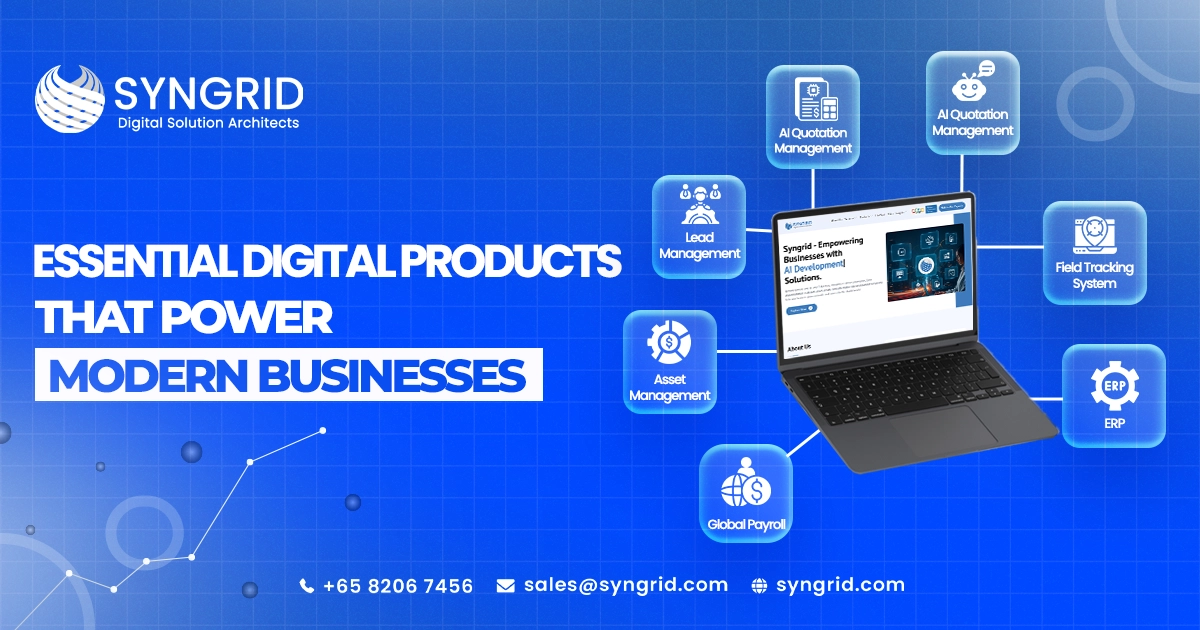
Essential Digital Products That Power Modern Businesses

The Digital Backbone Every Modern Business Needs In today’s fast-paced digital landscape, businesses can no longer rely on manual processes and disconnected systems. The real question is—are your operations optimized for efficiency and growth? Modern organizations require intelligent, integrated solutions that automate workflows, improve collaboration, and enable faster decision-making. This is where digital products for modern businesses become essential. From managing internal operations to enhancing customer engagement, digital tools are transforming how businesses operate, compete, and scale in a technology-driven world. From Disconnected Systems to Smart Automation Traditional systems often create inefficiencies due to lack of integration and manual intervention. Today, businesses are moving toward automation-driven ecosystems that streamline processes and reduce operational complexity. With advanced business automation tools, organizations can eliminate repetitive tasks, improve accuracy, and focus on strategic growth initiatives. Core Digital Products Driving Business Success To succeed in today’s competitive environment, businesses need a connected ecosystem of smart solutions that streamline operations, enhance productivity, and support long-term growth. The following digital products form the foundation of modern business success:  1. HRMS (Human Resource Management System)   HRMS centralizes employee management, including payroll, attendance, onboarding, and performance tracking. It improves HR efficiency and enhances employee experience. 2. Syngroo Global Payroll   Syngroo Global Payroll simplifies multi-country payroll management by ensuring accurate salary processing, tax compliance, and regulatory adherence. It is ideal for businesses operating across regions, providing seamless and secure payroll operations. 3. PMS (Project Management System)   A PMS helps teams plan, execute, and monitor projects efficiently. It improves collaboration, ensures timely delivery, and increases overall productivity. 4. Timesheet Management   Track employee work hours, monitor productivity, and manage project allocation effectively with timesheet tools that provide real-time insights. 5. Asset Management   Asset management systems help track company assets, monitor usage, and manage lifecycle efficiently, reducing losses and improving utilization. 6. Lead Management   Capture, track, and nurture leads through every stage of the sales funnel, ensuring higher conversion rates and better customer engagement. 7. AI Quotation   Generate fast, accurate, and dynamic quotations using AI-driven automation, improving sales efficiency and reducing manual errors. 8. AI Chatbot   Enhance customer experience with real-time interactions, automated responses, and 24/7 support using intelligent chatbot solutions. 9. EDU ERP   An all-in-one solution for educational institutions to manage student data, administration, and communication effectively. Building a Unified Digital Ecosystem Individually, these tools address specific operational needs. However, their true power lies in integration. A connected ecosystem ensures seamless data flow across departments, improving collaboration and decision-making. Modern enterprise digital solutions eliminate silos and provide real-time insights that help businesses operate more efficiently and strategically. Why Businesses Are Rapidly Adopting Digital Products? The shift toward digital transformation is accelerating as businesses recognize the value of automation and data-driven decision-making. Adopting modern business software solutions helps organizations: Improve operational efficiency Reduce costs through automation Enhance customer experience Enable scalability and growth Gain real-time business insights By leveraging SaaS products for businesses, companies can stay agile and competitive in a dynamic market. Digital Business Solutions by Syngrid Technologies At Syngrid Technologies, we offer a comprehensive suite of digital products designed to power modern businesses. Our solutions are built to automate workflows, improve efficiency, and drive measurable growth. From HRMS to AI chatbots and Syngroo Global Payroll, our products are designed with scalability, performance, and user experience in mind. We help businesses create a connected ecosystem that enhances productivity and supports long-term success. Driving Productivity Through Smart Automation Digital products empower businesses to eliminate repetitive tasks and focus on strategic priorities. Automation improves accuracy, reduces delays, and enhances operational efficiency. For example, lead management systems ensure no opportunity is missed, while project management tools keep teams aligned and productive. Together, these solutions enable smarter workflows and better outcomes. The Future of Digital-First Businesses The future belongs to organizations that embrace automation, AI, and integrated systems. As technology evolves, digital products will become even more intelligent, enabling predictive insights and advanced automation. Businesses that invest in smart business management systems today will be better positioned to scale, innovate, and lead in the future. Conclusion: Transforming Businesses with the Right Digital Tools Digital products are no longer optional—they are essential for survival and growth. From managing operations to enhancing customer experiences, these tools empower businesses to operate efficiently and scale effectively. By adopting the right digital ecosystem, businesses can unlock new opportunities, improve productivity, and stay ahead in an increasingly competitive digital world. Frequently Asked Questions About This Blog 1. What are digital products for modern businesses? They are software solutions that automate processes, improve efficiency, and support business operations. 2. Why is Syngroo Global Payroll important? It simplifies international payroll management by ensuring compliance, accuracy, and efficiency across multiple regions. 3. Which digital tools are essential for businesses? ATS, HRMS, payroll systems, project management tools, and AI chatbots are essential. 4. Can small businesses use these digital products? Yes, these solutions are scalable and suitable for businesses of all sizes. 5. How do digital products improve productivity? They automate workflows, reduce manual errors, and provide real-time insights for better decision-making. They are software solutions that automate processes, improve efficiency, and support business operations. It simplifies international payroll management by ensuring compliance, accuracy, and efficiency across multiple regions. ATS, HRMS, payroll systems, project management tools, and AI chatbots are essential. Yes, these solutions are scalable and suitable for businesses of all sizes. They automate workflows, reduce manual errors, and provide real-time insights for better decision-making.
Digital Transformation, Mobile app development

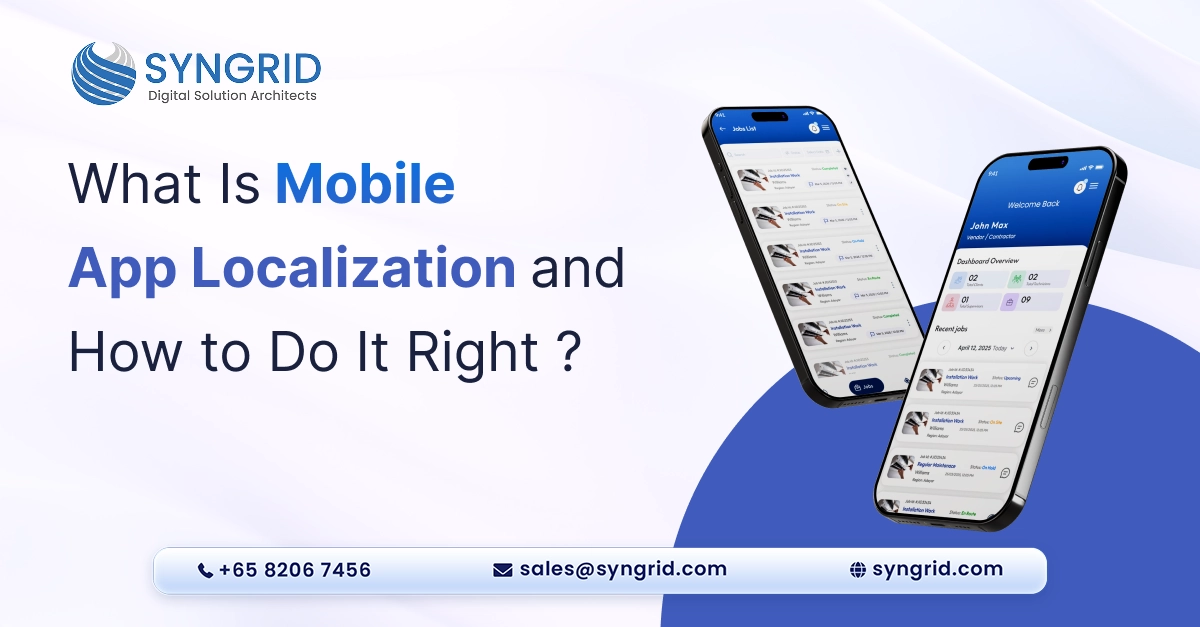
What Is Mobile App Localization and How to Do It Right

Your app is live. It works beautifully. Users love it. But only in one country. Meanwhile, millions of potential users in other markets can’t use it properly. The language is wrong. The currency doesn’t match. The date format is confusing. And the cultural references make no sense. That’s the problem mobile app localization solves. Localization isn’t just translation. It’s adapting your entire app experience to feel native to each market you enter. Done right; it opens your app to millions of new users worldwide. In this blog, we explain what mobile app localization is, why it matters, and exactly how to do it right. Additionally, we explore how Syngrid Technologies helps businesses launch localized apps that feel native in every market. What Is Mobile App Localization? Mobile app localization is the process of adapting your app for a specific market or region. It goes far beyond translating text. Localization adapts every element of your app experience to match the expectations, preferences, and cultural norms of your target market. This includes: Language translation: Converting all text, buttons, menus, and notifications accurately Currency and pricing: Displaying prices in local currency with correct formatting Date and time formats: Matching local conventions for dates; times; and calendars Cultural adaptation: Adjusting images, colors, icons, and references to suit local culture Right-to-left support: Restructuring layouts for languages like Arabic and Hebrew Local regulations: Complying with regional data privacy, payment, and content laws App store optimization: Localizing your app store listing, screenshots, and descriptions Furthermore, localization ensures your app doesn’t just work in a new market. It feels like it was built specifically for that market. Localization vs. Translation: What Is the Difference? Many businesses confuse localization with translation. However, they are very different things. Translation Translation converts text from one language to another. It is a single part of the localization process. For example, translating your app’s menu items from English to French. Localization Localization adapts the entire user experience for a specific market. It considers language; culture; design; functionality; and legal requirements together. For instance, a localized app for Japan doesn’t just translate English text to Japanese. It also adjusts the visual design; adapts cultural references; formats numbers correctly; and ensures the payment system supports local methods. In short, translation changes words. Localization changes experiences. Why Mobile App Localization Matters for Business Growth Reach a Bigger Audience Over 7 billion people use smartphones worldwide. However, only a fraction speak English as their first language. By localizing your app, you remove the language barrier completely. As a result, you open your product to billions of potential users who would otherwise never engage with it. Improve User Experience Users always prefer apps in their native language. In fact, studies show that users are significantly more likely to download, use, and purchase from apps in their own language. Localization creates a familiar, comfortable experience. Consequently, users engage more, stay longer, and convert at higher rates. Increase App Store Rankings App stores rank localized apps higher in local search results. When your app store listing uses local keywords, language, and descriptions, it appears more prominently to users in that market. Therefore, mobile app localization directly improves your app’s discoverability and download rates in every market you enter. Build Trust in New Markets Users trust apps that speak their language and respect their culture. An app that feels foreign creates friction and doubt. Additionally, a localized app signals that your business takes the local market seriously. This builds credibility, trust, and long-term loyalty among new users. Gain a Competitive Advantage Many businesses launch apps globally without localizing them properly. This creates an opportunity for businesses that do it right. A well-localized app stands out immediately. It feels professional; relevant; and trustworthy. Furthermore, it converts significantly better than a poorly adapted competitor. How to Do Mobile App Localization Right Step 1: Research Your Target Markets Thoroughly Don’t guess which markets to enter. Research them carefully first. Identify markets where: Demand for your app’s category is growing. Competition from well-localized apps is lower. The potential user base is large enough to justify investment. Your existing data shows organic interest from users. Additionally, research cultural norms, user behavior, and local regulations in each target market before starting any localization work. Step 2: Design for Localization from the Start The biggest localization mistake is building an app without localization in mind. Then trying to retrofit it later. Design your app to support localization from day one. This means: Using Unicode: Ensure your app supports all character sets and scripts. Building flexible layouts: Text expands in some languages. German text, for example, is often 30% longer than English. Your layouts must accommodate this. Externalizing all strings: Keep all text content separate from your code. This makes translation faster, cleaner, and less error-prone. Supporting RTL layouts: Build right-to-left layout support early for Arabic, Hebrew, and Urdu markets Furthermore, avoid embedding text in images. This makes translation extremely difficult and costly later. Step 3: Work With Professional Translators and Local Experts Machine translation tools like Google Translate are improving. However, they still miss cultural nuances, idioms, and context. For mobile app localization, always work with professional translators who are native speakers of the target language. Additionally, involve local cultural consultants who understand regional norms and user expectations. This combination ensures your app doesn’t just speak the language. It speaks of the culture too. Step 4: Localize Beyond the App Itself Many businesses localize the app but forget everything around it. This is a critical mistake. Localize these elements too: App store listing: Title; description; keywords; and screenshots in the local language Push notifications: Messages in the user’s native language and local time zone Customer support: Support documentation, FAQs, and contact options in local language Marketing materials: Social media; ads; and landing pages adapted for each market Payment methods: Support local payment options like UPI in India or Alipay in China Consequently, users get a fully localized experience from discovery through to post-download support. Step 5: Test
CRM, Digital Transformation

How CRM Software Transforms Customer Relationships and Business Growth

Every business wants loyal customers and consistent revenue. But managing relationships at scale is harder than it sounds. Leads slip through the cracks. Follow-ups get missed. Sales teams work in silos. That’s exactly where CRM software for business growth becomes a game-changer. A good CRM system centralizes your customer data, automates repetitive tasks, and gives your team the clarity they need to close more deals. In this post, you’ll learn how CRM software transforms the way businesses manage relationships and why companies like Syngrid Technologies are helping businesses unlock its full potential. What CRM Software Actually Does for Your Business A lot of businesses think CRM is just a fancy contact database. It’s much more than that. Modern CRM software connects your sales, marketing, and support teams under one roof, giving everyone the same real-time picture of every customer. Centralizes customer data: All contact details, interaction history, and deal stages live in one place—no more scattered spreadsheets. Tracks every touchpoint: From the first website visit to the final purchase, CRM logs every interaction automatically. Manages your sales pipeline: You can see exactly where each lead stands and what action needs to happen next. Automates routine tasks: Follow-up emails, reminders, and data entry get handled automatically, freeing up your team’s time. Improves team collaboration: Sales reps, marketers, and support agents can all access the same customer profile instantly. Generates performance reports: Built-in dashboards show you what’s working and what needs attention without manually pulling data. When your team has the right information at the right time, they make smarter decisions. That’s the foundation CRM software builds. How CRM Software Drives Real Business Growth Growth isn’t just about getting more customers. It’s about keeping the ones you have and maximizing value from every relationship. CRM software for business growth does exactly that systematically and at scale. Reduces customer churn: CRM tools track engagement levels and flag at-risk customers before they leave, giving you time to act. Increases repeat sales: Automated follow-ups and personalized offers keep existing customers coming back consistently. Shortens the sales cycle: With clear pipeline visibility, sales teams know exactly when and how to move a deal forward. Improves lead conversion rates: CRM scores and prioritizes leads so your team focuses energy on the prospects most likely to convert. Personalizes customer communication: Segment your audience and send targeted messages based on behavior, purchase history, or preferences. Scales with your business: Whether you have 50 customers or 50,000, a CRM grows with you without losing efficiency. The data doesn’t lie; businesses using CRM software consistently report higher revenue, better retention, and stronger customer satisfaction scores. Key Features to Look for in a Growth-Focused CRM Not all CRM platforms are built the same. Choosing the right one for your business means knowing which features actually move the needle. Here’s what a truly growth-focused CRM should offer. Contact and lead management: A clean, searchable database with complete history for every contact and lead. Sales pipeline visualization: Drag-and-drop pipeline boards that give your team instant clarity on deal progress. Email and communication integration: Two-way sync with Gmail, Outlook, or other platforms so nothing gets missed. Marketing automation: Build drip campaigns, schedule follow-ups, and trigger messages based on customer actions. Analytics and reporting dashboards: Real-time insights into team performance, conversion rates, and revenue forecasts. Mobile accessibility: Your team should be able to access customer data from anywhere, not just the office. Third-party integrations: The best CRMs connect with tools you already use, such as accounting software, helpdesk platforms, and e-commerce systems. Choosing a CRM with these features ensures it works as a growth engine, not just an admin tool. How Syngrid Technologies Helps Businesses Implement CRM Successfully Implementing CRM software isn’t just about installing a platform. It requires strategy, customization, and ongoing support. That’s where Syngrid Technologies makes a real difference. Needs assessment first: Syngrid Technologies starts by understanding your business model, sales process, and customer journey before recommending any solution. Custom CRM configuration: The team tailors the CRM setup to match your specific workflows, not a generic, out-of-the-box setup. Data migration support: Existing customer data is cleaned, structured, and migrated without disruption to your operations. Team training and onboarding: Syngrid ensures your staff actually knows how to use the CRM effectively from day one. Integration with existing tools: The CRM is connected with your current tech stack so everything works seamlessly together. Ongoing optimization: As your business grows, Syngrid Technologies reviews and refines your CRM setup to match your evolving needs. With the right implementation partner, CRM software stops being a tool your team tolerates and starts being one they rely on every day. Common CRM Mistakes Businesses Make (and How to Avoid Them) Even great CRM software can underdeliver if it’s set up or used incorrectly. Knowing the common pitfalls upfront saves you time, money, and frustration. Choosing the wrong platform: Picking a CRM based on popularity instead of fit leads to poor adoption and wasted investment. Skipping user training: A CRM only works if your team knows how to use it; rushed onboarding is one of the biggest failure points. Incomplete data entry: If your team doesn’t log interactions consistently, the CRM loses its value quickly. Ignoring automation features: Many businesses use CRM as a simple contact list and miss out on powerful time-saving automation. No clear ownership: Without someone responsible for CRM health and data quality, things get messy fast. Failing to review performance: CRM reports exist for a reason; teams that don’t analyze the data miss obvious growth opportunities. Avoiding these mistakes is the difference between a CRM that transforms your business and one that collects digital dust. The Long-Term Impact of CRM on Customer Relationships Business growth isn’t a sprint; it’s a long game. And CRM software is one of the best long-term investments a company can make in its customer relationships. Builds institutional knowledge: Every interaction, preference, and purchase is recorded so nothing is lost when team members change. Creates a consistent customer experience: Customers receive the
Al Quotation Management, Digital Transformation

How AI Quotation Software Helps Sales Teams Win More Deals in 2026

Your sales rep just got off a call. The prospect is interested. They want a quote by the end of the day. So your rep opens a spreadsheet. Copies last month’s template. Manually adjusts prices. Fixes formatting. Email it across. Two hours later, the quote goes out. But the prospect already got a faster quote from your competitor. And they went with them. In 2026, speed wins deals. Buyers expect professional, accurate quotations within minutes, not hours. Quotation management software powered by AI makes that possible. It generates polished, structured quotes in seconds using nothing but simple text input. In this blog, we break down exactly how AI quotation software transforms the way sales teams operate and why Syngrid Technologies is helping businesses close more deals faster than ever before. The Quotation Problem Nobody Talks About Every sales team has a quotation bottleneck. Most just don’t realize how much it’s costing them. Think about it. Your sales rep spends 2 hours building a quote manually. That’s 2 hours not spent selling. Not spent following up. Not spent closing. Multiply that across your entire team. Across every week. The numbers are staggering. Here Is What Manual Quotation Processes Actually Cost You. Lost deals: Slow quotes give competitors time to step in. Speed is a competitive advantage your team cannot afford to ignore. Calculation errors: Manual pricing leads to mistakes. Errors damage credibility. They delay approvals. And sometimes they cost you money. Inconsistent formatting: Different reps create quotes differently. Inconsistent branding looks unprofessional and undermines buyer confidence. Poor follow-up visibility: Without a centralized system, tracking which quotes were sent, opened, or approved becomes a guessing game. Wasted selling time: Every hour spent building quotes manually is an hour taken away from actual revenue-generating activity. The solution isn’t hiring more people. It’s working smarter with the right quotation management software. What Makes AI Quotation Software Different? Traditional quoting tools require manual data entry; template selection; and formatting work. AI quotation software takes a completely different approach. You simply type what you need in plain language. The AI understands it. And a professional, structured quotation appears within seconds. No templates to wrestle with. No formatting headaches. No calculation errors. Just fast, accurate, professional quotes every single time. Syngrid’s AI-Powered Quotation Management System Syngrid Technologies has built an advanced AI-driven quotation management solution that replaces manual paperwork and complex tools with a smart, text-based system. Here is what makes it stand out: AI-Powered Quotation Creation Type your quotation details in plain language. The AI instantly generates a professional, accurately structured quotation. No technical knowledge required. Anyone on your team can do it. Instant Editing and Flexibility Need to adjust pricing? Add a line item? Change a discount? Edits take seconds. The system updates the entire quotation automatically, maintaining perfect formatting throughout. Secure Storage and Quote History Every quotation is stored securely. Your team can access, review, and reuse historical quotes instantly. This makes follow-ups faster and helps reps respond to similar inquiries in record time. Easy PDF Downloads Generate and download professional PDF quotations with a single click. Send them directly to prospects without any additional formatting or conversion steps. Consistent Professional Formatting Every quotation looks polished and on-brand. Consistent formatting builds credibility. It tells your prospects that your business is organized, reliable, and professional. 5 Ways AI Quotation Software Helps Sales Teams Win More Deals 1. Speed That Gives You a Competitive Edge In competitive sales situations, the first credible quote often wins. AI quotation software cuts quote creation time from hours to seconds. Your team responds faster. Prospects feel valued. And your business establishes momentum before competitors even start building their quote. 2. Accuracy That Builds Buyer Confidence Manual quotes contain errors. Pricing mistakes; incorrect line items; and formatting inconsistencies all damage buyer trust. AI-driven automation eliminates these errors completely. Every calculation is accurate. Every format is consistent. Buyers receive a quote they can trust, which makes approval decisions faster and easier. 3. More Selling Time for Your Sales Team Time is your sales team’s most valuable resource. Every minute spent on manual quoting is a minute not spent selling. With Syngrid’s quotation management software, quotes take seconds. As a result, reps spend more time on calls, follow-ups, and relationship-building activities that actually close deals. 4. Smarter Follow-Ups Using Quote History Syngrid’s system stores every quotation securely. Sales reps can access previous quotes instantly. They can see what was sent; when; and to whom. This makes follow-ups more informed and more effective. Reps know exactly where each prospect stands. They can personalize their approach based on real data. 5. A More Professional Brand Impression First impressions matter enormously in sales. A poorly formatted quote signals disorganization. A polished, professional quotation signals competence and reliability. Syngrid’s AI ensures every quote looks exceptional. Consistent branding; clean layouts; and accurate content all work together to make your business look its best at every customer touchpoint. Why Sales Teams in 2026 Cannot Afford Slow Quoting Syngrid’s AI-powered quotation management solution is built for businesses across every industry. It adapts to different workflows, pricing structures, and business models effortlessly.   Industry How They Benefit Information Technology Fast software and service quotes for enterprise clients. Manufacturing Accurate product and bulk order quotations instantly. Logistics and Warehousing Quick freight and service pricing for time-sensitive enquiries. Healthcare Professional equipment and service quotes with consistent formatting. Education Course, training, and facility quotations generated in seconds. Retail and E-Commerce Instant wholesale and custom order quotes for buyers. Financial Services Accurate service fee and package quotations on demand. Construction Detailed project and material quotations without manual calculation. Whatever your industry, if your team creates quotes, Syngrid’s system makes it faster, smarter, and more professional. Why Sales Teams in 2026 Cannot Afford Slow Quoting The sales landscape in 2026 is more competitive than ever. Buyers are more informed. Decision cycles are shorter. And patience for slow, unprofessional processes has disappeared completely. Here is what top-performing sales teams understand: Speed signals confidence. A fast quote
CRM, Digital Transformation

Lead Management vs. CRM: Which One Does Your Business Actually Need?

Here’s a scenario most sales managers know too well. Your team is busy. Leads are coming in from multiple channels. But somehow, deals are still slipping through the cracks. Response times are slow. Follow-ups are inconsistent. And your CRM is cluttered with unqualified contacts that waste your team’s time. The problem isn’t your sales team. It’s using the wrong tool for the wrong job. Many businesses confuse lead management with CRM and end up using one system to do both jobs poorly. Understanding the difference between lead management and CRM is the first step toward fixing your sales process for good. In this blog, we break down exactly what each tool does, where one ends and the other begins, and how Syngrid Technologies helps businesses build a sales process that captures more leads and closes more deals. The Sales Funnel Has Two Very Different Stages Before diving into tools, it helps to understand the sales funnel. Every customer goes through two broad stages before becoming a paying client: Stage 1: Top of Funnel: A stranger discovers your business and shows interest. They are a lead, not yet a customer. Stage 2: Middle to Bottom of Funnel: That lead is qualified, engaged, and guided toward a purchase decision. They become an opportunity, then a customer. Here’s the key insight: Lead management handles Stage 1: CRM handles Stage 2 and beyond. Using CRM for Stage 1 is like using a sledgehammer to crack a nut. It works, but not well. And using lead management alone means you have no system for what happens after a lead is qualified. Both tools are essential. But they serve disparate purposes. What Is Lead Management And What Does It Actually Do Lead management is a focused system designed to handle one thing exceptionally well: turning strangers into qualified sales opportunities as efficiently as possible. What lead management covers:   Multi-channel lead capture: Pulling leads automatically from websites; landing pages; social media; email campaigns; chat tools; and third-party platforms into one centralized system. Instant lead assignment: Routing each lead to the right sales rep automatically based on region, product interest, workload, or priority within seconds of capture. Follow-up and task tracking: Managing every call, email, meeting, and reminder in one place so no follow-up gets missed and every lead receives consistent attention. Lead qualification: Scoring and filtering leads based on their responses and behavior so your sales team only invests time in prospects worth pursuing. Pipeline visibility: Giving sales managers a real-time view of lead volumes, sources, assignment status, and conversion rates across the entire team. What lead management is NOT designed for:   Managing long-term customer relationships; tracking closed deals; or handling post-sale communication. That’s where CRM takes over. What Is CRM? And Where Does It Fit In? CRM, Customer Relationship Management, is a broader platform built to manage the entire relationship between your business and its customers, from first opportunity to long-term loyalty. What CRM covers:   Contact and account management: A centralized database of every customer, prospect, and partner with complete interaction history and relationship context. Sales pipeline management: Tracking deals through every stage from qualified opportunity to closed sale, with forecasting and performance reporting built in. Cross-team collaboration: Connecting sales, marketing, and support teams around a single customer record so everyone has the same context at every touchpoint. Customer retention tools: Post-sale communication; renewal tracking; upsell opportunities; and loyalty management that keep customers coming back. Revenue forecasting: Data-driven projections that give leadership visibility into future revenue; team performance; and pipeline health. What CRM is NOT designed for:   High-volume lead capture; instant multi-channel lead assignment; or rapid-fire follow-up management at the top of the funnel. That’s where lead management software is essentia Head-to-Head: Lead Management vs. CRM Lead Management CRM Primary Focus Capturing and qualifying leads Managing full customer relationships Funnel Stage: Top of funnel Mid-to-bottom of funnel best High lead volumes; fast response Long-term relationship management Key Users: Sales development reps Sales; marketing; support teams Core strength, speed, structure, qualification Depth; history; relationship context Typical Output: Qualified leads ready for sales Closed deals and retained customers The difference between lead management and CRM isn’t about which is better. It’s about who does what, and using both in the right sequence is what builds a truly high-performing sales operation. The Real Cost of Confusing the Two Businesses that rely solely on CRM for lead management pay a hidden price every single day. Slow response times: CRM platforms aren’t built for instant multi-channel lead routing. Leads wait. And waiting leads go cold fast. Cluttered pipelines: Unqualified contacts flood your CRM, making it harder for sales reps to focus on real opportunities. Missed follow-ups: Without dedicated follow-up tracking, leads get forgotten in a busy CRM inbox. Poor lead source data: CRM systems don’t always capture where leads came from or which channels convert best, making it impossible to optimize your marketing spend. Frustrated sales teams: Reps waste time chasing unqualified leads instead of closing deals, killing morale and productivity simultaneously. The fix isn’t a better CRM. It’s adding a dedicated lead management system that feeds your CRM with qualified, well-documented, sales-ready prospects. How Syngrid Technologies Solves This with Smart Lead Management Software Syngrid Technologies builds advanced lead management software designed specifically for the top of the funnel, where speed, structure, and qualification matter most. Here’s what makes Syngrid’s platform different: Smart Multi-Channel Lead Capture   Syngrid automatically pulls leads from websites, landing pages, social media, email campaigns, chat systems, and third-party tools into one centralized dashboard. No manual importing. No missed leads. Complete visibility from the very first touchpoint. Instant Intelligent Lead Assignment   Every lead is automatically routed to the right sales representative based on region; product interest; priority; or current workload. Faster assignment means faster response, and faster response means higher conversion rates. Structured Follow-Up and Task Tracking   Calls; emails; meetings; and reminders are all managed in one place. Your team never misses a follow-up. Every lead receives consistent, timely communication throughout the qualification process. Seamless CRM Integration  
Digital Transformation

8 Signs Your Field Service Business Needs Technician Tracking Software

Running a field service business means managing technicians, jobs, schedules, and customers all at the same time. When your team is small, manual coordination works. But as your business grows, the cracks start to show. Missed appointments, poor communication, and zero visibility into field operations become daily frustrations. Technician tracking software gives field service businesses the tools they need to manage their workforce in real time, improving efficiency, reducing costs, and delivering better customer experiences. In this blog, we explore the 8 clear signs that your field service business is ready for technician tracking software. What Is Technician Tracking Software? Technician tracking software is a digital platform that helps field service businesses monitor, manage, and coordinate their field technicians in real time. It enables businesses to: Track technician location and job status in real time Schedule and dispatch jobs efficiently Monitor job progress and completion Communicate with field teams instantly Generate performance and productivity reports Manage customer appointments and service records By centralizing field operations in one platform, businesses gain complete visibility and control over their workforce, regardless of how many technicians they manage or how spread out their operations are. Why Technician Tracking Software Matters for Field Service Businesses Field service businesses operate in fast-moving environments where delays, miscommunication, and poor coordination directly impact customer satisfaction and revenue. Without proper tracking tools, businesses commonly face the following: No visibility into where technicians are at any given time Inefficient scheduling that wastes time and fuel Delayed responses to urgent jobs or customer complaints Inaccurate job records and service histories Poor accountability across field teams Difficulty scaling operations as the business grows Technician tracking software eliminates these challenges by providing a structured, real-time view of your entire field operation, enabling faster decisions and better service delivery. 8 Signs Your Field Service Business Needs Technician Tracking Software Sign 1: You Have No Real-Time Visibility Into Your Field Team   If you have no idea where your technicians are during the workday, that’s a serious operational gap. Without real-time location tracking, dispatching the nearest technician to an urgent job is impossible, leading to longer response times and frustrated customers. Sign 2: Scheduling Is Chaotic and Time-Consuming   If your team still manages schedules through phone calls, WhatsApp messages, or paper sheets, errors are inevitable. Double bookings, missed appointments, and unbalanced workloads are signs that manual scheduling has reached its limit. Sign 3: Customers Are Complaining About Response Times   Slow response times are one of the fastest ways to lose customers in field service. If complaints about delayed arrivals or poor communication are increasing, your dispatching and tracking processes need an urgent upgrade. Sign 4: You Can’t Accurately Track Job Progress   Not knowing whether a job is in progress, completed, or delayed until a technician calls in is a major efficiency problem. Technician tracking software gives managers live job status updates, eliminating the need for constant check-in calls. Sign 5: Technician Productivity Is Difficult to Measure   If you can’t measure how many jobs each technician completes, how long jobs take, or how efficiently routes are being used, you’re managing blind. Without data, identifying underperformance or rewarding top performers becomes guesswork. Sign 6: Fuel and Travel Costs Are Rising   Unoptimized routes waste fuel and time. If technicians are regularly traveling long distances between jobs that could have been assigned more efficiently, route optimization through tracking software can deliver immediate cost savings. Sign 7: Paper-Based Job Records Are Creating Problems   If job reports, service histories, and customer records are still managed on paper or through manual spreadsheets, errors and data loss are constant risks. Digital job records through tracking software ensure accuracy, accessibility, and auditability at all times. Sign 8: Scaling Your Team Is Becoming Unmanageable   If adding new technicians to your team creates more administrative chaos rather than more capacity, your current systems can’t support growth. Technician tracking software provides the structure needed to scale your field team without proportionally increasing management overhead. Key Benefits of Technician Tracking Software Real-time location tracking: Know exactly where every technician is at any moment, enabling faster dispatch and better resource allocation. Smarter job scheduling: Assign jobs based on proximity, availability, and skill set, reducing travel time and improving first-time fix rates. Live job status updates: Monitor job progress in real time without relying on technician check-in calls, improving operational visibility significantly. Route optimization: Automatically calculate the most efficient routes for each technician, reducing fuel costs and increasing daily job capacity. Digital job records: Capture job details, customer signatures, photos, and service notes digitally, eliminating paperwork and improving record accuracy. Performance reporting: Track individual and team productivity with detailed reports on job completion rates, response times, and customer satisfaction scores. Improved customer communication: Send automated appointment reminders and real-time arrival updates to customers, reducing no-shows and improving satisfaction. How Syngrid Technologies Supports Field Service Businesses with Technician Tracking Software? Syngrid Technologies provides advanced field service management and technician tracking solutions designed to help businesses manage their field operations efficiently and at scale. The platform enables organizations to track technicians in real time, schedule and dispatch jobs intelligently, monitor performance, and maintain complete operational visibility from a single dashboard. Real-Time Technician Tracking Monitor every technician’s live location, job status, and movement throughout the workday, giving managers complete field visibility at all times. Intelligent Job Scheduling and Dispatch Assign and dispatch jobs automatically based on technician location, availability, and skill set, reducing response times and improving customer satisfaction. Digital Job Management Capture job details, customer signatures, service notes, and photos digitally, replacing paper records with accurate, accessible, and auditable digital documentation. Route Optimization: Automatically calculate the most efficient routes for your field team, reducing fuel costs, travel time, and the number of jobs missed each day. Performance Analytics Access detailed reports on technician productivity, job completion rates, response times, and customer feedback, giving leadership the data they need to make smarter operational decisions. Seamless Integration: Syngrid’s platform integrates with your existing CRM, billing, and business management tools, ensuring field operation data flows
Digital Transformation

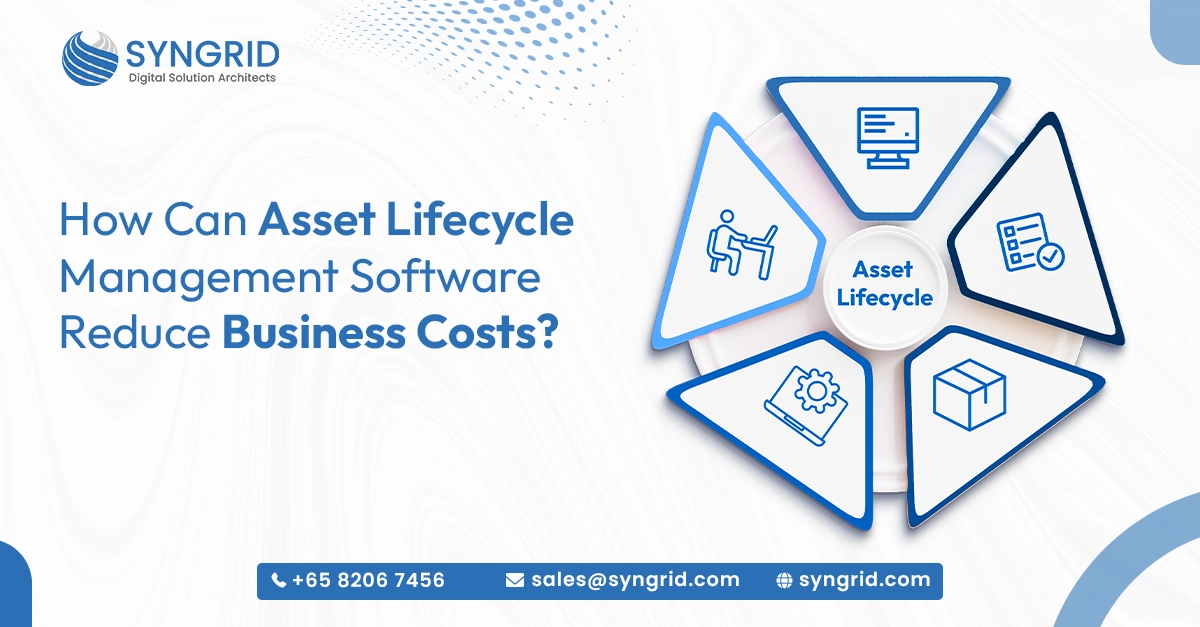
How Can Asset Lifecycle Management Software Reduce Business Costs?

Every business owns assets. Laptops, machinery, office furniture, vehicles, tools, and IT equipment—all of it costs money to buy, maintain, and replace. But most businesses have no clear picture of where their assets are, how they’re being used, or when they need attention. That lack of visibility is quietly draining your budget. Asset management software for business gives companies a smarter way to track, monitor, and manage every asset across its entire lifecycle, from registration and assignment to maintenance and retirement. In this blog, you’ll discover exactly how Syngrid Technologies’ asset management software helps businesses cut costs, improve utilization, and maintain complete control over every asset they own. What Asset Management Software for Business Actually Does Syngrid Technologies’ asset management software replaces manual, fragmented asset tracking with a single intelligent platform that gives your business complete visibility and control over every asset it owns. Asset registration and categorization: Every asset is registered with complete details, whether rented or purchased, including vendor information, warranty details, asset value, and category, creating accurate, searchable records from day one. Real-time asset tracking: Monitor the location, status, and usage of every asset across all teams and locations from a single centralized dashboard at any moment. Lifecycle workflow automation: The entire asset journey, from creation and assignment to maintenance scheduling and retirement, is automated, eliminating manual processes and reducing administrative workload. Custom fields and flexible records: Add and manage multiple custom fields to capture asset-specific information based on your unique business requirements, keeping records organized and relevant. Multi-location and employee management: Assign assets to specific employees and manage asset distribution across multiple office locations or sites from one unified platform. Smart analytics and reporting: Built-in analytics surface utilization trends, maintenance histories, depreciation data, and cost insights, giving leadership the information they need to make smarter asset decisions. Seamless third-party integration: Syngrid’s asset management platform integrates easily with HRMS, ERP, payroll, and other business applications, streamlining workflows across your entire tech stack. When every asset is tracked, managed, and optimized through a single platform, the operational and financial impact on your business is immediate and measurable. How Syngrid Asset Management Software Reduces Business Costs The direct connection between asset management software for business and cost reduction becomes clear when you look at where the savings actually come from. Syngrid Technologies delivers measurable cost benefits across multiple areas. Eliminates unnecessary purchases: Real-time visibility into asset availability means your team always knows what’s already in use, what’s idle, and what genuinely needs replacing, preventing duplicate or unnecessary buying. Reduces asset loss and shrinkage: Continuous tracking makes it significantly harder for assets to go missing undetected, reducing replacement costs and improving accountability across all locations. Lowers maintenance costs: Automated lifecycle workflows schedule preventive maintenance at the right intervals, reducing the frequency and cost of emergency repairs and unplanned downtime. Improves asset utilization: By identifying underutilized assets, Syngrid’s platform helps businesses redistribute existing resources more effectively, maximizing value from what they already own. Cuts administrative overhead: Automating asset registration, assignment, tracking, and reporting frees up significant staff time, reducing the administrative cost of managing assets manually. Minimizes compliance penalties: Accurate, audit-ready asset records eliminate the risk of compliance failures, protecting your business from fines, legal costs, and reputational damage. Extends asset lifespan: Timely maintenance and proper lifecycle management extend the useful life of assets, delaying replacement cycles and reducing capital expenditure over time. Every one of these cost savings compounds over time. The longer Syngrid’s asset management software is in use, the greater the financial return your business realizes. Key Features That Make Syngrid Asset Management Software Stand Out Syngrid Technologies has built its asset management platform with a comprehensive feature set designed to handle the full complexity of enterprise asset operations simply, efficiently, and reliably. All-asset coverage: Track everything as an asset, including IT equipment like laptops and devices; office furniture like tables and chairs; tools; machinery; and operational resources—all in one place with complete visibility. End-to-end asset control: Manage the complete asset lifecycle from creation and assignment through to optimization and retirement using a single centralized system with no gaps in tracking or accountability. Drag-and-drop custom fields: Flexible custom field configuration lets businesses capture exactly the asset data they need without rigid templates or developer involvement. Real-time dashboard visibility: A clean, intuitive dashboard gives managers a live overview of all assets across every location with instant search, filter, and drill-down capabilities. Seamless integration capability: The platform connects smoothly with HRMS, ERP, payroll systems, and other business tools, ensuring asset data flows consistently across your entire operation. Built on a modern technology stack: Syngrid’s asset management software is built using MongoDB, Express.js, React.js, and Node.js, delivering high performance, flexibility, and a seamless user experience. Scalable for any business size: Whether you’re a startup managing a handful of assets or a large enterprise tracking thousands across multiple locations, Syngrid’s platform scales to match your needs precisely. These features work together to give your business the visibility, control, and intelligence it needs to manage assets efficiently and cost-effectively at any scale. Industries That Benefit From Asset Management Software Syngrid Technologies’ asset management software for business is designed to support a wide range of industries. Its flexible and scalable platform adapts easily to different operational environments and asset types. Information technology: IT teams track laptops, servers, devices, and peripherals, managing assignments, warranties, and replacements with complete accuracy and zero manual effort. Manufacturing: Factories track machinery, tools, and production equipment, scheduling maintenance proactively and minimizing costly downtime across production lines. Logistics and warehousing: Warehouse operators monitor vehicles, handling equipment, and storage assets across multiple sites, ensuring availability and reducing operational delays. Healthcare: Hospitals and clinics track medical devices, diagnostic equipment, and facility assets, maintaining compliance and ensuring critical equipment is always available and well-maintained. Education: Schools and universities manage IT equipment, lab assets, and facility resources across campuses, improving utilization and reducing unnecessary procurement. Construction: Construction firms track tools, machinery, and site equipment across multiple project locations, reducing loss, improving site efficiency, and
Digital Transformation

HRMS That Works: Simplifying People Management for Businesses

Managing people is one of the most critical functions in any organization. From onboarding to payroll, compliance to performance tracking, and traditional HR processes are often slow, manual, and error-prone. An HRMS for businesses (Human Resource Management System) simplifies and automates HR operations, helping organizations manage their workforce efficiently. By centralizing employee data, automating workflows, and providing actionable insights, HRMS ensures smoother operations and better decision-making. Modern businesses require tools that make HR smarter, faster, and more strategic, and an HRMS is the solution. Key Benefits of Using HRMS 1. Centralized Employee Data   An HRMS stores all employee records in a single platform, allowing HR teams to access information quickly and accurately. This reduces paperwork and eliminates manual errors. 2. Automated HR Workflows   HR automation software handles repetitive tasks like leave approvals, attendance tracking, and payroll processing. This frees HR teams to focus on strategic activities. 3. Improved Employee Experience   Employees can access self-service portals for leave requests, payslips, and personal information updates. This reduces administrative queries and empowers employees. 4. Compliance and Security   HRMS ensures that employee data is secure and compliance requirements are met automatically, reducing risk for the organization. 5. Data-Driven HR Insights   HR analytics tools provide actionable insights into workforce productivity, employee engagement, and performance trends. How HRMS Streamlines People Management Managing a growing workforce without automation can be chaotic. An HRMS for businesses ensures every process is tracked, measurable, and efficient: Recruitment: Track applicants and streamline hiring with ATS integration. Onboarding: Automate employee induction workflows. Payroll & Benefits: Simplify salary processing and compliance. Performance Management: Track KPIs, goals, and appraisals. Attendance & Leave: Automate time-off approvals and attendance tracking. With a digital HR system, organizations reduce manual effort, increase productivity, and improve workforce satisfaction. Syngrid HRMS: Simplifying People Management At Syngrid Technologies, we provide a comprehensive HRMS solution designed to simplify workforce management for businesses of all sizes. Our HRMS features: Centralized employee management Automated payroll and leave management Smart reporting and HR analytics Employee self-service portals Integration with recruitment and performance tools By automating HR processes, Syngrid HRMS helps organizations save time, reduce errors, and make data-driven decisions while improving employee experience. Why Businesses Choose HRMS Solutions Organizations adopting HRMS software see measurable benefits: Reduced administrative workload Faster, accurate HR processes Better compliance and data security Improved employee engagement Data-driven strategic HR planning A modern HRMS transforms HR from a support function into a strategic enabler of business growth. AI Development Services by Syngrid Technologies At Syngrid Technologies, we specialize in delivering advanced AI development solutions that enhance productivity and decision-making. Our services include AI-powered automation, predictive analytics, chatbot development, and intelligent business solutions tailored to your needs. We help businesses integrate AI into their workflows, enabling smarter operations, faster decision-making, and scalable growth. With a focus on performance and innovation, Syngrid Technologies ensures your business stays ahead in the digital era The Future of HR Management The future of workforce management lies in AI-driven and cloud-based HRMS solutions. Features like predictive analytics, AI-assisted recruitment, and employee engagement monitoring are becoming standard. Businesses that adopt HRMS cloud solutions now will gain a competitive edge in managing talent efficiently, improving productivity, and retaining top performers. Conclusion: Smarter People Management with HRMS HRMS is no longer optional; it’s essential for modern organizations. By automating HR processes, centralizing data, and providing actionable insights, an HRMS for businesses ensures better workforce management, higher productivity, and improved employee experience. With Syngrid HRMS, organizations can embrace digital HR, streamline operations, and focus on strategic growth. Smarter HR means smarter business. Frequently Asked Questions About This Blog 1. What is an HRMS? AI automates repetitive tasks, reduces errors, and speeds up processes, improving overall efficiency. 2. How does HRMS improve workforce management? It centralizes employee data, automates workflows, and provides actionable insights for better decision-making. 3. Is HRMS suitable for small businesses? Yes, modern HRMS solutions are scalable and suitable for organizations of all sizes. 4. What features should an HRMS have? Key features include employee management, payroll automation, leave tracking, performance management, and analytics. 5. Why choose Syngrid HRMS? Syngrid HRMS simplifies people management with automation, centralized data, and smart reporting, helping businesses save time and improve productivity. AI automates repetitive tasks, reduces errors, and speeds up processes, improving overall efficiency. It centralizes employee data, automates workflows, and provides actionable insights for better decision-making. Yes, modern HRMS solutions are scalable and suitable for organizations of all sizes. Key features include employee management, payroll automation, leave tracking, performance management, and analytics. Syngrid HRMS simplifies people management with automation, centralized data, and smart reporting, helping businesses save time and improve productivity.
Digital Transformation

Modern Recruitment Made Easy with Applicant Tracking Systems

Simplifying Hiring with Intelligent Recruitment Solutions Hiring the right talent is one of the most important aspects of business growth. However, traditional recruitment methods often slow down the process and create inefficiencies. The question is, are you still managing resumes manually and struggling to track candidates? A modern applicant tracking system helps businesses streamline their hiring process with intelligent automation. By simplifying recruitment workflows and improving candidate management, ATS solutions enable faster and smarter hiring decisions. From Manual Screening to Smart Automation Recruitment involves multiple steps, from reviewing resumes to coordinating interviews. Handling these tasks manually can be time-consuming and prone to errors. With advanced ATS software for recruitment, businesses can automate resume screening and accelerate hiring workflows. This ensures that only the most relevant candidates are shortlisted, saving time and effort for HR teams. Automation not only improves efficiency but also enhances the overall hiring experience for both recruiters and candidates. Key Features That Transform Your Hiring Process A modern applicant tracking system is designed to simplify recruitment through intelligent features that improve speed, accuracy, and visibility. Smart Resume Filtering   An ATS uses advanced filtering techniques to quickly identify the best-fit candidates based on skills, experience, and job requirements. This eliminates the need for manual screening and ensures high-quality shortlisting. Centralized Candidate Tracking   With a candidate tracking system, all applicant data is stored in one place. This provides better visibility into the recruitment pipeline and improves coordination between HR teams and hiring managers. Faster Hiring Cycles   By automating repetitive tasks, ATS solutions significantly reduce hiring time. Businesses can move candidates through the recruitment process more efficiently, ensuring quicker onboarding. Built for Speed, Efficiency, and Better Hiring Decisions An applicant tracking system is more than just a recruitment tool; it’s a complete solution for managing the hiring lifecycle. It integrates with job portals, career pages, and communication tools to create a seamless recruitment experience. From posting job openings to final selection, every step is optimized for efficiency. How ATS Improves Recruitment Productivity Efficiency is critical in modern hiring. With recruitment automation tools, businesses can eliminate repetitive tasks and focus on strategic decision-making. For example, automated resume screening reduces hours of manual work, while centralized tracking ensures no candidate is overlooked. This improves productivity and allows HR teams to focus on engaging with top talent. By adopting HR automation solutions, businesses can create a faster, more efficient hiring process. Smarter Hiring with Syngrid ATS At Syngrid Technologies, we offer a powerful Applicant Tracking System (ATS) designed to simplify and enhance recruitment processes. Our ATS enables businesses to streamline hiring with intelligent automation, including smart resume filtering, centralized candidate tracking, and efficient workflow management. It helps organizations identify the right talent faster while improving coordination across teams. With a focus on performance and scalability, Syngrid ATS ensures a seamless recruitment experience from candidate sourcing to onboarding, helping businesses build strong and capable teams. Why Businesses Are Moving Toward ATS Solutions The demand for modern recruitment tools is growing as businesses recognize the need for faster and more efficient hiring processes. Organizations using ATS software benefit from the following: Reduced hiring time Improved candidate experience Better collaboration among teams Data-driven hiring decisions By leveraging AI recruitment software, businesses can stay ahead in the competitive talent market. Conclusion: Transform Your Hiring Process with ATS An applicant tracking system is essential for businesses looking to modernize their recruitment process. It simplifies hiring, improves efficiency, and enhances decision-making. By using intelligent solutions like Syngrid ATS, businesses can streamline workflows, identify the best candidates quickly, and build stronger teams. In today’s competitive hiring landscape, smarter recruitment starts with the right technology. Frequently Asked Questions About This Blog 1. What is an applicant tracking system? An ATS is a software solution that automates and manages the recruitment process. 2. How does ATS improve hiring efficiency? It automates resume screening, tracks candidates, and streamlines recruitment workflows. 3. What are the key features of an ATS? Key features include resume filtering, candidate tracking, and workflow automation. 4. Is ATS suitable for small businesses? Yes, ATS solutions are scalable and suitable for businesses of all sizes. 5. Why choose Syngrid HRMS? Syngrid ATS offers intelligent automation, faster hiring, and seamless recruitment management. An ATS is a software solution that automates and manages the recruitment process. It automates resume screening, tracks candidates, and streamlines recruitment workflows. Key features include resume filtering, candidate tracking, and workflow automation. Yes, ATS solutions are scalable and suitable for businesses of all sizes. Syngrid ATS offers intelligent automation, faster hiring, and seamless recruitment management.

Digital Transformation

HubSpot Multi-Purpose Content Card for Smarter Customer Engagement

Transform Static Content into Smart Engagement Blocks Your website content should do more than just display information; it should guide, engage, and convert visitors. But is your content structured to achieve that? The HubSpot multi-purpose content card helps businesses present information in a clean, structured, and visually engaging way. Instead of overwhelming users with long sections, content cards break information into digestible, interactive blocks. This approach improves readability, user experience, and overall engagement. Why Card-Based Layouts Win in Modern Web Design Today’s users prefer quick, scannable content. Traditional layouts often fail to capture attention, leading to higher bounce rates. With card-based UI design, businesses can organize content into visually distinct sections. Each card highlights a specific message, making it easier for users to consume and interact with content. This modern approach enhances usability while maintaining a professional and consistent design. Introducing the SyngHub Multi-Purpose Content Cards Module The SyngHub Multi-Purpose Content Cards module is built to help you present services, features, and key messages using a unified card-based layout. It is designed for flexibility, allowing you to reuse the same module across different pages without redesigning layouts. This ensures consistency while saving time and development effort.  The module is also available on the HubSpot Marketplace, making it easy for businesses to install, customize, and deploy directly within their HubSpot CMS environment. With Marketplace availability, businesses can quickly adopt this module without complex development, ensuring faster implementation and scalability. Built for Flexibility, Designed for Performance The Multipurpose Content Cards module is more than just a design component; it’s a scalable solution for modern websites. It allows marketers and developers to create dynamic content sections with minimal effort. As a reusable module, it reduces redundancy and improves workflow efficiency. This makes it a valuable addition to HubSpot CMS modules, especially for businesses focused on growth and performance. Core Features That Make It Multi-Purpose 1. Structured Card-Based Layout   Present content in a clean, organized format that improves readability and engagement. 2. Multi-Use Capability   Use the same module for services, features, products, or announcements. 3. Reusable and Scalable   Avoid repetitive design work by using a single flexible component across multiple pages. 4. Consistent Visual Design   Maintain a uniform look across your website for a professional brand presence. 5. Easy Customization   Edit content, icons, and layouts directly within HubSpot CMS without technical complexity. Designed to Showcase Services, Features, and More The module supports multiple content formats, making it highly versatile: Service Cards   Present your services in a structured and visually appealing way that improves clarity and user understanding. Feature Cards   Highlight key strengths such as: Smart Branding Solutions On-Time Delivery Innovative Ideas Consistent Updates 24/7 Dedicated Service Each card focuses on a specific value, helping users quickly grasp your offerings. Seamless Integration with HubSpot CMS The module is fully optimized for HubSpot CMS and integrates smoothly with: Website pages Landing pages Blog templates Marketing campaigns Businesses can easily install and manage modules directly from the Marketplace and use them within drag-and-drop editors. HubSpot Module Solutions by Syngrid Technologies At Syngrid Technologies, we develop advanced HubSpot CMS modules that enhance website performance and user experience. The SyngHub Multi-Purpose Content Cards module is part of our innovative ecosystem, designed to help businesses build scalable, high-performing websites. With a focus on usability, flexibility, and marketing performance, our modules ensure your website delivers both visual impact and measurable results. Why Businesses Prefer Multi-Purpose Content Cards? Businesses choose multi-purpose content cards from HubSpot because they: Improve content structure and clarity Enhance user engagement Maintain consistent design Reduce development time Support scalable website growth By leveraging reusable modules available in the HubSpot Marketplace, businesses can quickly adapt to changing content needs. The Future of Modular Website Design Modern websites are moving toward modular design systems that prioritize flexibility and scalability. The HubSpot content card module represents this shift, enabling businesses to create dynamic, reusable content blocks that improve efficiency and performance. Why Businesses Prefer Multi-Purpose Content Cards? Businesses choose multi-purpose content cards from HubSpot because they: Improve content structure and clarity Enhance user engagement Maintain consistent design Reduce development time Support scalable website growth By leveraging reusable modules available in the HubSpot Marketplace, businesses can quickly adapt to changing content needs. Frequently Asked Questions About This Blog 1. What is a HubSpot multi-purpose content card? It is a reusable module that displays content in structured card-based layouts. 2. Is the content card module available on HubSpot Marketplace? Yes, it can be installed directly from the HubSpot Marketplace for easy use and deployment. 3. Why use card-based design in HubSpot? It improves readability, engagement, and overall user experience. 4. Can the module be reused across pages? Yes, it is designed to be reusable and scalable across multiple pages. 5. Do content cards improve website performance? Yes, they enhance user engagement and make content easier to consume. It is a reusable module that displays content in structured card-based layouts. Yes, it can be installed directly from the HubSpot Marketplace for easy use and deployment. It improves readability, engagement, and overall user experience. Yes, it is designed to be reusable and scalable across multiple pages. Yes, they enhance user engagement and make content easier to consume.

Scroll to Top