Syngrid

Hubspot

Hubspot

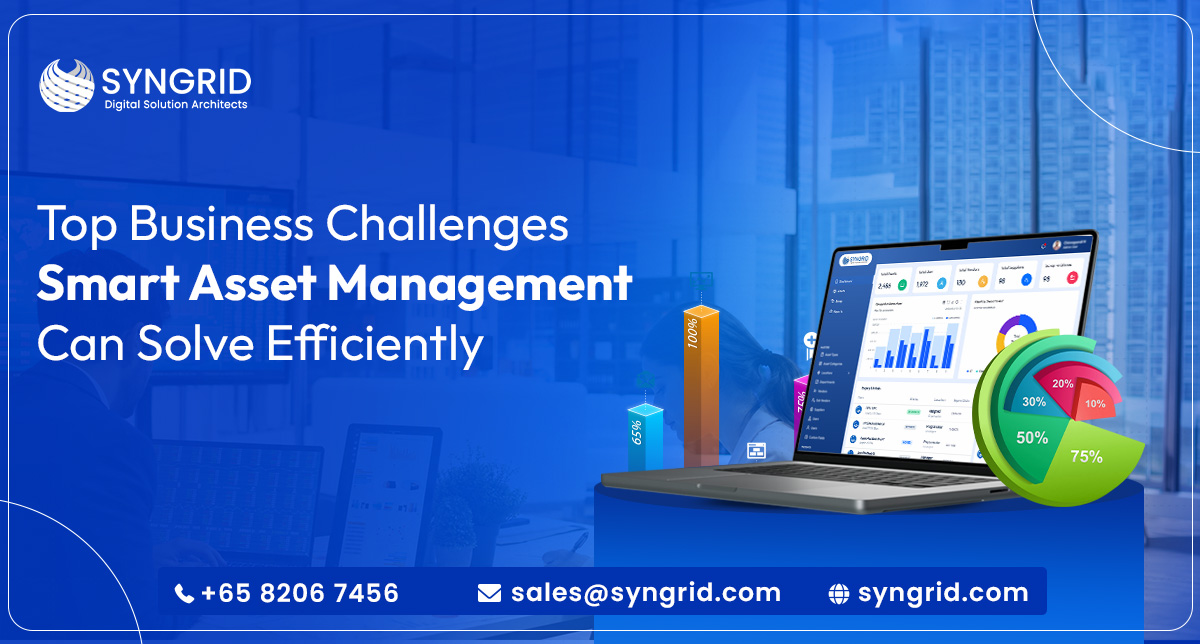
Top Business Challenges Smart Asset Management Can Solve Efficiently

Introduction Managing business assets efficiently has become one of the biggest operational priorities for modern companies. From equipment and IT infrastructure to inventory and digital resources, businesses often struggle with tracking, maintenance, utilization, and asset-related costs. Without a proper smart asset management system, organizations may face financial losses, reduced productivity, compliance risks, and operational inefficiencies. Smart asset management helps businesses automate asset tracking, monitor performance in real time, improve asset lifecycle management, and make data-driven decisions. With advanced technologies such as cloud platforms, automation, IoT tracking, and analytics, businesses can gain complete visibility over their assets while improving operational efficiency. In this blog, we will explore the top business challenges smart asset management can solve efficiently and why companies are increasingly investing in intelligent asset management solutions. 1. Poor Asset Visibility One of the biggest challenges businesses face is the lack of real-time visibility into their assets. Companies often lose track of equipment, inventory, and IT resources when using manual spreadsheets or outdated systems. Smart asset management software provides centralized asset tracking that helps organizations monitor asset location, condition, ownership, and availability in real time. This improves accountability and prevents unnecessary asset loss. 2. High Operational Costs Poor asset utilization often increases operational expenses. Businesses may spend more on repairs, replacements, maintenance, and unnecessary purchases due to inaccurate asset data. A smart asset management system helps businesses: Optimize asset usage Reduce maintenance costs Prevent duplicate purchases Improve budgeting accuracy By using automated asset tracking and predictive maintenance, businesses can significantly reduce operational costs while maximizing asset value. 3. Inefficient Maintenance Management Unexpected equipment failure can disrupt operations and reduce productivity. Traditional maintenance methods are often reactive instead of proactive.   Smart asset management solutions enable preventive and predictive maintenance. Businesses can receive automated alerts for inspections, servicing schedules, and equipment health monitoring.   This reduces downtime, improves equipment lifespan, and enhances operational reliability across departments. 4. Compliance and Audit Challenges Many industries must comply with strict regulations related to asset documentation, security, and reporting. Manual asset records increase the risk of compliance failures and audit issues. Enterprise asset management systems help businesses maintain accurate digital records, maintenance history, warranty details, and compliance documentation in one centralized platform. This improves audit readiness and reduces legal or financial risks associated with non-compliance. 5. Asset Loss and Theft Asset theft and misplacement can result in major financial losses for businesses. Without proper monitoring systems, organizations may struggle to identify missing or underutilized assets. Smart asset management software uses technologies such as: Barcode tracking RFID systems GPS monitoring IoT-enabled tracking These technologies improve security and provide real-time alerts for unauthorized asset movement. 6. Lack of Data-Driven Decision Making Businesses that rely on manual asset records often lack accurate insights into asset performance and utilization. Smart asset management platforms provide: Real-time analytics Usage trends Cost analysis Asset lifecycle insights These insights help management teams make smarter business decisions while improving operational planning and resource allocation. 7. Difficulty Managing Remote Assets Modern businesses operate across multiple locations, warehouses, and remote work environments. Managing distributed assets manually becomes complicated.   Cloud-based smart asset management systems allow businesses to track and manage assets from anywhere. Teams can access asset information remotely while maintaining centralized control and visibility.This improves collaboration, efficiency, and scalability for growing organizations. How Syngrid Technologies Solves These Challenges Syngrid Technologies is a leading software development company delivering intelligent; scalable;location,, scalable, and secure asset tracking solutions for modern enterprises. The smart asset management software platform helps businesses manage everything from office furniture like tables and chairs to IT assets such as laptops and devices; a, scalable,devices byutomating asset lifecycle management;devices bymanagement, monitoring usage;management,usage, optimizing utilization;usage,utilization, and ensuring compliance across all locations.   Built for startups;utilization,startups, mid-sized firms;startups,firms, and large enterprises;firms,enterprises, Syngrid’s system offers real-time tracking;enterprises,tracking, smart analytics;tracking,analytics, drag-and-drop custom fields;analytics,fields, and flexible integrations matching every operational need across every industry served. Asset Creation and Classification with complete registration details and categorization system Complete Asset List Management fields,asset list management,maintaining verified records of every asset in the portfolio Employee Asset Assignment and Tracking with clear ownership and accountability records Multi-Location Asset Management from one unified dashboard with complete visibility Scrap Asset Management and Monitoring for end-of-life asset documentation and disposal Asset Lifecycle Managementasset list management,lifecycle management tracking every stage from creation through retirement systematically All-Asset Coverage including IT equipment;lifecycle managementequipment, office furniture;equipment,furniture, tools;furniture,tools, and operational resources End-to-End Asset Controltools,end asset control from creation and assignment through optimization and retirement Why Choose Syngrid Asset Management Software Syngrid delivers a powerful smart asset management software platform that streamlines asset tracking and transfer from a single dashboard. The technology stack, built on MongoDB, ExpressJS, ReactJS, and NodeJS, ensures high performance, flexibility, and a seamless user experience across all devices and locations. All-Asset Coverage tracking IT equipment, furniture, tools, and operational resources completely End-to-End Asset Control managing the complete lifecycle from creation through retirement Seamless third-party integration with HRMS, ERP, payroll, and other business applications Multi-location and employee management from one unified dashboard with complete control Real-time tracking and smart analytics providing current data for informed decision-making Drag-and-drop custom fields capturing asset-specific information for every business requirement Flexible integrations matching operational needs across every industry and business size Free demo available, allowing businesses to evaluate the platform before any commitment Conclusion Smart asset management software is no longer an optional business tool. It has become a critical operational requirement for organizations determined to improve efficiency; reduce costs; and gain complete control over every asset they own across every location they operate.   From real-time asset tracking and predictive maintenance to compliance management and data-driven decision-making, smart asset management software solves the most common and most costly business challenges efficiently and systematically. Syngrid Technologies delivers an intelligent; scalable; and secure asset management platform that helps businesses of every size track; manage; and optimize their complete asset portfolio with confidence.   Ready to take control of your business assets? Schedule your free demo with Syngrid Technologies today and discover how smart asset

Hubspot

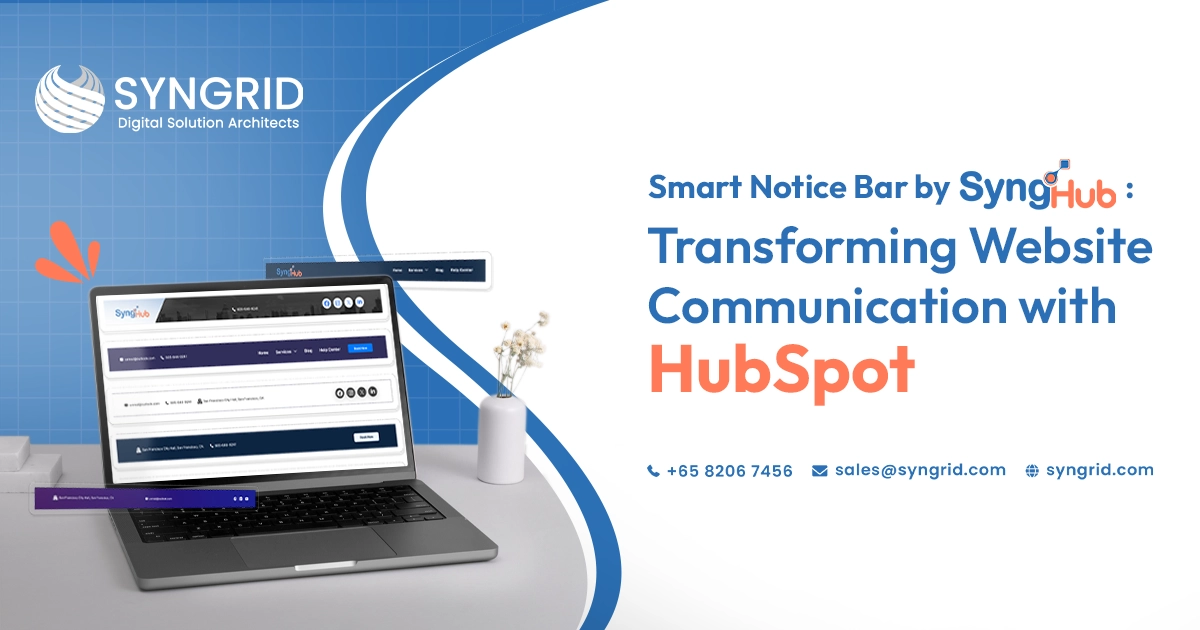
Smart Notice Bar by SyngHub: Transforming Website Communication with HubSpot

Every HubSpot website has one thing in common. Visitors arrive; scan the page; and make decisions within seconds. The information they see first directly influences whether they engage; convert; or leave entirely. Most businesses invest heavily in page content; hero sections; and navigation menus. However, the space at the very top of the page, above all other content, often goes completely unused. This is precisely where the SyngHub Smart Notice Bar HubSpot notification bar module delivers immediate and measurable impact. The Smart Notice Bar is a versatile top-of-page notification module designed to display announcements; promotions; alerts; and engagement elements across every page of a HubSpot website. It gives content teams the ability to communicate directly with every visitor the moment they land without modifying page layouts or involving developers. What Is the SyngHub Smart Notice Bar? The SyngHub Smart Notice Bar is a purpose-built HubSpot notification bar module that sits at the top of every page on a HubSpot CMS website. It displays dynamic, customizable content that captures visitor attention before they engage with any other page element. Unlike static header elements, the Smart Notice Bar supports rich content components that create genuinely interactive and visually engaging website communication experiences. Custom icons and images displayed alongside notification text Announcement, promotional, and alert text with full customization CTA buttons for immediate visitor action Optional countdown timers for urgency-based campaigns Social media icons for direct platform access Fully customizable styling and responsive layout Suitable for promotions; announcements; offers; events; alerts; and branding The module works seamlessly within the HubSpot CMS environment without additional development work, making it immediately accessible to content editors and marketing teams managing HubSpot websites. Why Every HubSpot Website Needs a Notification Bar Website visitors form their first impression of a business within milliseconds of landing on a page. The notification bar is the first content element they encounter. Used effectively, it sets the tone, communicates urgency, and directs visitor attention toward the actions that matter most to the business.   Without a dedicated HubSpot notification bar module, businesses miss this opportunity entirely. Important announcements get buried in page content. Promotions fail to reach visitors who do not scroll far enough to find them. And time-sensitive campaigns lack the visibility they need to drive meaningful results. Captures visitor attention before any other page element Communicates time-sensitive information at the optimal moment Directs visitors toward high-priority actions immediately Increases visibility of promotions, events, and announcements Reduces the risk of important information being missed Creates a consistent communication channel across every page A well-configured HubSpot notification bar module transforms the top of every page from unused space into one of the highest-impact communication channels on the entire website. Flexible Content Support for Every Business Need One of the defining strengths of the SyngHub Smart Notice Bar is the flexibility of its content support. The module is not limited to simple text announcements. It supports a comprehensive range of content components that adapt to different communication objectives and campaign types.   Marketing teams can display promotional messages alongside branded icons that reinforce visual identity. Content editors can create alert-style notifications with high-visibility formatting that communicates urgency without disrupting the overall page design. Notification text with full formatting and styling control Custom icons and images integrated alongside text content Multiple content layouts suitable for different message types Alert, announcement, and promotional content configurations Brand-consistent styling applied across all content variations Responsive layout that maintains quality across all devices This content flexibility means a single HubSpot notification bar module installation serves every communication need throughout the year without requiring additional modules or developer involvement. Interactive Engagement Elements That Drive Action Displaying information is only the first step. The SyngHub Smart Notice Bar goes further by incorporating interactive engagement elements that transform passive visitors into active participants.   CTA buttons embedded directly within the notification bar give visitors an immediate pathway to the action the business wants them to take. Whether that action is registering for an event, claiming a promotional offer, or visiting a specific landing page, the CTA button removes friction from the conversion process entirely. CTA buttons with customizable text, color, and destination links Countdown timers that create urgency for time-sensitive campaigns Interactive elements that respond to visitor engagement Event and campaign-specific configurations for seasonal promotions Limited-time offer displays with real-time countdown functionality Actionable notification experiences that improve conversion rates The combination of clear messaging and immediate action capability makes the Smart Notice Bar one of the most conversion-focused elements available within the HubSpot CMS module ecosystem. Social and Branding Integration Modern website visitors expect seamless access to social platforms as part of their browsing experience. The SyngHub Smart Notice Bar addresses this expectation directly by incorporating social media icons within the notification bar itself.   This integration serves two distinct purposes simultaneously. It improves brand visibility by keeping social platform access consistently visible across every page of the website. And it reduces the friction that visitors experience when trying to connect with the brand on their preferred social platforms. Social media icons displayed within the notification bar Direct links to all major social platforms from the header area Brand visibility reinforced across every page of the website Quick social platform access without navigating away from content Consistent social presence maintained throughout the browsing experience Branding elements integrated alongside notification and promotional content Social integration within the notification bar extends the reach of every website visit beyond the page itself, connecting visitors with the broader brand presence across multiple platforms simultaneously. Fully Customizable Styling and Responsive Design A notification bar that conflicts with the visual identity of the website undermines rather than enhances the overall brand experience. The SyngHub Smart Notice Bar is designed with complete styling customization to ensure seamless integration with any HubSpot website design.   Content editors control every visual element of the notification bar without requiring developer assistance. Colors; typography; spacing; and layout all adapt to match the brand identity of the website precisely. Complete color customization
Digital Transformation, Hubspot

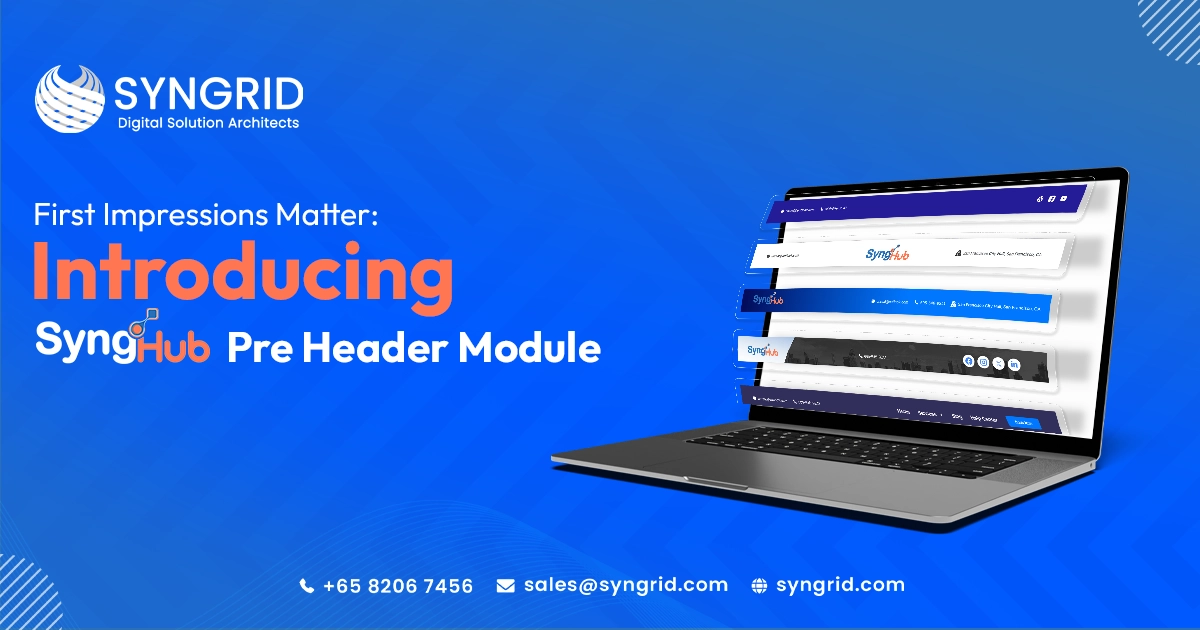
First Impressions Matter: Introducing SyngHub Pre Header Module

Introduction You have less than three seconds to make a first impression on a website visitor. Three seconds. That’s it. In that moment, visitors scan the very top of your page. They look for a phone number, a quick way to contact you, and a sense of who you are and what you do. If that information isn’t clear and immediately visible, they hesitate. And hesitation leads to bounces. The SyngHub HubSpot Preheader Module solves this problem elegantly. It gives your HubSpot website a powerful, fully customizable preheader that displays exactly the right information at the right moment. In this blog, we introduce the module, explore its features, and explain why it is one of the smartest additions to any HubSpot website in 2026. What Is a Website Preheader? A preheader is the thin bar that sits above your main navigation menu. It is the first thing visitors see when they land on your website. A well-designed preheader can display: Phone numbers and email addresses Physical address or location Social media icons Navigation links Call-to-action buttons Brand logos or messages It delivers critical information instantly without interrupting the user experience. What Is the SyngHub HubSpot Preheader Module? The SyngHub preheader module is a powerful HubSpot CMS solution built by Syngrid Technologies. It gives complete control over preheader design, content, and functionality. Unlike generic solutions, it offers 10 flexible layout variations, each designed for specific use cases while maintaining visual consistency and professional quality. 10 Flexible Layout Variations Simple Contact Bar Layouts Display essential contact information clearly at the top of every page. Branding-Focused Layouts Highlight your logo or brand message for a strong first impression. Navigation Menu Layouts Provide quick access to important pages directly from the preheader. Full-Featured Layouts Combine contact info, navigation, social icons, and CTAs in one space. Social Media and CTA Layouts Drive engagement and conversions with visible social icons and action buttons. Key Features Flexible Layout System Choose from 10 layouts designed for modern websites with responsive design. Complete Preheader Solution Manage all elements including contact info, branding, navigation, and CTAs in one module. Contact Information Display Show phone, email, and address for instant accessibility. Branding Support Display your logo or message to reinforce identity. Social Media Integration Connect users to your platforms instantly. Navigation Menus Enable quick access to important pages. CTA Buttons Highlight key actions like “Book a Demo” or “Contact Us”. Style Customization Adjust colors, fonts, and spacing to match your brand. Dynamic Settings Only relevant fields appear based on selected layout, ensuring a clean editing experience. Why Your HubSpot Website Needs a Preheader First Impressions Matter A professional preheader builds trust instantly. Reduced Friction Easy access to contact details improves user experience and conversions. Better Conversion Rates Visible CTAs increase engagement across all pages. Stronger Brand Presence Social icons and branding build credibility. Who Should Use This Module? Marketing Teams HubSpot Developers & Agencies Business Owners E-Commerce Businesses Enterprise Organizations How to Get Started Step 1: Install Find and install from the HubSpot marketplace. Step 2: Choose Layout Select from 10 layout options. Step 3: Add Content Enter contact details, links, and CTAs. Step 4: Customize Adjust styles to match your brand. Step 5: Publish Go live instantly across your website. Conclusion Your website preheader is the first impression every visitor sees. It defines your professionalism and guides user actions.   The SyngHub HubSpot Preheader Module delivers a flexible, powerful, and fully customizable solution that enhances user experience and boosts conversions.   Ready to upgrade your website? Install the SyngHub preheader module today and make every first impression count.
Hubspot

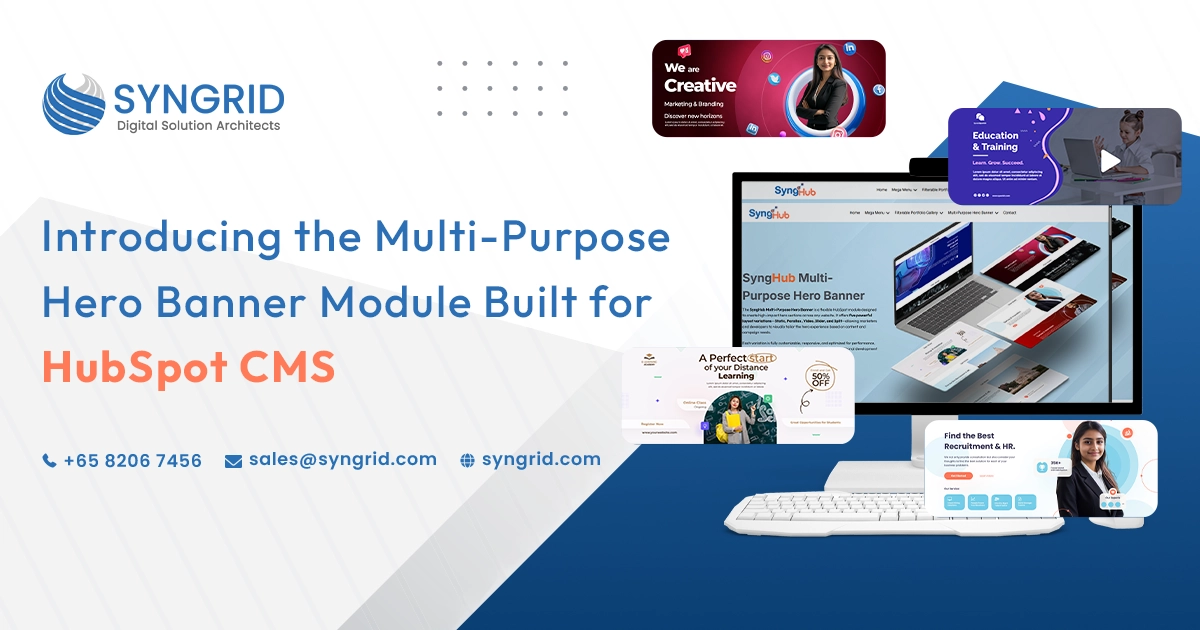
Introducing the Multi-Purpose Hero Banner Module Built for HubSpot CMS

Your hero banner is the first thing visitors see when they land on your website. The question is, is it converting or just taking up space? In today’s competitive digital landscape, your website needs more than just attractive design. It needs flexible, conversion-focused components that align with marketing goals. That’s exactly where the Multi-Purpose Hero Banner Module for HubSpot CMS comes in. Designed for performance and flexibility, this module helps businesses create visually engaging and highly functional hero sections without complex development work. What Makes This Module “Multi-Purpose”? The Multi-Purpose Hero Banner Module is built to support various use cases across industries, including: Product launches Service highlights Campaign promotions Lead generation pages Event announcements Corporate branding Instead of designing new hero layouts for every page, this module allows marketers to switch formats, adjust content, and modify layouts effortlessly. Key Features of the Multi-Purpose Hero Banner Module 1. Multiple Layout Types  Choose from static, slider, or parallax layout styles to create engaging visual experiences. Adapt the section format based on your campaign strategy and user interaction goals. 2. Flexible Layout Variations Switch between multiple layout styles without additional coding. Adapt the design depending on campaign goals. 3. Advanced CTA Customization Add multiple call-to-action buttons with custom styling to improve click-through rates and user engagement. 4. Background Control Use images, videos, gradients, or solid color backgrounds to perfectly align with your brand identity and messaging. 5. Mobile-Responsive Design Optimized for all devices to ensure consistent performance across smartphones, tablets, and desktops. 6. Easy Drag-and-Drop Editing Built specifically for HubSpot CMS, allowing marketing teams to update content easily without requiring developer support. Built for HubSpot CMS Performance Because this module is developed specifically for HubSpot CMS, it integrates seamlessly with: HubSpot themes Landing pages Website pages Blog templates Marketing campaigns It follows best practices for performance optimization, accessibility standards, and responsive design. According to Forrester, companies that prioritize customer experience through better design frameworks see measurable improvements in engagement and retention. A flexible hero module contributes directly to that experience. Developed by Syngrid – Powered Through Synghub The Multi-Purpose Hero Banner Module is developed by Syngrid Technologies as part of Synghub, their own collection of advanced HubSpot modules. Synghub modules are built to enhance HubSpot CMS capabilities with scalable, marketing-friendly, and performance-driven components. These modules are available on the HubSpot Marketplace, making installation and deployment seamless for businesses using HubSpot. Why Businesses Choose Synghub Modules? Custom-built for HubSpot CMS Optimized for performance and speed Marketing-focused design approach Easy implementation Scalable for growing businesses Instead of building custom modules from scratch every time, businesses can leverage ready-to-use, professionally developed modules that save time and development costs. Conclusion A hero banner is more than just a design element; it’s your digital first impression and conversion gateway. The Multi-Purpose Hero Banner Module for HubSpot CMS, developed by Syngrid through Synghub, provides flexibility, performance, and marketing efficiency in one powerful component. If your website’s hero section isn’t driving engagement or conversions, it may be time to upgrade to a smarter, more adaptable solution.
Hubspot

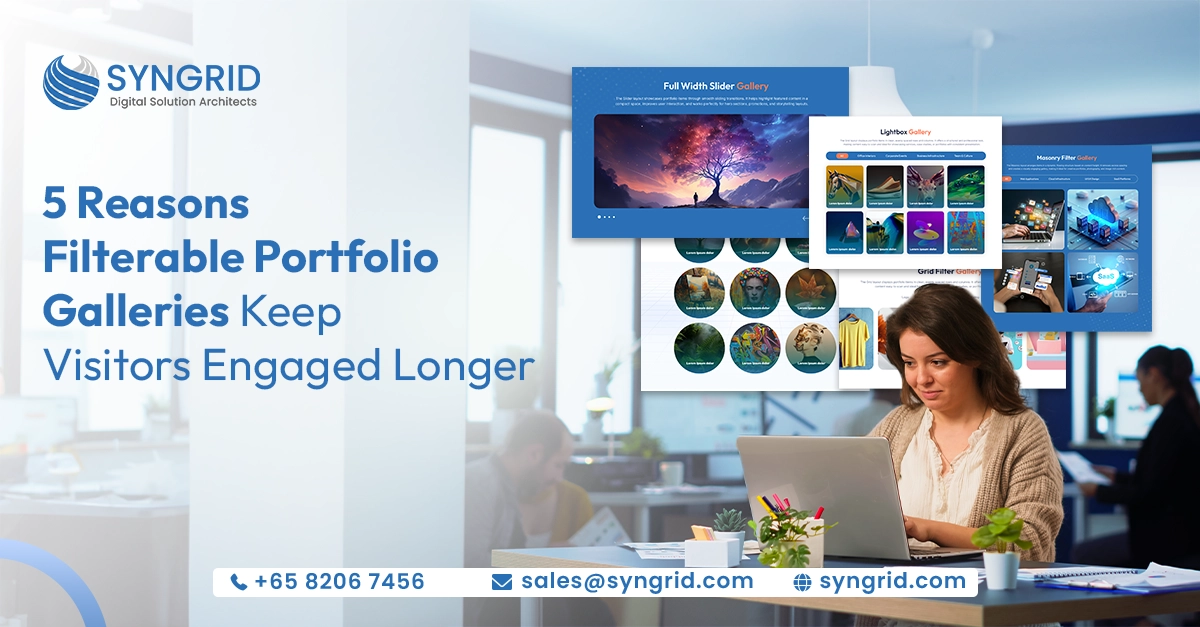
5 Reasons Filterable Portfolio Galleries Keep Visitors Engaged Longer

Every website has the same fundamental challenge: getting visitors to stay long enough to see your best work, understand your value, and take action. Most businesses invest heavily in driving traffic to their website but overlook one of the most powerful engagement tools available: the filterable portfolio gallery. A standard static gallery dumps all your work on the page at once and leaves visitors to sort through it alone. A filterable portfolio gallery puts visitors in control, letting them choose exactly what they want to see, when they want to see it. That single shift in experience transforms passive browsing into active exploration, and the results show up directly in your engagement metrics. Here are five compelling reasons why filterable portfolio galleries keep visitors engaged longer and why every business should have one. Reason 1—Visitors Stay Longer When They Are in Control The single biggest driver of engagement on any website is the feeling of control. When visitors can actively shape their experience by choosing which category to explore, which type of project to view, and which industry examples to examine, they become participants rather than passive observers. This shift from passive to active is enormously powerful. Interactive elements on websites produce measurable engagement results. Adding interactive and audio-visual elements to a page can increase the time visitors spend on it by up to 88% compared to static content alone. A filterable portfolio gallery is one of the purest expressions of this principle; every filter click is an active engagement signal, and every active engagement keeps the visitor on your page longer. For businesses, this translates directly into more time for your work to make an impression, more opportunities for visitors to find the exact example that resonates with them, and a significantly higher likelihood that they reach out. Interactive Features Directly Boost Time on Site | Relevance: 95% of interactive features on websites produce measurable results. Visitors with things to explore stay longer, bounce rates drop significantly, and conversion rates increase. Adding interactive elements can make visitors stay up to 88% longer compared to static content alone. Reason 2—Filtering Solves the Navigation Problem That Drives Visitors Away One of the most underappreciated causes of high bounce rates is poor navigation, specifically, the inability of visitors to quickly find content that is relevant to them. When a visitor cannot locate what they are looking for within the first few seconds, they leave. It is that simple. A filterable portfolio gallery is a direct and elegant solution to this problem. Instead of presenting every piece of work in an undifferentiated grid, it allows visitors to self-select their area of interest with a single click. An interior design studio’s visitor interested in office projects can filter to offices immediately. A technology client browsing a digital agency’s work can filter to web application projects without scrolling past irrelevant content. Reason 3—Organized Content Appears More Credible and Professional How your work is presented is almost as important as the work itself. A cluttered, unsorted gallery communicates disorganization regardless of how strong the underlying work may be. A filterable portfolio gallery does the opposite; it imposes visual order, communicates intentionality, and signals that you are a business that thinks carefully about presentation and user experience. Visitors draw immediate conclusions about a brand’s professionalism from its website design. A well-structured filterable gallery with clear categories, consistent card layouts, and smooth transition animations elevates the perceived quality of everything it contains. Your work looks better simply because it is organized better. This credibility effect compounds over time. The longer a visitor browses a well-organized, filterable gallery, the more confident they become in the quality and breadth of your expertise. Each additional category they explore reinforces their trust, creating a cumulative impression that no single static image could achieve alone. Reason 4—Multiple Layouts Create the Right Visual Experience for Every Type of Content Not all portfolio content is the same, and presenting it as if it were does a disservice to the work and to the visitor. Photography demands a different presentation than case studies. Product samples require a different layout than team portraits. Service showcases benefit from a different structure than client projects. A sophisticated filterable portfolio gallery addresses this by offering multiple layout options that can be matched to content type. A grid layout delivers structured, even spacing ideal for professional services and case studies. A masonry layout creates a dynamic, flowing structure that suits image-rich creative portfolios and photography. A slider layout highlights featured work in a compact, high-impact format perfect for hero sections and promotions. A Lightbox view lets visitors explore individual pieces in full detail without leaving the gallery page. When the layout matches the content, visitors engage more deeply because the experience feels intentional and polished. The right layout removes friction between the visitor and the work, making it easier to appreciate, evaluate, and remember. Reason 5—Filterable Galleries Reduce Cognitive Overload and Keep Visitors Focused One of the most consistent findings in user experience research is that too many choices presented simultaneously overwhelm visitors and reduce engagement. When a website displays everything at once with no filtering mechanism, visitors face a wall of content that is difficult to process, and the instinctive response is to disengage and leave. A filterable portfolio gallery solves this by allowing visitors to narrow what they see to only what is relevant to them. The result is a focused, manageable browsing experience that reduces cognitive load, increases content relevance, and keeps visitors exploring longer. Each filtered view feels curated and purposeful, presenting exactly the right amount of content at the right time. This focused experience is particularly valuable for potential clients in the early stages of evaluating your business. Rather than being overwhelmed by the full breadth of your work, they can explore the specific area they care about, building confidence in your expertise in their particular context before broadening their exploration. SyngHub—The Filterable Portfolio Gallery Built for HubSpot If your business runs on HubSpot CMS,
Hubspot

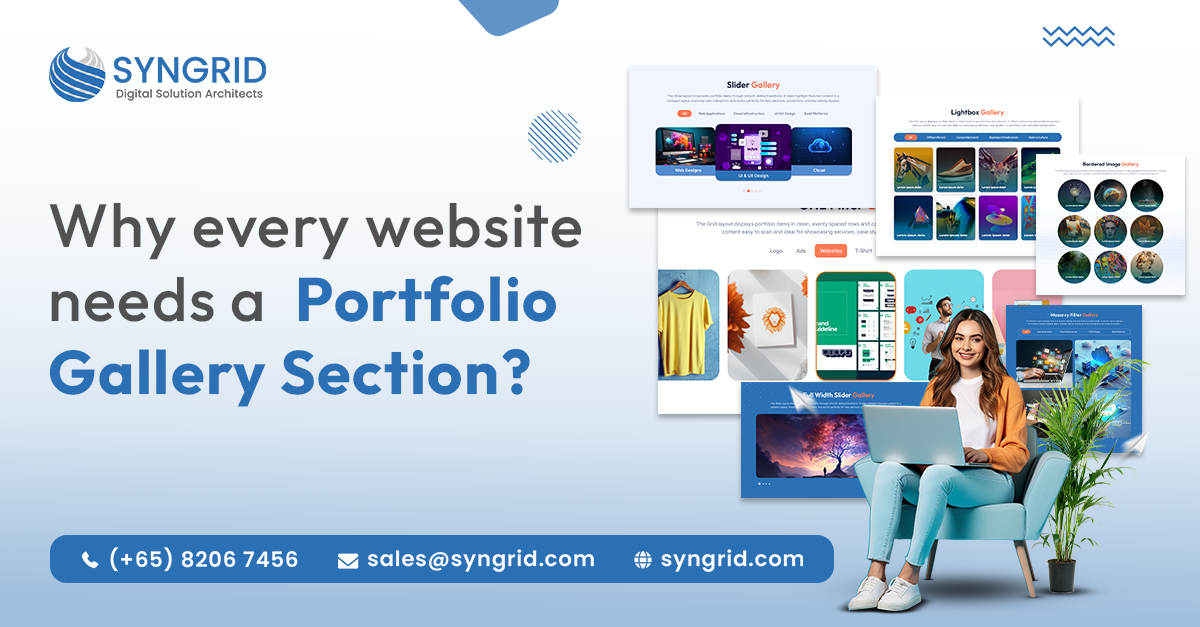
Why Every Website Needs a Portfolio Gallery Section?

Imagine landing on a website and being immediately greeted by a stunning showcase of work, crisp project images, compelling case studies, and visual proof of what a brand can deliver. That is the power of a portfolio gallery section. In today’s hyper-competitive digital landscape, words alone are no longer enough to win a client’s trust. You need to show them. Whether you run a creative agency, a photography studio, a tech company, or an e-commerce brand, a portfolio gallery section is not a luxury; it is a business necessity. It serves as your most persuasive salesperson, working 24/7 to convert curious visitors into paying clients. What Is a Portfolio Gallery Section? A portfolio gallery section is a dedicated area on a website designed to visually display a brand’s past work, projects, or products. It typically features images, videos, case studies, or a combination of all three organized in a grid, masonry, slider, or carousel format. Unlike static text descriptions, a gallery communicates quality, capability, and style instantly. It answers the single most important question every potential client has: “Can they actually deliver results?” The Shift Toward Visual-First Web Experiences The digital world is undergoing a fundamental transformation. Audiences no longer read websites; they experience them. Static blocks of text are being replaced by dynamic, immersive visual journeys that capture attention within the first few seconds. A successful club doesn’t just sell court time; it sells the confidence of a perfectly maintained game In 2026, portfolios are evolving from static grids to interactive experiences featuring hover animations, motion effects, and dynamic scrolling. Mobile-first design is now a baseline requirement, as most clients browse on smartphones. Brands using visual-first galleries report stronger engagement and longer site sessions. This trend confirms that a portfolio gallery section is no longer just a nice-to-have; it is the standard expectation. Websites that fail to meet this visual bar risk appearing outdated and untrustworthy, regardless of how excellent their services actually are. A modern portfolio gallery keeps visitors engaged longer, signals professionalism, and creates a memorable first impression that plain text simply cannot replicate. How Portfolio Galleries Build Credibility and Drive Conversions? Trust is the currency of the internet. Before a potential client picks up the phone or fills out a contact form, they need to believe you can deliver. A well-curated portfolio gallery section is the fastest, most effective way to establish that belief. Research confirms that 46.1% of users judge a company’s credibility based on website design alone. Portfolio galleries serve as the most direct form of social proof, showcasing real results to potential clients. Brands with well-structured gallery sections consistently report higher inquiry rates and stronger client trust. These statistics reveal a critical insight: your website design, and specifically your portfolio gallery, is directly tied to your business’s perceived credibility. When visitors see polished, real-world examples of your work, their hesitation dissolves. They can picture themselves as your next success story. Beyond credibility, gallery sections are powerful SEO assets. Search engines favor websites with rich media, optimized image alt tags, and strong engagement metrics, all of which a well-built portfolio gallery contributes to naturally. Key Benefits of a Portfolio Gallery Section 1. Instant Visual Proof of Expertise   A portfolio gallery eliminates doubt immediately. Instead of telling visitors you are skilled, you show them. Real project showcases communicate quality far more effectively than any written testimonial. 2. Stronger Emotional Connection   Humans process visuals 60,000 times faster than text. A striking gallery creates an emotional response that written content cannot replicate, making visitors more likely to take action. 3. Improved SEO Performance   Properly optimized gallery images with descriptive alt tags, structured file names, and fast loading speeds contribute meaningfully to your website’s search engine ranking. A gallery done right is an SEO asset. 4. Higher Time-on-Site Metrics   Visitors spend significantly more time browsing through a well-designed gallery than reading blocks of text. Longer sessions signal value to search engines and increase your chances of conversion. 5. Differentiation from Competitors   In a crowded market, a distinctive portfolio gallery sets you apart. It gives potential clients a clear reason to choose you over a competitor whose work they have never seen. How Syngrid Technologies Builds Portfolio Galleries That Convert At Syngrid Technologies, we understand that a portfolio gallery is more than a collection of pretty images; it is a strategic business tool. Our team combines creative design expertise with technical precision to deliver gallery sections that are visually stunning, fast-loading, mobile-first, and SEO-optimized. We craft every gallery with your brand identity in mind, ensuring each visual element reinforces trust, communicates quality, and drives visitors toward conversion. From hover animations and dynamic filtering to responsive layouts that look flawless on every device, Syngrid builds portfolio galleries that work as hard as you do. Taking this even further, Syngrid Technologies has developed SyngHub, a powerful, purpose-built HubSpot module now officially available on the HubSpot Marketplace. SyngHub enables businesses running on HubSpot CMS to seamlessly embed and manage dynamic portfolio gallery sections directly within their HubSpot websites, with no custom coding required. Marketers and designers can drag-and-drop stunning gallery layouts, filter projects by category, showcase case studies, and update portfolio content in real time all from within the familiar HubSpot interface, making it the perfect bridge between Syngrid’s design expertise and HubSpot’s powerful marketing ecosystem. Find SyngHub on the HubSpot Marketplace and start building your portfolio gallery today. Best Practices for an Effective Portfolio Gallery Section Prioritize quality over quantity; showcase your best work, not everything you have ever done. Organize projects by category so visitors can easily filter and find relevant examples. Include brief case study descriptions alongside each gallery item for added context. Ensure all images are compressed and optimized for fast loading without sacrificing quality. Make your gallery fully responsive; it must look exceptional on mobile, tablet, and desktop. Add clear calls to action within or near the gallery to guide visitors toward the next step. Conclusion: Your Gallery Is Your Greatest Sales Tool In a world
Hubspot

HubSpot vs. Salesforce: Which CRM Is Right for Your Business?

Choosing the right CRM platform is one of the most critical decisions for growing businesses. Two names dominate the global CRM market: HubSpot and Salesforce. Both platforms offer powerful tools for sales, marketing, customer service, and automation, but they are designed for different business needs, budgets, and levels of complexity. This comparison will help you understand which CRM platform best fits your organization based on usability, features, scalability, AI capabilities, and cost. HubSpot vs. Salesforce: Quick Overview HubSpot began as an inbound marketing platform and evolved into a CRM-first growth ecosystem. Salesforce, on the other hand, started as a sales-focused CRM and expanded into a highly customizable, enterprise-grade platform. Both CRMs offer: Contact and lead management Sales forecasting and analytics Marketing automation Customer support tools AI-powered insights However, their implementation approach, pricing structure, and learning curve differ significantly. Salesforce Strength: Advanced Reporting and Forecasting Salesforce is widely recognized for its deep analytics and forecasting capabilities. It enables sales teams to track: Pipeline stages and deal probability Revenue projections and close timelines Lead scoring based on behavior and demographics Territory-wise and performance-based forecasting These features make Salesforce ideal for enterprises with complex sales operations and multi-layered reporting needs. HubSpot Strength: All-in-One Marketing and Sales Experience HubSpot excels as a marketing-first CRM. Most of its tools are bundled into a single platform, including: Email marketing and automation Social media publishing SEO recommendations Blog and CMS tools PPC ad tracking This unified experience makes HubSpot especially attractive for startups, SMBs, and marketing-driven teams that want faster implementation with minimal technical overhead. AI Capabilities: Salesforce Einstein vs HubSpot Breeze Salesforce Einstein & Agentforce   Salesforce offers an enterprise-grade AI ecosystem designed for advanced use cases, such as Predictive sales forecasting Automated workflow intelligence Custom AI agents Context-aware decision-making While powerful, these capabilities typically require skilled configuration and ongoing optimization. HubSpot Breeze AI   HubSpot’s Breeze AI focuses on simplicity and accessibility. It helps users: Generate marketing and sales content Summarize CRM insights Automate routine tasks For teams seeking quick adoption and everyday AI support, Breeze delivers value without added complexity. Onboarding and User Experience HubSpot provides a guided onboarding experience that allows teams to get started quickly with minimal training. Salesforce offers comprehensive onboarding resources, but its modular structure often results in a steeper learning curve. Businesses with limited CRM experience may find HubSpot easier to adopt, while organizations with dedicated CRM teams can fully leverage Salesforce’s flexibility. Customization and Integrations Salesforce leads in customization and ecosystem depth, offering thousands of integrations through its AppExchange. HubSpot provides fewer integrations but delivers a cleaner, more unified system that reduces dependency on third-party tools. Both platforms support API integrations, enabling businesses to connect CRM data with ERP systems, analytics tools, and customer engagement platforms. Pricing Comparison (High-Level) HubSpot offers a free CRM with scalable paid plans, making it cost-effective for growing businesses. Salesforce follows a per-user pricing model, with advanced features available through higher-tier plans and add-ons. Choosing the right plan depends on business size, feature requirements, and long-term scalability goals. HubSpot vs. Salesforce: Which Should You Choose? Choose HubSpot if: You want fast onboarding. You prioritize marketing automation. You need an affordable, all-in-one CRM. Choose Salesforce if: You manage complex sales operations. You require advanced customization and forecasting. You operate at enterprise scale. Final Thoughts Both HubSpot and Salesforce are powerful CRM platforms, but success depends on selecting the right tool for your business model and using it effectively. By understanding each platform’s strengths, limitations, and ideal use cases, businesses can make informed CRM decisions that drive long-term growth, efficiency, and customer satisfaction. For organizations implementing HubSpot, working with Syngrid Technologies, a HubSpot Solutions Provider, can help ensure smoother onboarding, better configuration, and long-term CRM adoption aligned with business goals.

Hubspot

Optimize Your Startup’s Marketing Spend with HubSpot Analytics

For startups, every marketing decision carries weight. Limited budgets, aggressive growth targets, and pressure to prove ROI make it essential to understand exactly where marketing spend is delivering results and where it is not. HubSpot Analytics provides startups with the visibility needed to measure performance, optimize campaigns, and allocate budgets more effectively. When implemented correctly, it transforms marketing from a cost center into a predictable growth engine. Syngrid Technologies helps startups leverage HubSpot Analytics to gain clarity across channels, improve decision-making, and maximize marketing ROI as they scale. Why Marketing Spend Optimization Is Critical for Startups? Startups operate in fast-changing environments where assumptions can quickly become expensive mistakes. Without accurate analytics, teams often rely on vanity metrics such as impressions or clicks, rather than revenue-driving insights. HubSpot Analytics enables startups to: Track the full customer journey from first interaction to conversion Measure campaign performance across channels in one dashboard Identify high-performing and underperforming spend areas Attribute revenue directly to marketing efforts This level of insight allows founders and marketing teams to invest with confidence instead of guesswork. Using HubSpot Analytics to Track What Actually Drives Growth HubSpot Analytics consolidates data from websites, email campaigns, paid ads, social media, and CRM activity into a single reporting layer. For startups, this means understanding not just traffic volume but also traffic quality and conversion potential. Key insights include: Which channels generate qualified leads Cost per lead and cost per acquisition by campaign Conversion rates at each funnel stage Sales impact of marketing activities With this data, startups can quickly reallocate budgets toward channels and campaigns that produce measurable business outcomes. Enhancing Website Performance and Navigation Insights with SynHub Midway through scaling, many startups invest in content and inbound marketing but overlook a critical factor: website navigation and discoverability. This is where the SynHub Mega Menu Module, developed by Syngrid Technologies, adds strategic value. SynHub is a powerful, flexible mega menu solution designed to: Improve website navigation clarity Enhance content discoverability Support structured user journeys Maintain clean, scalable menu architecture With 100% responsive design, SynHub ensures seamless navigation across desktop, tablet, and mobile devices, critical for startups attracting traffic from multiple devices. When combined with HubSpot Analytics, SynHub allows startups to: Analyze how users navigate key pages Identify drop-off points within menus Improve time on site and engagement metrics SynHub Mega Menu is available on the HubSpot Marketplace, making it easy for HubSpot users to deploy and integrate without disrupting existing workflows. Turning Analytics into Actionable Marketing Strategy Data alone does not optimize spending; execution does. HubSpot Analytics supports custom dashboards and reports that align marketing performance with startup goals such as lead velocity, customer acquisition cost, and revenue contribution. Startups can: Monitor campaign ROI in real time Compare performance across growth stages Test and refine messaging using performance data Align marketing and sales around shared metrics This creates a feedback loop where insights continuously improve outcomes. Scaling Marketing Without Scaling Waste As startups grow, marketing complexity increases. More channels, more campaigns, and more data can quickly lead to inefficiency if not managed properly. HubSpot Analytics supports scalable growth by: Standardizing reporting across teams Automating performance tracking Providing leadership-level visibility into marketing ROI Supporting long-term forecasting and planning With the right setup, startups can scale marketing operations without proportionally increasing costs. Why Startups Partner with Syngrid Technologies for HubSpot Analytics? Effective analytics requires more than tool access; it requires strategic configuration and interpretation. Syngrid Technologies helps startups: Implement HubSpot Analytics aligned with growth goals Configure dashboards for founders, marketers, and sales teams Integrate website, CRM, and campaign data Optimize inbound performance using actionable insights Enhance website experience using tools like SynHub As HubSpot experts, Syngrid ensures startups extract measurable value from their marketing data. To conclude Optimizing marketing spend is not about spending less; it’s about spending smarter. HubSpot Analytics empowers startups to understand what drives growth, eliminate inefficiencies, and build a repeatable, data-backed marketing strategy. When combined with intelligent website navigation solutions like SynHub, startups gain both insight and execution advantages. Syngrid Technologies supports startups at every stage from analytics setup to optimization, helping turn marketing investments into sustainable growth.
Hubspot CRM
Hubspot

End-to-End HubSpot CRM Implementation by Syngrid Technologies

Introduction In today’s competitive business environment, managing leads, sales pipelines, marketing campaigns, and customer interactions across multiple tools can be chaotic and inefficient. A powerful CRM platform like HubSpot allows businesses to streamline operations, improve sales efficiency, and enhance customer relationships. However, adopting HubSpot CRM is only the first step. Businesses require a complete end-to-end HubSpot CRM implementation strategy that ensures seamless setup, workflow automation, data integration, and user adoption. At Syngrid Technologies, a trusted HubSpot solution provider, we specialize in delivering HubSpot CRM implementation services tailored to your organization’s unique processes and objectives. From initial setup to ongoing optimization, our team ensures that your HubSpot CRM drives measurable business growth. What Is HubSpot CRM? HubSpot CRM is a cloud-based platform designed to centralize all aspects of customer relationship management. It provides tools for: Managing leads, contacts, and deals Automating marketing campaigns and email sequences Tracking customer interactions across multiple channels Generating real-time analytics and performance reports Unlike traditional CRMs, HubSpot combines marketing, sales, and service tools in a single platform, enabling businesses to achieve end-to-end visibility into their customer journey. A properly executed HubSpot CRM implementation ensures that your sales and marketing teams can work efficiently, with all data synchronized in one place. Why Businesses Need End-to-End HubSpot CRM Implementation? Many businesses adopt HubSpot CRM but fail to realize its full potential due to improper setup or lack of expertise. An end-to-end HubSpot CRM implementation offers the following advantages: Streamlined sales pipeline management Improved lead nurturing and conversion rates Automation of repetitive tasks Accurate, real-time reporting for decision-making Seamless integration with existing tools and workflows Implementing HubSpot CRM strategically ensures that your business avoids common pitfalls and fully leverages the platform’s capabilities to drive growth. Challenges Without Proper CRM Implementation Without a proper HubSpot CRM setup, organizations often face: Data silos and disconnected systems Manual and error-prone workflows Inefficient lead management and follow-ups Low adoption among team members Difficulty generating accurate analytics for strategic decisions A comprehensive HubSpot CRM implementation service addresses these challenges by aligning the platform with your business processes, automating tasks, and ensuring smooth user adoption. Our End-to-End HubSpot CRM Implementation Approach At Syngrid Technologies, we follow a structured approach to deliver end-to-end HubSpot CRM implementation services: Requirement Analysis: Understanding your business goals, sales processes, marketing campaigns, and customer journey. CRM Strategy & Planning: Designing a customized HubSpot CRM roadmap tailored to your organization. HubSpot CRM Setup Services: Configuring HubSpot modules, pipelines, dashboards, and automation sequences. Data Migration: Securely migrating contacts, leads, deals, and historical data from legacy systems. Integration: Connecting HubSpot CRM with ERP, marketing tools, email platforms, and other business systems. Testing & Validation: Ensuring workflows, automations, and reports function accurately. Training & User Adoption: Equipping your team with the knowledge to leverage HubSpot CRM effectively. Ongoing Optimization: Monitoring CRM performance, refining workflows, and scaling features as needed. This approach ensures that your HubSpot CRM implementation is smooth, efficient, and drives measurable results. HubSpot CRM Customization & Automation One of the key benefits of working with a HubSpot implementation partner is the ability to customize the CRM for your unique business needs. Custom Properties & Fields: Track unique data points for leads, deals, and contacts. Automated Workflows: Automate lead assignment, follow-ups, email nurturing, and task creation. Pipeline Customization: Create sales pipelines and deal stages aligned with your sales processes. Reporting & Dashboards: Build custom dashboards and analytics for actionable insights. With Syngrid Technologies, your HubSpot CRM implementation includes automation at every stage, improving efficiency and reducing manual effort. HubSpot CRM Integration with Existing Systems A critical aspect of any HubSpot CRM implementation is seamless integration with your existing software ecosystem. Our team integrates HubSpot CRM with: ERP systems for financial and operational alignment Marketing automation tools for synchronized campaigns Customer support software for end-to-end customer visibility Email and communication platforms for streamlined outreach These integrations ensure that HubSpot CRM becomes the central hub for all customer data, empowering teams to make informed decisions. Data Migration, Training & User Adoption A successful HubSpot CRM setup depends on accurate data migration and user adoption: Data Migration: Securely transfer data from legacy CRMs without loss or duplication. Training Programs: Conduct hands-on sessions for your team to learn HubSpot workflows, dashboards, and reporting. User Adoption: Encourage consistent usage through ongoing support, process documentation, and performance monitoring. By prioritizing training and adoption, businesses achieve higher ROI from their HubSpot CRM investment. Benefits of HubSpot CRM Implementation for Businesses Implementing HubSpot CRM through an end-to-end service provides tangible business benefits: Increased lead conversion and sales efficiency Reduced manual effort through automation Improved data accuracy and reporting Enhanced customer engagement and experience Centralized view of all customer interactions With Syngrid Technologies, your HubSpot CRM implementation ensures that your business can operate more efficiently and scale confidently. Why Choose Syngrid Technologies for HubSpot CRM Implementation? Syngrid Technologies is a certified HubSpot implementation partner with extensive experience in delivering end-to-end HubSpot CRM implementation services for businesses of all sizes. We offer: Customized HubSpot CRM strategies tailored to business needs Secure and seamless data migration Automation, integration, and workflow optimization Training, adoption support, and ongoing CRM management Partnering with Syngrid ensures a smooth HubSpot CRM journey from setup to full-scale adoption. Conclusion A robust HubSpot CRM implementation is no longer optional—it’s essential for businesses aiming to streamline processes, improve customer relationships, and scale efficiently. With Syngrid Technologies as your HubSpot implementation partner, you get an end-to-end solution encompassing strategy, setup, automation, integration, training, and ongoing optimization. Investing in a professionally implemented HubSpot CRM empowers your teams, reduces errors, and maximizes ROI—turning your CRM into a growth engine rather than just a software tool.
Hubspot CRM
Hubspot

HubSpot CRM vs. Traditional CRM Systems: What Makes HubSpot Better?

Introduction Customer relationship management has evolved rapidly over the last decade. Businesses today need more than just a database to store contacts; they need intelligent systems that align sales, marketing, and customer service while driving measurable growth. This is where the comparison between HubSpot CRM and traditional CRM systems becomes critical. While traditional CRMs were built mainly for data storage and sales tracking, modern platforms like HubSpot CRM focus on automation, user experience, and full-funnel visibility. In this blog, we explore what truly makes HubSpot better and why businesses partner with Syngrid Technologies for HubSpot implementation and optimization. What Is a Traditional CRM System? Traditional CRM systems were originally designed to help sales teams store customer information, track deals, and manage pipelines. These systems usually focus on contact management, opportunity tracking, and basic reporting. However, most traditional CRM platforms operate in silos. Marketing, sales, and support teams often use separate tools, leading to disconnected data, limited visibility, and manual coordination. Customization and integration usually require heavy development, making traditional CRMs costly and time-consuming to maintain. Key Limitations of Traditional CRM Platforms Complex User InterfacesTraditional CRMs often have outdated and complicated interfaces, making them difficult for teams to use daily. Low User AdoptionBecause of their complexity, employees struggle to adopt traditional CRM systems, leading to underutilized features. Limited Automation CapabilitiesMany traditional CRMs lack advanced automation for lead management, follow-ups, and workflow optimization. High Training and Maintenance CostsThese systems usually require extensive training, dedicated administrators, and costly ongoing maintenance. Lack of Built-in Marketing ToolsTraditional CRMs do not include native marketing automation, email campaigns, or lead nurturing features. Disconnected Customer Service FunctionsCustomer support tools are often separate, causing data silos and inconsistent customer experiences. Dependence on Third-Party IntegrationsBusinesses must rely on multiple external tools, increasing operational costs and workflow complexity. Limited ScalabilityAs businesses grow, traditional CRM platforms struggle to scale efficiently without expensive upgrades. Slower Implementation TimelinesDeployment can take weeks or months, delaying business value and ROI. Poor Real-Time InsightsReporting and analytics are often limited, making data-driven decision-making difficult. What Is HubSpot CRM and How Does It Work? HubSpot CRM is a cloud-based, all-in-one CRM platform designed to unify sales, marketing, customer service, and operations. It provides a single source of truth for customer data while automating repetitive tasks across the entire customer lifecycle. HubSpot CRM works on an inbound-first approach, capturing leads, tracking interactions, automating workflows, and providing actionable insights. Its modular structure allows businesses to start small and scale easily using Sales Hub, Marketing Hub, Service Hub, and Operations Hub. HubSpot CRM vs. Traditional CRM: Feature-by-Feature Comparison HubSpot CRM includes built-in marketing automation, lead tracking, email marketing, pipeline management, and customer support tools. Traditional CRMs often require multiple add-ons and complex configurations. HubSpot centralizes customer data, removes data silos, and ensures real-time visibility across teams. Ease of Use and User Experience: HubSpot’s Advantage HubSpot CRM offers a clean, modern, and intuitive interface. Minimal training is required, leading to faster user adoption Traditional CRMs are often complex, outdated, and harder for teams to use effectively. Automation, AI & Smart Workflows in HubSpot CRM HubSpot CRM uses automation to reduce repetitive manual tasks. Smart workflows automate lead nurturing, follow-ups, and deal updates. AI-powered insights help teams make faster, data-driven decisions. Sales, Marketing & Customer Service Alignment with HubSpot HubSpot unifies sales, marketing, and customer service on one platform. Marketing tracks lead behavior, sales manage deals, and support handles tickets seamlessly. Shared customer data improves collaboration and customer experience. Scalability, Integration & Customization Capabilities HubSpot CRM scales easily from startups to large enterprises Integrates with email tools, accounting software, ERP systems, and third-party apps Custom workflows, dashboards, and reports adapt to changing business needs Cost Efficiency and ROI: HubSpot vs. Traditional CRM Traditional CRMs involve high setup costs and long deployment cycles. HubSpot CRM offers flexible pricing and faster implementation. Higher ROI through automation, improved conversions, and reduced operational effort Why Businesses Choose Syngrid Technologies for HubSpot Implementation? Syngrid Technologies is a trusted HubSpot CRM solutions provider delivering end-to-end services, including HubSpot CRM implementation, migration, customization, integration, and automation. Syngrid helps businesses design tailored HubSpot workflows, align sales and marketing processes, integrate third-party tools, and maximize CRM ROI. With deep expertise in digital transformation and CRM strategy, Syngrid ensures businesses unlock the full power of HubSpot. Final Verdict For businesses looking to move beyond basic contact management and embrace automation, scalability, and data-driven growth, HubSpot CRM clearly outperforms traditional CRM systems. With its user-friendly design, built-in automation, cross-team alignment, and powerful integrations, HubSpot becomes a true growth engine. Partnering with Syngrid Technologies ensures a smooth implementation, optimized workflows, and long-term CRM success. If your business is ready to modernize CRM operations and drive sustainable growth, HubSpot CRM is the smarter choice.

Scroll to Top