

Introduction
You have less than three seconds to make a first impression on a website visitor. Three seconds. That’s it.
In that moment, visitors scan the very top of your page. They look for a phone number, a quick way to contact you, and a sense of who you are and what you do.
If that information isn’t clear and immediately visible, they hesitate. And hesitation leads to bounces.
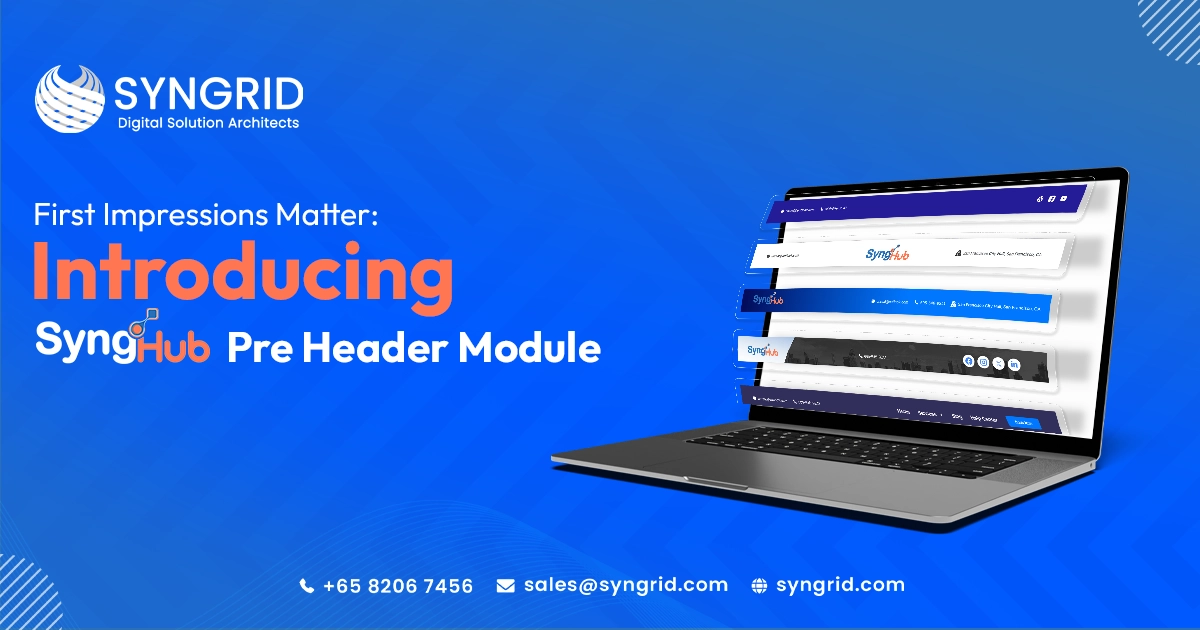
The SyngHub HubSpot Preheader Module solves this problem elegantly. It gives your HubSpot website a powerful, fully customizable preheader that displays exactly the right information at the right moment.
In this blog, we introduce the module, explore its features, and explain why it is one of the smartest additions to any HubSpot website in 2026.
What Is a Website Preheader?
A preheader is the thin bar that sits above your main navigation menu. It is the first thing visitors see when they land on your website.
A well-designed preheader can display:
- Phone numbers and email addresses
- Physical address or location
- Social media icons
- Navigation links
- Call-to-action buttons
- Brand logos or messages
It delivers critical information instantly without interrupting the user experience.
What Is the SyngHub HubSpot Preheader Module?
The SyngHub preheader module is a powerful HubSpot CMS solution built by Syngrid Technologies. It gives complete control over preheader design, content, and functionality.
Unlike generic solutions, it offers 10 flexible layout variations, each designed for specific use cases while maintaining visual consistency and professional quality.
10 Flexible Layout Variations
Simple Contact Bar Layouts
Display essential contact information clearly at the top of every page.
Branding-Focused Layouts
Highlight your logo or brand message for a strong first impression.
Navigation Menu Layouts
Provide quick access to important pages directly from the preheader.
Full-Featured Layouts
Combine contact info, navigation, social icons, and CTAs in one space.
Social Media and CTA Layouts
Drive engagement and conversions with visible social icons and action buttons.
Key Features
Flexible Layout System
Choose from 10 layouts designed for modern websites with responsive design.
Complete Preheader Solution
Manage all elements including contact info, branding, navigation, and CTAs in one module.
Contact Information Display
Show phone, email, and address for instant accessibility.
Branding Support
Display your logo or message to reinforce identity.
Social Media Integration
Connect users to your platforms instantly.
Navigation Menus
Enable quick access to important pages.
CTA Buttons
Highlight key actions like “Book a Demo” or “Contact Us”.
Style Customization
Adjust colors, fonts, and spacing to match your brand.
Dynamic Settings
Only relevant fields appear based on selected layout, ensuring a clean editing experience.
Why Your HubSpot Website Needs a Preheader
First Impressions Matter
A professional preheader builds trust instantly.
Reduced Friction
Easy access to contact details improves user experience and conversions.
Better Conversion Rates
Visible CTAs increase engagement across all pages.
Stronger Brand Presence
Social icons and branding build credibility.
Who Should Use This Module?
- Marketing Teams
- HubSpot Developers & Agencies
- Business Owners
- E-Commerce Businesses
- Enterprise Organizations
How to Get Started
Step 1: Install
Find and install from the HubSpot marketplace.
Step 2: Choose Layout
Select from 10 layout options.
Step 3: Add Content
Enter contact details, links, and CTAs.
Step 4: Customize
Adjust styles to match your brand.
Step 5: Publish
Go live instantly across your website.
Conclusion
Your website preheader is the first impression every visitor sees. It defines your professionalism and guides user actions.
The SyngHub HubSpot Preheader Module delivers a flexible, powerful, and fully customizable solution that enhances user experience and boosts conversions.
Ready to upgrade your website? Install the SyngHub preheader module today and make every first impression count.