Every HubSpot website has one thing in common. Visitors arrive; scan the page; and make decisions within seconds. The information they see first directly influences whether they engage; convert; or leave entirely.
Most businesses invest heavily in page content; hero sections; and navigation menus. However, the space at the very top of the page, above all other content, often goes completely unused. This is precisely where the SyngHub Smart Notice Bar HubSpot notification bar module delivers immediate and measurable impact.
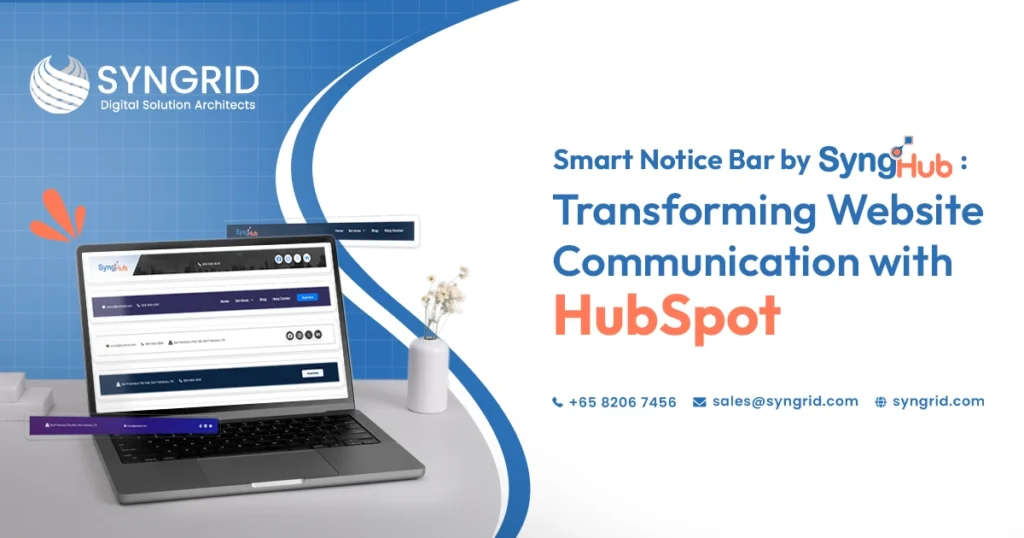
The Smart Notice Bar is a versatile top-of-page notification module designed to display announcements; promotions; alerts; and engagement elements across every page of a HubSpot website. It gives content teams the ability to communicate directly with every visitor the moment they land without modifying page layouts or involving developers.
What Is the SyngHub Smart Notice Bar?
The SyngHub Smart Notice Bar is a purpose-built HubSpot notification bar module that sits at the top of every page on a HubSpot CMS website. It displays dynamic, customizable content that captures visitor attention before they engage with any other page element.
Unlike static header elements, the Smart Notice Bar supports rich content components that create genuinely interactive and visually engaging website communication experiences.
Custom icons and images displayed alongside notification text
Announcement, promotional, and alert text with full customization
CTA buttons for immediate visitor action
Optional countdown timers for urgency-based campaigns
Social media icons for direct platform access
Fully customizable styling and responsive layout
Suitable for promotions; announcements; offers; events; alerts; and branding
The module works seamlessly within the HubSpot CMS environment without additional development work, making it immediately accessible to content editors and marketing teams managing HubSpot websites.
Why Every HubSpot Website Needs a Notification Bar
Website visitors form their first impression of a business within milliseconds of landing on a page. The notification bar is the first content element they encounter. Used effectively, it sets the tone, communicates urgency, and directs visitor attention toward the actions that matter most to the business.
Without a dedicated HubSpot notification bar module, businesses miss this opportunity entirely. Important announcements get buried in page content. Promotions fail to reach visitors who do not scroll far enough to find them. And time-sensitive campaigns lack the visibility they need to drive meaningful results.
Captures visitor attention before any other page element
Communicates time-sensitive information at the optimal moment
Directs visitors toward high-priority actions immediately
Increases visibility of promotions, events, and announcements
Reduces the risk of important information being missed
Creates a consistent communication channel across every page
A well-configured HubSpot notification bar module transforms the top of every page from unused space into one of the highest-impact communication channels on the entire website.
Flexible Content Support for Every Business Need
One of the defining strengths of the SyngHub Smart Notice Bar is the flexibility of its content support. The module is not limited to simple text announcements. It supports a comprehensive range of content components that adapt to different communication objectives and campaign types.
Marketing teams can display promotional messages alongside branded icons that reinforce visual identity. Content editors can create alert-style notifications with high-visibility formatting that communicates urgency without disrupting the overall page design.
Notification text with full formatting and styling control
Custom icons and images integrated alongside text content
Multiple content layouts suitable for different message types
Alert, announcement, and promotional content configurations
Brand-consistent styling applied across all content variations
Responsive layout that maintains quality across all devices
This content flexibility means a single HubSpot notification bar module installation serves every communication need throughout the year without requiring additional modules or developer involvement.
Interactive Engagement Elements That Drive Action
Displaying information is only the first step. The SyngHub Smart Notice Bar goes further by incorporating interactive engagement elements that transform passive visitors into active participants.
CTA buttons embedded directly within the notification bar give visitors an immediate pathway to the action the business wants them to take. Whether that action is registering for an event, claiming a promotional offer, or visiting a specific landing page, the CTA button removes friction from the conversion process entirely.
CTA buttons with customizable text, color, and destination links
Countdown timers that create urgency for time-sensitive campaigns
Interactive elements that respond to visitor engagement
Event and campaign-specific configurations for seasonal promotions
Limited-time offer displays with real-time countdown functionality
Actionable notification experiences that improve conversion rates
The combination of clear messaging and immediate action capability makes the Smart Notice Bar one of the most conversion-focused elements available within the HubSpot CMS module ecosystem.
Social and Branding Integration
Modern website visitors expect seamless access to social platforms as part of their browsing experience. The SyngHub Smart Notice Bar addresses this expectation directly by incorporating social media icons within the notification bar itself.
This integration serves two distinct purposes simultaneously. It improves brand visibility by keeping social platform access consistently visible across every page of the website. And it reduces the friction that visitors experience when trying to connect with the brand on their preferred social platforms.
Social media icons displayed within the notification bar
Direct links to all major social platforms from the header area
Brand visibility reinforced across every page of the website
Quick social platform access without navigating away from content
Consistent social presence maintained throughout the browsing experience
Branding elements integrated alongside notification and promotional content
Social integration within the notification bar extends the reach of every website visit beyond the page itself, connecting visitors with the broader brand presence across multiple platforms simultaneously.
Fully Customizable Styling and Responsive Design
A notification bar that conflicts with the visual identity of the website undermines rather than enhances the overall brand experience. The SyngHub Smart Notice Bar is designed with complete styling customization to ensure seamless integration with any HubSpot website design.
Content editors control every visual element of the notification bar without requiring developer assistance. Colors; typography; spacing; and layout all adapt to match the brand identity of the website precisely.
Complete color customization for background, text, and interactive elements
Typography controls that align with existing website font standards
Spacing and padding adjustments for optimal visual presentation
Responsive layout that maintains integrity across desktop, tablet, and mobile
Styling consistency maintained across all content configurations
Brand-aligned visual presentation requiring no developer involvement
The responsive design ensures that every visitor receives the same high-quality notification bar experience regardless of the device or screen size they use to access the website.
How SyngHub Smart Notice Bar Supports Different Campaign Types
The versatility of the Smart Notice Bar makes it suitable for a wide range of marketing, communication, and operational use cases throughout the business calendar.
A single HubSpot notification bar module installation serves every campaign type that a marketing team encounters during the year. Configuration changes are made within the module settings without page redesigns or developer requests.
Product launch announcements reaching every website visitor immediately
Seasonal promotional offers with countdown timer urgency
Event registration campaigns with direct CTA button access
Alert notifications for service updates or operational changes
Brand awareness campaigns with social media integration
Holiday and special occasion messaging with custom icons
Each campaign type benefits from the same flexible content support, interactive engagement elements, and customizable styling that make the Smart Notice Bar one of the most adaptable modules available for HubSpot CMS websites.
How Syngrid Technologies Delivers the Smart Notice Bar
Syngrid Technologies develops professional HubSpot CMS modules through its SyngHub product line, designed specifically for businesses that need reliable, flexible, and immediately deployable website functionality without custom development investment.
The Smart Notice Bar is available through the HubSpot marketplace, making installation straightforward for any HubSpot CMS website owner. Configuration is handled entirely within the HubSpot module settings panel without requiring technical expertise or developer involvement.
Available directly through the HubSpot marketplace
One-click installation to any HubSpot CMS portal
Complete configuration within HubSpot module settings
No additional development work required after installation
Expert support available from the Syngrid Technologies team
Regular updates maintaining compatibility with HubSpot platform changes
Documentation and user guidance provided for immediate adoption
Why HubSpot Websites Choose SyngHub Modules
SyngHub modules are built by Syngrid Technologies with one consistent principle. Every module should deliver professional functionality without creating dependency on developer resources for routine content management tasks.
The Smart Notice Bar reflects this principle precisely. Marketing teams configure; update; and manage the notification bar independently. Campaign changes are implemented immediately. And the visual quality of the notification experience remains consistently professional across every configuration.
Purpose-built for HubSpot CMS without compatibility concerns
Content editor friendly with no technical knowledge required
Professional output quality maintained across all configurations
Flexible enough to serve diverse campaign and communication needs
Supported by the Syngrid Technologies development and support team
Designed for immediate value delivery from the first day of installation
Bottom Line
Website communication begins the moment a visitor lands on the page. The content they encounter first, before scrolling, before reading, and before engaging with any other element, directly shapes their perception of the business and their likelihood of taking action.
The SyngHub Smart Notice Bar HubSpot notification bar module transforms this critical first moment into a controlled, customizable, and consistently high-impact communication opportunity. From promotional announcements and countdown timer campaigns to social media integration and CTA-driven conversions, the module delivers a complete top-of-page communication solution for every HubSpot website.
Developed by Syngrid Technologies and available through the HubSpot marketplace, the Smart Notice Bar gives marketing teams the tools they need to communicate more effectively, convert more visitors, and maintain a consistently professional website experience across every campaign they run throughout the year.
Ready to transform your HubSpot website communication? Find the SyngHub Smart Notice Bar on the HubSpot marketplace and install it today.
Frequently Asked Questions About This Blog
What is the SyngHub Smart Notice Bar?
No. The module is designed for content editors and marketing teams. All configuration is handled within the HubSpot module settings panel without technical knowledge or developer involvement.
Does the Smart Notice Bar require developer support to configure?
The module supports notification text, custom icons and images, CTA buttons, countdown timers, and social media icons, making it suitable for promotions, announcements, events, alerts, and branding campaigns.
What types of content can the Smart Notice Bar display?
Yes. Syngrid’s field service management software is fully scalable. It works for businesses managing five technicians and enterprises coordinating hundreds of field workers across multiple regions.
Where can the SyngHub Smart Notice Bar be installed?
The module is available through the HubSpot marketplace and can be installed directly to any HubSpot CMS portal with a single click.
Does Syngrid Technologies provide support for the module?
Yes. Syngrid Technologies provides dedicated support, documentation, and user guidance for all SyngHub modules, including the Smart Notice Bar.