

Syngrid

Digital Transformation

Digital Transformation

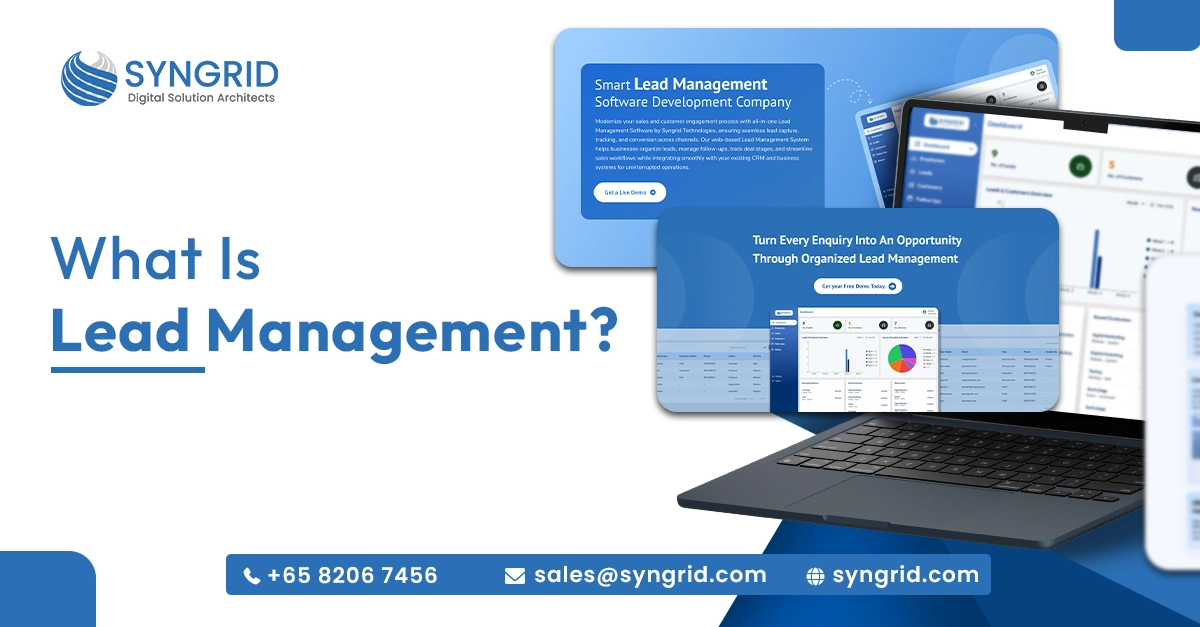
What Is Lead Management?

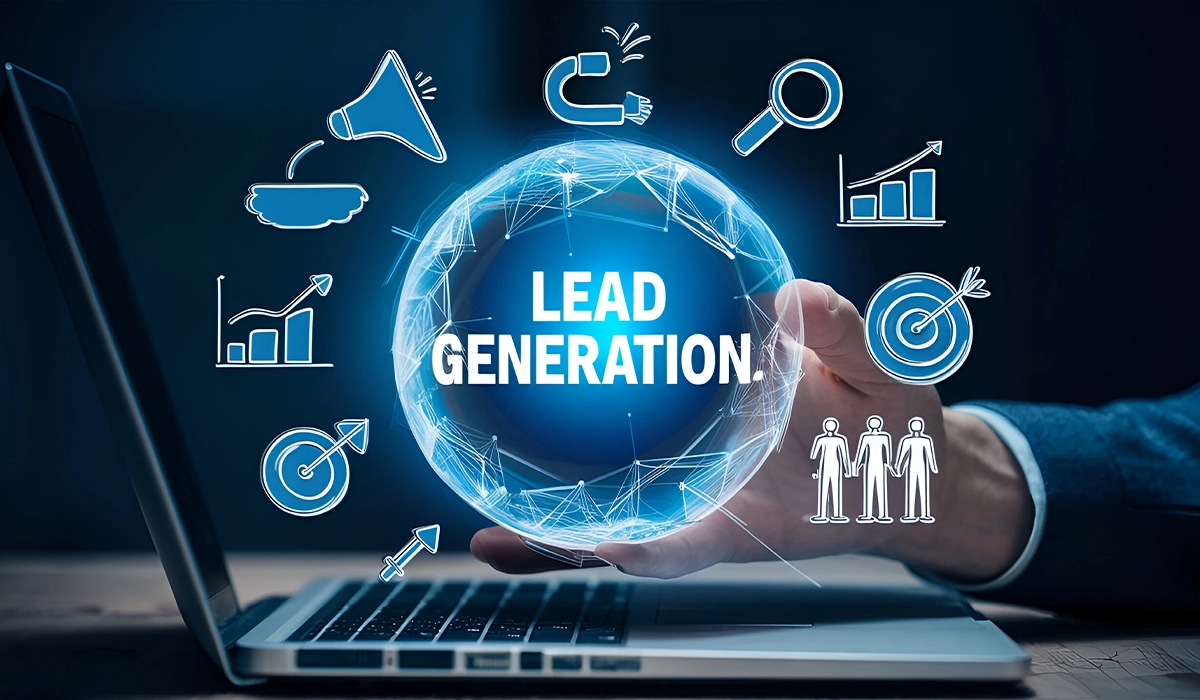
“Turning prospects into customers is not about luck; it is about having a structured lead management strategy.” In today’s digital-first business environment, attracting potential customers is only the beginning of the sales journey. Many organizations invest heavily in marketing campaigns to generate leads, yet struggle to convert those opportunities into actual customers. One of the main reasons is the absence of a structured system to manage leads effectively. When leads are scattered across emails, spreadsheets, social platforms, and multiple communication channels, valuable opportunities can easily be overlooked. This is where lead management becomes essential. A well-defined lead management process helps businesses capture potential customer information, track interactions, nurture prospects, and guide them through the sales funnel until they are ready to make a purchase. In this article, we will explore what lead management is, why it matters for businesses, how the process works, and the key features of an effective lead management system. What Is Lead Management? Lead management is a structured process used by businesses to capture, organize, track, and nurture potential customers until they convert into paying clients. It provides a systematic approach for managing inquiries and opportunities generated from various marketing channels. Instead of manually tracking leads through disconnected tools, businesses can manage the entire customer journey in an organized and efficient way. A typical lead management process includes the following stages: Lead capture Lead tracking Lead qualification Lead distribution Follow-up management Lead conversion By implementing a structured approach, organizations can ensure that every lead receives timely attention and personalized engagement, ultimately improving the likelihood of conversion. Why Lead Management Is Important for Businesses? Modern businesses generate leads from multiple sources such as websites, digital advertising, social media, events, and referrals. Without an organized system to manage this information, companies risk losing potential customers due to delayed responses or poor coordination between teams. A reliable lead management strategy helps businesses maintain control over their sales pipeline and ensures that opportunities are handled efficiently. Key Benefits of Lead Management Better Lead Organization   A centralized system stores all lead data in one place, making it easier for sales teams to access information and manage prospects effectively. Faster Response Time   Responding quickly to inquiries significantly increases the chances of converting prospects into customers. Improved Sales Productivity   Sales professionals can focus on high-value prospects instead of spending time manually tracking leads across different platforms. Higher Conversion Rates   Structured workflows and consistent follow-ups increase the probability of turning leads into paying clients. Better Sales Insights   Managers can monitor sales performance, track lead progress, and identify opportunities to improve conversion strategies. Key Stages of the Lead Management Process Lead management follows a step-by-step process designed to guide potential customers from initial contact to final purchase. 1. Lead Capture   Lead capture is the first stage in the process and involves collecting potential customer information from various marketing channels. Common lead capture sources include: Website contact forms Landing pages Social media campaigns Email marketing campaigns Live chat systems Paid advertisements Capturing accurate and relevant information allows businesses to begin meaningful engagement with prospects. 2. Lead Tracking   After a lead is captured, businesses must track their interactions and engagement with the company. Lead tracking helps organizations understand: Customer interests and needs Communication history Product or service inquiries Engagement levels This information allows sales teams to tailor their communication and provide a more personalized experience for each prospect. 3. Lead Qualification   Not every lead is ready to purchase immediately. Lead qualification helps businesses determine which prospects have the highest potential to become customers. Leads are typically evaluated based on several factors, including Business requirements Budget availability Decision-making authority Level of interest or engagement By prioritizing qualified leads, sales teams can focus their efforts on prospects that are more likely to convert. 4. Lead Assignment   Once leads are qualified, they need to be assigned to the appropriate sales representatives. Lead assignment can be determined by: Geographic location Product or service interest Sales team specialization Current workload distribution Effective lead distribution ensures faster responses and better customer engagement. 5. Follow-Up Management   Consistent follow-up communication plays a critical role in building trust with potential customers. Common follow-up activities include: Phone calls Email communication Product demonstrations Business meetings Proposal discussions Regular engagement helps maintain interest and strengthens the relationship between the business and the prospect. 6. Lead Conversion   The final stage of lead management occurs when a prospect decides to purchase a product or service. Lead conversion may happen when a customer: Buys a product Signs a service agreement Subscribes to a plan or solution A well-structured lead management process helps businesses close deals more efficiently while ensuring a positive customer experience. Key Features of a Smart Lead Management System Many modern organizations rely on lead management software to streamline the sales process and reduce manual work. An effective lead management platform typically includes several essential capabilities. Smart Lead Capture   Automatically collect leads from websites, landing pages, marketing campaigns, and digital platforms while maintaining organized data storage. Lead Assignment Management   Distribute leads automatically to the appropriate sales representatives based on predefined rules. Follow-Up and Task Tracking   Manage communication activities such as calls, emails, and meetings while tracking pending tasks and reminders. CRM and Third-Party Integrations   Integrate with CRM systems, marketing tools, and communication platforms to ensure seamless business operations. Custom Workflows and Forms   Allow businesses to create customized workflows and lead capture forms tailored to their sales processes. Role-Based Access Control   Assign different access levels to team members to maintain data security and operational efficiency. Sales Pipeline Visibility   Provide clear visibility into each stage of the sales funnel, helping businesses monitor progress and identify growth opportunities. How Syngrid Technologies Helps Businesses with Lead Management? Syngrid Technologies provides advanced lead management software solutions designed to simplify and optimize modern sales processes. The platform enables organizations to manage leads more efficiently, improve response times, and maintain a clear overview of their entire sales pipeline. The web-based lead management application is designed to support startups, growing companies, and large enterprises with scalable capabilities.

Digital Transformation

Google Ads vs LinkedIn Ads: Which Is Better for Business?

If you’re investing in paid advertising, the biggest question is simple: Should you spend your budget on Google Ads or LinkedIn Ads? Both platforms are powerful. Both can generate leads. But they serve different purposes, audiences, and business goals. Choosing the wrong one can lead to a wasted budget and disappointing ROI. Let’s break down Google Ads vs. LinkedIn Ads honestly without hype. Understanding the Core Difference At a fundamental level: Google Ads captures intent-based demand. LinkedIn Ads targets professional identity and demographics. This difference alone determines which platform works better for your business 1. Audience Targeting Capabilities Google Ads   Google Ads targets users based on: Keywords (search intent) Location Device Demographics In-market behavior If someone searches for “CRM software for small business,” Google Ads allows you to appear at that exact moment of need. LinkedIn Ads   LinkedIn Ads focus on: Job title Industry Company size Seniority level Skills Professional interests If you want to target HR directors in manufacturing companies with 200+ employees, LinkedIn excels. 2. Cost Comparison Cost is often where business owners hesitate. Google Ads:   Lower average CPC in many industries High competition in commercial keywords Flexible budgeting options LinkedIn Ads:   Higher CPC compared to most platforms Premium pricing for B2B targeting Stronger lead quality in niche industries According to WordStream, LinkedIn’s average cost per click is generally higher than Google Ads, but lead quality can justify the investment in B2B markets. If you’re selling low-ticket products, LinkedIn may not be cost-efficient. For high-ticket B2B services, it can be powerful. 3.Lead Quality vs Lead Volume Google Ads = Higher Volume   Because users are actively searching, Google can generate higher traffic volume. However, not all searches convert into qualified leads. LinkedIn Ads = Higher Precision   LinkedIn allows targeting by exact job role and decision-making authority. This typically produces fewer leads but often more relevant ones. For B2B companies selling enterprise services, precision often matters more than volume 4. Sales Funnel Stage Suitability Google Ads Works Best For:   Bottom-of-funnel campaigns High-intent buyers Immediate demand capture E-commerce conversions LinkedIn Ads Works Best For:   Brand awareness in B2B Thought leadership campaigns Webinar registrations Lead nurturing Account-based marketing (ABM) If your strategy focuses on long-term relationship building, LinkedIn often performs better 5. Conversion Speed Google Ads usually delivers faster conversions because users are actively searching for solutions. LinkedIn Ads often require nurturing. The buyer may not be actively looking but fits your ideal customer profile. According to HubSpot, B2B buyers typically consume multiple pieces of content before making a decision. LinkedIn fits well into this longer buyer journey 6. Ad Formats & Creative Options Google Ads:   Search Ads Display Ads YouTube Ads Performance Max Shopping Ads LinkedIn Ads:   Sponsored Content Message Ads Lead Gen Forms Conversation Ads Video Ads Google dominates in search visibility. LinkedIn dominates in professional content placement. 7. When Should You Choose Google Ads? Choose Google Ads if: You want immediate traffic You sell products with search demand Your service solves urgent problems You operate in local markets You want scalable performance marketing Google captures demand that already exists. 8. When Should You Choose LinkedIn Ads? Choose LinkedIn Ads if: You are a B2B company Your target audience includes decision-makers Your product is high-value You focus on brand authority You run webinars or whitepaper campaigns LinkedIn creates demand among specific professional audiences. The Honest Verdict for Business Owners There is no universal winner in Google Ads vs LinkedIn Ads. It depends on: Business model (B2B vs B2C) Budget size Sales cycle length Target audience clarity Revenue per customer Many successful companies use both strategically: Google Ads for intent-based conversions LinkedIn Ads for precision targeting and brand positioning The smartest approach isn’t choosing one blindly.It’s aligning the platform with your business objective. How Syngrid Technologies Helps Businesses Run High-Performance Ad Campaigns Running ads is not just about launching campaigns, it requires: Keyword strategy Audience segmentation Conversion tracking setup Landing page optimization Budget allocation control Continuous performance analysis Syngrid Technologies manages and optimizes Google Ads and LinkedIn Ads campaigns for businesses looking to scale efficiently. From strategy development to ROI tracking, the team focuses on performance-driven advertising rather than vanity metrics. By analyzing audience behavior, conversion data, and funnel performance, Syngrid ensures your ad budget delivers measurable results, not just impressions. Final Words: Google Ads vs LinkedIn Ads There is no universal winner. The better platform depends on: Your business model (B2B or B2C) Revenue per customer Sales cycle length Budget size Marketing objective The smartest decision is not choosing one blindly; it’s aligning the platform with your growth strategy. If you’re unsure which platform suits your business, a structured campaign audit can prevent wasted ad spend and improve long-term ROI.

Digital Marketing, Digital Transformation, IT Services and IT Solutions

Top 10 Punggol Digital District Companies List

1. Introduction Singapore continues to cement its reputation as Asia’s premier technology and innovation hub, and the Punggol Digital District (PDD) stands as a symbol of that transformation. Designed to unite business, academia, and government, PDD fosters collaboration between startups, global tech firms, and digital leaders. As we move into 2025, the district hosts a growing ecosystem of companies driving advancements in AI, cybersecurity, blockchain, robotics, and fintech. This article explores the top 10 companies in Punggol Digital District, showcasing the organizations shaping the future of Singapore’s digital economy. 2. Why Singapore Is a Leading Software Development & Tech Innovation Hub? 2.1 Strong Government Backing for Smart cities & Tech Projects Singapore’s Smart Nation initiative has positioned it as a global leader in digital transformation. Through agencies like JTC Corporation, the government actively supports innovation districts such as PDD, offering businesses a platform to test, scale, and commercialize technologies. The government’s commitment to infrastructure, cybersecurity, and AI development ensures that Punggol Digital District remains a strategic base for future-focused enterprises. 2.2 High-Quality Talent Pool and Thriving Innovation Ecosystem With institutions like the Singapore Institute of Technology (SIT) integrated within the district, companies have direct access to highly skilled graduates and R&D support. The synergy between academia and industry fosters a constant exchange of ideas, nurturing innovation in every corner of PDD. 3. Top 10 Companies in Punggol Digital District (2025) 3.1 Group-IB A global leader in cyber intelligence and digital forensics, Group-IB plays a crucial role in Singapore’s cybersecurity landscape. Their presence in PDD enhances collaboration with SIT on cybersecurity training and threat research, reinforcing Singapore’s digital resilience. 3.2 Wanxiang Blockchain Solution Wanxiang Blockchain brings expertise in decentralized finance and blockchain infrastructure, empowering businesses to explore secure, transparent transaction systems. The firm contributes to Singapore’s reputation as a regional blockchain innovation hub. 3.3 Syngrid Technologies Pte Ltd   Syngrid Technologies stands out as a trusted Zoho Partner and global IT solutions provider offering ERP systems, web development, and digital transformation services to businesses worldwide. The company’s presence in Punggol Digital District underscores its commitment to driving digital growth across sectors such as education, finance, and commerce. In addition to ERP and automation, Syngrid Technologies provides HubSpot services worldwide, helping organizations streamline their marketing, sales, and customer engagement through integrated CRM solutions that enhance productivity and scalability.   3.4 dConstruct Technologies This robotics and automation firm develops cutting-edge robotic systems for logistics, manufacturing, and smart facilities. Their solutions align with Singapore’s Smart Nation vision, enhancing operational efficiency across industries. 3.5 Target Media Creative A creative digital agency specializing in digital signage and media communication, TMCC enhances audience engagement across Singapore’s commercial spaces through AI-powered content distribution and analytics. 3.6 Boston Dynamics Globally recognized for its robotic innovations, Boston Dynamics brings advanced mobility and automation systems to Singapore’s tech ecosystem. Its involvement in PDD accelerates innovation in autonomous systems and smart robotics research. 3.7 Delteq Delteq, a Singapore-based systems integrator, supports digital transformation through cloud computing, enterprise solutions, and IT infrastructure modernization. Its relocation to PDD allows it to collaborate more closely with other tech-driven enterprises. 3.8 United Overseas Bank (UOB) Innovation Centre UOB’s technology hub in PDD focuses on fintech innovation, data analytics, and digital banking solutions. The bank’s collaboration with startups and tech partners positions it as a financial leader in Singapore’s evolving digital landscape. 3.9 Government Technology Agency (GovTech) GovTech plays a central role in Singapore’s public-sector digitalization. Its initiatives in AI governance, citizen services, and smart infrastructure help make PDD a testbed for national digital transformation projects. 3.10 Cyber Security Agency of Singapore (CSA) As the nation’s cybersecurity guardian, the CSA enhances collaboration between government and industry to safeguard digital assets. Its PDD presence strengthens Singapore’s standing as a secure and trusted digital economy. 4. Future Outlook: The Rise of Digital Districts in Singapore (2025–2026) The success of Punggol Digital District is inspiring the development of similar smart business hubs across Singapore. With plans to integrate sustainability, AI-driven logistics, and green architecture, these districts will shape the next decade of innovation in Southeast Asia. Companies that join PDD not only gain access to top-tier talent and infrastructure but also benefit from proximity to government-backed digital initiatives and global collaboration opportunities. 5. How to Choose the Right Tech Partner in Singapore When selecting a tech partner, businesses should prioritize: Proven expertise in digital transformation and automation Integration capabilities across CRM, ERP, and AI tools Transparent communication and global delivery support  Syngrid Technologies combine deep technical experience with strategic implementation—helping clients deploy solutions that enhance efficiency, scalability, and customer experience. 6. Conclusion The Punggol Digital District represents the future of Singapore’s digital innovation ecosystem. With a thriving mix of global leaders, research institutions, and emerging tech firms, it is driving advancements across AI, robotics, fintech, and cybersecurity. As 2025 unfolds, companies that collaborate within this ecosystem—or partner with trusted solution providers like Syngrid Technologies—will be well-positioned to lead in the digital economy of tomorrow.

Digital Transformation

How Digital Transformation is Reshaping Businesses in Singapore?

How Digital Transformation is Reshaping Businesses in Singapore ? In today’s fast-evolving digital landscape, businesses must embrace technology to remain competitive. Singapore, known for its advanced infrastructure and pro-business policies, is at the forefront of digital transformation. From small enterprises to multinational corporations, companies are leveraging digital tools to enhance efficiency, improve customer experience, and drive growth. Understanding Digital Transformation Digital transformation refers to the integration of digital technologies into all aspects of business operations. This shift involves rethinking strategies, processes, and customer interactions to maximize efficiency and innovation. Key technologies such as cloud computing, artificial intelligence (AI), big data analytics, and automation are reshaping how businesses operate in Singapore. Impact of Digital Transformation Across Industries Retail and E-Commerce   Digital transformation has revolutionized the retail sector, with businesses leveraging online marketplaces, AI-driven customer insights, and cashless payment systems to improve efficiency. Financial Services   Fintech innovations, such as blockchain and digital banking, are streamlining transactions, enhancing security, and improving customer experiences in Singapore’s finance sector. Healthcare   Telemedicine, AI-powered diagnostics, and cloud-based patient records are improving healthcare accessibility and efficiency. Manufacturing and Logistics   Automation, IoT-driven supply chain management, and predictive analytics are optimizing production and delivery processes. Key Drivers of Digital Transformation in Singapore 1. Government Initiatives and Support   Singapore’s Smart Nation initiative and programs like the Infocomm Media Development Authority (IMDA) grants encourage businesses to adopt digital solutions. These government-led efforts provide funding, training, and infrastructure to support digitalization. 2. Rapid Technological Advancements   Emerging technologies such as AI, machine learning, and the Internet of Things (IoT) are driving innovation across industries. Businesses are integrating these solutions to enhance operations and gain a competitive edge. 3. Changing Consumer Behavior   With the rise of e-commerce, digital payments, and mobile applications, customer expectations have shifted. Businesses must leverage digital platforms to deliver seamless, personalized experiences. 4. Competitive Business Landscape   Singapore’s business ecosystem is highly competitive, pushing companies to innovate and adopt digital transformation strategies to stay ahead. Overcoming Challenges in Digital Transformation  While digital transformation offers numerous benefits, businesses must address challenges such as cybersecurity threats, high implementation costs, and skill gaps among employees. Companies must invest in cybersecurity measures, upskill their workforce, and adopt scalable digital solutions. Summary Digital transformation is reshaping businesses across Singapore, driving efficiency, innovation, and customer satisfaction. Companies that embrace digital technologies gain a competitive advantage and future-proof their operations. At Syngrid Technologies, we specialize in digital transformation services, offering tailored solutions to help businesses in Singapore navigate this technological shift. Let us assist you in unlocking new growth opportunities through innovative digital strategies.

Digital Transformation

Why Your Business Can’t Afford to Wait ?

Why Your Business Can’t Afford to Wait ? In a rapidly evolving digital world, businesses that fail to embrace digital transformation risk falling behind. From streamlining operations to enhancing customer experiences, adopting digital strategies is no longer an option it’s a necessity. Organizations that proactively invest in technology-driven solutions gain a competitive edge, increase efficiency, and drive sustainable growth. Business growth urgency is key, and businesses must act swiftly to adapt to the changing landscape. The Growing Need for Digital Transformation 1. Enhanced Customer Expectations Modern consumers expect personalized experiences, instant support, and seamless interactions across digital platforms. Businesses must adopt AI-powered chatbots, data analytics, and automation tools to meet these expectations. 2. Operational Efficiency and Cost Savings Automating repetitive tasks, optimizing workflows, and integrating cloud-based systems improve operational efficiency. By eliminating manual processes, businesses save time and resources, allowing teams to focus on innovation and strategic growth. 3. Data-Driven Decision Making With access to vast amounts of real-time data, businesses can make informed decisions that enhance productivity and profitability. Advanced analytics tools help track performance, identify inefficiencies, and uncover new opportunities. 4. Competitive Advantage Companies that embrace digital solutions stay ahead of competitors by offering faster services, better products, and more engaging customer experiences. Digital transformation enables businesses to adapt to market trends swiftly and scale operations efficiently. Key Areas of Digital Transformation 1. Business Process Automation Automating core business functions like finance, HR, supply chain, and customer support significantly reduces errors and improves efficiency. Efficiency Gains: Automates billing, payroll, and inventory management Reduces operational costs and human errors Enhances productivity by streamlining workflows 2. Cloud Computing and IT Modernization Moving to cloud-based solutions ensures scalability, security, and remote accessibility, enabling businesses to operate efficiently from anywhere. Efficiency Gains: Ensures data security and business continuity Reduces IT infrastructure costs Supports remote and hybrid work models 3. Artificial Intelligence and Machine Learning AI and ML are transforming how businesses interact with customers, analyze data, and automate processes. Efficiency Gains: Enhances customer support with AI-driven chatbots Provides predictive insights for better decision-making Automates marketing and personalizes user experiences 4. Digital Marketing and Customer Engagement With increasing online interactions, businesses must focus on SEO, social media, email marketing, and personalized advertising. Efficiency Gains: Expands customer reach and engagement Increases conversion rates with targeted campaigns Strengthens brand loyalty through data-driven insights Overcoming Challenges in Digital Transformation 1. Resistance to Change Many employees and stakeholders may resist adopting new digital strategies. Businesses must prioritize training, change management, and clear communication to ensure smooth transitions. 2. Data Security and Compliance As companies digitize operations, protecting customer data and ensuring compliance with regulations like GDPR and CCPA is essential. Investing in cybersecurity solutions and conducting regular audits can mitigate risks. 3. Integration of Legacy Systems Many businesses struggle with integrating new digital solutions with existing legacy systems. A phased approach to modernization ensures seamless integration without disrupting operations. The Future of Digital Transformation The rapid evolution of technology, including blockchain, IoT, 5G, and edge computing, will continue reshaping industries. Businesses that adopt an agile approach to digital transformation will remain competitive and adaptable in an ever-changing landscape. Conclusion Digital transformation goes beyond merely adopting new technologies; it involves reshaping business models, improving operational efficiency, enhancing cybersecurity, leveraging cloud computing, and elevating customer experiences. Organizations that seize transformation opportunities today establish themselves as industry front runners, while those that delay may struggle to keep up in the competitive landscape. At Syngrid Technologies Pvt Ltd, we excel in assisting businesses through their digital evolution with customized solutions that enhance automation, optimize workflows, integrate AI-driven analytics, and drive overall success. Let us help you harness the full power of digital transformation for a more intelligent, data-driven, and streamlined future.

Scroll to Top