

Syngrid

Author name: admin

All Category

Top Reasons Why Companies Switch to HubSpot CMS?

Introduction A business website can no longer survive by just looking good; it must perform. For B2B companies especially, the website has become the most powerful touchpoint for prospects to learn, compare, engage, and finally decide to connect with sales. The companies that win online today are those with websites built to educate, personalize, nurture, and convert visitors into qualified opportunities. This shift is exactly why more organizations are moving to HubSpot CMS, a platform not just for content management, but for growth, revenue acceleration, and customer experience. Role of Modern B2B Websites in Business Growth A high-performing B2B website must do more than just provide information. It must: Communicate business value clearly Support the buyer journey from awareness to decision Generate qualified leads consistently Deliver a personalized experience to every user Traditional CMS platforms struggle to meet these expectations because they depend heavily on plugins, manual updates, and constant developer support. Businesses now want a platform that not only powers their website but directly drives demand, leads, and revenue. What Makes HubSpot CMS Different from Traditional CMS Platforms? Platforms like WordPress, Joomla, and Drupal rely on multiple third-party plugins for SEO, analytics, performance, personalization, and security. This creates complexity and dependency. HubSpot CMS, on the other hand, is built natively for growth, offering: Full integration with HubSpot CRM Built-in SEO, analytics, and personalization tools Performance, security, hosting, and automation included Instead of being “just a CMS,” HubSpot CMS functions as a true growth platform aligning marketing, sales, and content together. Top Reasons Companies Switch to HubSpot CMS 1. Built-In SEO Tools That Boost Organic Traffic   HubSpot CMS provides complete SEO support without plugins, including: SEO recommendations and page insights Topic clusters and content strategy tools Automatic sitemap creation On-page optimization suggestions This means companies can rank faster, reduce plugin dependency, and get consistent SEO improvements without technical complexity. 2. Seamless CRM Integration for Smarter Lead Intelligence   HubSpot CMS is the only CMS built directly on a CRM, giving businesses powerful insights: Track every website interaction Understand what prospects view and engage with Enable automated lead scoring and segmentation This CRM-CMS connection allows marketing and sales teams to understand buyer behavior in real time, something traditional CMS platforms simply cannot offer. 3. Smart Personalization for Higher Conversions   HubSpot CMS personalizes content automatically based on: Device and location Lead lifecycle stage Past website activity CRM data and contact history With this level of personalization, companies experience higher engagement, improved conversions, and stronger customer relationships. 4. Built-In Lead Generation Tools That Drive Sales   HubSpot CMS transforms websites into revenue engines using: Landing pages and forms Dynamic CTAs AI chatbots and live chat Automated follow-up workflows Instead of adding multiple plugins, everything needed for demand generation and sales enablement is built-in. 5. Security, Speed & Scalability Without Maintenance Headaches   Traditional CMS platforms demand constant attention to updates, backups, plugin management, security patches, and server monitoring. HubSpot CMS removes all of this. It includes: Free SSL Global CDN for faster load speeds 24/7 security monitoring Automatic backups and updates Enterprise-grade hosting Businesses scale without downtime, risk, or additional technical investment. 5. Why Zoho One Is Better Than Using Multiple Stand-Alone Tools? Stand-alone software tools often lead to:  Data silos   Expensive subscriptions Manual reporting & duplicate work  Lack of automation Zoho One removes these challenges by providing: ✔ Enterprise-level features at a single cost✔ Centralized data with 100% visibility✔ Built-in automation across apps✔ Seamless user experience for every department Instead of adapting your business to different tools, Zoho One adapts to your workflow. How HubSpot CMS Empowers Marketing Teams Without Developers? A major reason companies switch to HubSpot CMS is speed. Marketing teams can: Edit pages Publish blogs Update CTAs Launch landing pages all without developer involvement.This reduces campaign execution time dramatically and allows brands to move faster than their competitors. Why Companies Prefer HubSpot CMS for Sales-Driven Growth? HubSpot CMS unifies marketing, sales, CRM, and analytics, empowering companies to: Attract the right audience Convert more leads Share real-time data with sales teams Improve revenue performance predictably Instead of being a cost center, the website becomes a scalable revenue machine Is HubSpot CMS Right for Your Business? HubSpot CMS is ideal for businesses that want: A website built for measurable growth, not just aesthetics Consistent lead generation and automation Tight alignment between marketing and sales Scalability without IT dependencies If your goal is to build a predictable, automated growth engine, HubSpot CMS is one of the strongest platforms available.   How Syngrid Technologies Helps Businesses Migrate & Scale with HubSpot CMS? To unlock the full potential of HubSpot CMS, the right implementation partner matters. Syngrid Technologies supports businesses with: HubSpot CMS migration from any platform Custom website design and theme development CRM + CMS integration setup Personalization & automation workflows Ongoing HubSpot support and optimization With certified HubSpot experts, Syngrid ensures businesses maximize conversions, improve sales outcomes, and achieve faster ROI from their investment in HubSpot CMS. How Syngrid Technologies Helps Businesses Migrate & Scale with HubSpot CMS? To unlock the full potential of HubSpot CMS, the right implementation partner matters. Syngrid Technologies supports businesses with: HubSpot CMS migration from any platform Custom website design and theme development CRM + CMS integration setup Personalization & automation workflows Ongoing HubSpot support and optimization With certified HubSpot experts, Syngrid Technologies ensures businesses maximize conversions, improve sales outcomes, and achieve faster ROI from their investment in HubSpot CMS.

Zoho Products

How You Can Grow Your Business with Zoho One?

1. Understanding Zoho One: A Unified Business Operating System Zoho One is more than a standard SaaS suite; it is a unified business operating system designed to run every department from a single connected platform. With 40+ integrated applications for sales, marketing, HR, finance, support, operations, and analytics, Zoho One eliminates the complexity of juggling multiple standalone tools.Businesses gain a centralized ecosystem where teams collaborate seamlessly, data flows without friction, and decision-making becomes faster and smarter. 2. Why Zoho One Is the Growth Engine for Modern Businesses? Today’s businesses demand agility, automation, and real-time customer insights. Zoho One acts as a true growth engine by connecting operations end-to-end: Sales and marketing alignment Automated customer journeys Unified financial tracking Streamlined communication and workflows This integration allows businesses to scale without increasing operational chaos and supports long-term digital transformation. 3. Identifying Your Core Applications for Scalable and Sustainable Growth Every business relies on a few primary apps to run its daily operations. With Zoho One, these core functions might include: Zoho CRM for sales pipeline management Zoho Books for accounting and billing Zoho People for HR and payroll Zoho Projects for collaboration and project delivery Choosing core apps sets a strong foundation for scalable growth, ensuring that the most critical processes are always optimized. 4. Integrating Auxiliary Applications for a Complete Software Ecosystem Auxiliary applications complement your core tools to create a fully connected digital ecosystem. Examples include: Zoho Inventory to sync with Zoho Books for stock management Zoho Campaigns to support Zoho CRM with automated email journeys Zoho Desk to enable customer support connected to CRM records This layered approach ensures that every department works together—not in silos. 5. Why Zoho One Is Better Than Using Multiple Stand-Alone Tools? Stand-alone software tools often lead to:  Data silos   Expensive subscriptions Manual reporting & duplicate work  Lack of automation Zoho One removes these challenges by providing: ✔ Enterprise-level features at a single cost✔ Centralized data with 100% visibility✔ Built-in automation across apps✔ Seamless user experience for every department Instead of adapting your business to different tools, Zoho One adapts to your workflow. 6. Automating Workflows to Improve Productivity & Reduce Manual Effort Automation is where Zoho One delivers remarkable results. Businesses can: Automate lead assignment, invoicing, notifications & reporting Trigger marketing sequences based on customer actions Sync CRM, accounting, sales & support workflows automatically This reduces manual work, saves time, minimizes errors, and allows teams to focus on high-value tasks instead of repetitive actions. 7. Benefits of Transforming Business Operations with Zoho One By adopting Zoho One, companies experience: 🔹 Higher team productivity🔹 Faster customer response times🔹 Increased revenue through automation🔹 Better data-driven decision-making🔹 Reduced software expenses🔹 Transparent visibility across departments Zoho One becomes not just a tool but a strategic driver of business efficiency and growth. 8. How Syngrid Technologies Helps Businesses with Zoho One? To get the full benefits of Zoho One, expert implementation makes a major difference.Syngrid Technologies helps businesses: Identify the right Zoho applications for their unique needs Configure and integrate apps without disrupting operations Automate complex workflows across departments Customize CRM, dashboards, analytics & reports Provide technical support and user training With Syngrid’s certified Zoho experts, companies maximize ROI and leverage Zoho One to its fullest capability, making digital transformation faster and smoother. 9. Final Thoughts Zoho One empowers organizations to scale confidently, automate intelligently, and grow sustainably Whether you’re a startup, SME, or enterprise, Zoho One provides everything needed to modernize business operations from the ground up. If your business is ready to move away from scattered tools and operate from a single connected platform, Zoho One is the most cost-efficient and future-ready solution, and Syngrid Technologies can help you get there.

AI Chatbot

How to Build an AI Chatbot for Your Website: Step-by-Step Guide

Introduction In today’s digital-first world, businesses need to engage with customers instantly, provide 24/7 support, and capture actionable insights. AI-powered chatbots make this possible by delivering automated, intelligent, and human-like conversations. A well-implemented chatbot can improve customer satisfaction, reduce support costs, and drive business growth. Companies like Syngrid Technologies specialize in designing AI chatbots that are scalable, efficient, and tailored to business objectives. By leveraging advanced AI technologies, Syngrid helps organizations create smarter, more interactive user experiences from the start. This guide walks you through why chatbots are important, the types of AI chatbots, strategy planning, development steps, no-code tools, costs, practical tips, and future trends. Why Your Business Needs an AI Chatbot AI chatbots are essential for businesses that want to stay competitive. Key benefits include: 24/7 Customer Support—Chatbots provide instant answers around the clock. Lead Generation & Qualification – Automatically collect and filter potential customers. Cost Efficiency – Reduce manual support while handling high volumes of queries. Enhanced Engagement – Personalized interactions keep users returning.   Types of AI Chatbots AI chatbots can vary in complexity and application: Rule-Based Chatbots – Follow predefined scripts, ideal for FAQs and simple queries. AI-Powered Chatbots – Use machine learning and NLP to understand intent and provide smart responses. Hybrid Chatbots – Combine rules and AI for both structured guidance and intelligent interactions. Voice-Enabled Chatbots – Enable hands-free interaction using voice recognition technology. Choosing the right type depends on your audience, industry, and business objectives. Planning an AI Chatbot Strategy A successful chatbot starts with a solid strategy: Define Objectives—Determine if the chatbot will handle customer support, sales, or lead generation. Know Your Audience—Understand users’ needs, pain points, and preferred communication channels. Feature Selection—Decide on live agent handover, analytics, multi-language support, or CRM integration. Set KPIs—Measure chatbot success through engagement, conversion rates, and user satisfaction. A clear strategy ensures the chatbot meets both business and user needs effectively. Step-by-Step Guide to Building an AI Chatbot Follow these steps for successful chatbot implementation: Requirement Analysis – Identify your goals, target audience, and the queries your chatbot will handle. Conversation Design – Map user journeys and create engaging dialogue flows. Technology Selection – Choose AI platforms, NLP engines, and integration tools. Development & Training – Build the chatbot and train it using relevant datasets. Testing & Optimization – Conduct beta testing and refine responses based on feedback. Deployment—Add the chatbot to your website, mobile app, or social media. Monitoring & Maintenance – Continuously optimize with analytics and user insights.   No-Code AI Chatbot Tools No-code platforms allow faster chatbot deployment without extensive coding: Dialogflow—Google’s platform for creating conversational interfaces. Microsoft Power Virtual Agents – Build chatbots using a drag-and-drop interface. Tidio, LandBot, ManyChat—Popular solutions for web and social media chatbot implementation. These tools are ideal for startups and small businesses aiming to launch quickly without deep technical resources. AI Chatbot Development Costs The cost of developing an AI chatbot depends on factors such as complexity, features, integrations, and the level of customization your business requires. Simple chatbots with basic functionality may require less investment, while advanced chatbots with NLP capabilities, CRM integration, analytics, and multi-channel support require a more strategic approach.   For an accurate estimate tailored to your business needs, it’s best to connect with the Syngrid Technologies sales team. They can help determine a solution that fits your goals, ensures scalability, and delivers a strong ROI. Practical Tips for Successful Chatbot Implementation Keep Conversations Simple – Avoid overly complicated scripts. Prioritize Mobile Experience – Ensure chatbots work flawlessly on smartphones and tablets. Continuous Testing—Regularly collect feedback and optimize performance. Integrate Analytics—Monitor interactions to improve user experience. Ensure Security & Privacy – Protect user data and comply with regulations. Even small improvements in these areas can significantly enhance user engagement and satisfaction. Future of Web-Based AI Chatbots The future of AI chatbots is bright and continuously evolving. Key trends include: Voice & Multimodal Interfaces—Handle text, voice, and images for richer interactions. Predictive Personalization – AI anticipates user needs and delivers tailored suggestions. Omnichannel Experiences—Unified interactions across websites, apps, and social platforms. AI-Driven Analytics – Real-time insights for smarter business decisions. AI chatbots are no longer just a tech trend; they are essential tools for business growth. Companies that leverage AI chatbots gain a competitive advantage through better customer support, higher conversions, and measurable efficiency. With strategic planning and expert implementation, your AI chatbot can transform the way your business interacts with users, providing scalable, intelligent, and impactful results. By partnering with Syngrid Technologies, businesses can implement future-ready AI chatbots that drive engagement, enhance customer experience, and improve operational efficiency.

AI Development

The Future of AI Development: Key Trends to Watch in 2026

Why AI Development Matters More Than Ever in 2026? Artificial intelligence has moved from being an emerging innovation to a core driver of digital transformation. In 2026, businesses are no longer asking whether they need AI; the real question is how fast they can adopt it.Organizations now depend on AI to improve decision-making, streamline operations, reduce labor costs, enhance customer experience, and create new revenue opportunities. From automation and predictive analytics to real-time personalization and autonomous systems, AI has become the backbone of modern business growth. As industries embrace AI at scale, companies that invest early gain a significant competitive advantage, faster operations, lower costs, and smarter digital products How is AI transforming web and mobile application development? AI is reshaping the entire cycle of web and mobile app development, making digital products quicker to build, more intuitive, and highly personalized. Here’s how AI is driving this transformation: 🔹 Smarter User Experiences   Apps can now understand user behavior, preferences, and intent, enabling more personalized experiences. 🔹 Predictive Interfaces   AI predicts what users need next, improving usability and increasing conversions. 🔹 Automated Testing   AI-powered tools test hundreds of app flows in seconds, ensuring bug-free releases. 🔹 Faster Development Cycles   With AI-assisted coding and low-code platforms, developers build apps 2–3x faster. 🔹 Enhanced Security   AI monitors unusual behavior, preventing attacks before they happen. From chatbots and recommendation engines to voice interfaces and AI-driven UI, artificial intelligence is now powering the next generation of digital applications. Trend 1: Autonomous AI Systems Becoming Mainstream 2026 marks the rise of self-learning, self-improving AI systems that can operate with minimal human input.These systems can: Make decisions independently Adapt to new data Recognize patterns in real time Optimize operations without manual adjustments Industries like logistics, finance, manufacturing, and automotive are already adopting autonomous AI to streamline processes and reduce operational delays. Trend 2: AI-Driven Business Automation Across All Industries AI automation is becoming essential for scaling businesses, especially in repetitive, time-consuming processes. AI automates:   Customer support via AI chatbots Payroll and HR workflows Document processing Inventory and supply chain operations Marketing segmentation and targeting By 2026, businesses that do not automate will fall behind in cost efficiency and productivity. Trend 3: Generative AI Advancing for Enterprise-Level Use Generative AI will evolve beyond content creation and enter enterprise-level applications. New enterprise use cases include:   Automated product design Smart customer onboarding Real-time market research Complex data modeling Automated coding and debugging Organizations will use generative AI to speed up internal operations while improving output quality. Trend 4: Hyper-Personalization Through Intelligent Data Models Personalization will become the standard expectation in 2026 , AI systems will deliver: Tailored product recommendations Dynamic website content Personalized pricing Behavior-based marketing Predictive service suggestions This improves user engagement, reduces churn, and boosts conversions significantly. Trend 5: AI + IoT Integration Creating Smarter Connected Ecosystems AI and IoT together will create an interconnected digital environment where devices communicate and adapt intelligently. Examples include: Smart homes and buildings Predictive healthcare systems Automated manufacturing using AI-driven sensors Intelligent logistics with real-time tracking AI and IoT will redefine automation across multiple industries globally. Trend 6: AI-Powered Cybersecurity for Real-Time Threat Detection With rising cyber threats, businesses are shifting to AI-driven security solutions. AI systems can: Detect anomalies instantly Stop attacks in real time Analyze patterns of suspicious behavior Automate security responses By 2026, AI will be considered the primary defense layer in cybersecurity. Trend 7: Low-Code & No-Code AI Accelerating Product Development Low-code AI platforms allow businesses to build applications without deep technical knowledge. Benefits include:   Faster product development Cost savings Easy integration with existing systems Democratization of AI inside organizations This trend will empower more teams to build and deploy digital products without relying heavily on engineering resources. Trend 8: Ethical AI, Data Privacy & Global Regulatory Trends With AI evolving quickly, governments and organizations are enforcing global standards for: Data privacy AI transparency Ethical decision-making Bias-free algorithms Businesses must follow these guidelines to maintain trust and remain compliant as regulations grow stronger in 2026. Trend 9: AI in Cloud & Edge Computing for Distributed Intelligence AI is moving closer to the user through edge computing., This enables:   Faster processing Reduced latency Real-time analytics Better performance for apps and IoT devices Cloud + Edge AI will enable smarter, real-time systems across industries requiring instant data decisions. How Businesses Should Prepare for the AI Shift in 2026 To stay competitive, organizations must: Invest in AI-ready infrastructure Implement data-driven processes Automate repetitive workflows Train teams in AI tools and technologies Adopt secure and ethical AI practices Partner with experienced AI development companies Businesses that prepare early will lead their industries in the coming decade. Why Choose Syngrid Technologies for AI Development? Syngrid Technologies helps organizations unlock the power of AI with solutions built for scalability, automation, and business growth With Syngrid, you get:   End-to-end AI development AI-powered automation systems Generative AI solutions Enterprise-level AI integration Data analytics & predictive modeling AI chatbots and virtual assistants Machine learning & deep learning solutions Custom AI solutions for mobile applications and website Development  Syngrid designs future-ready AI solutions that enhance productivity, reduce costs, and accelerate digital transformation Conclusion AI is reshaping industries faster than ever, and 2026 will be a defining year for businesses adopting advanced AI technologies. Companies that integrate AI into operations, customer experience, product development, and security will outperform competitors significantly. By partnering with Syngrid Technologies, businesses gain access to intelligent, scalable, and secure AI solutions designed to meet evolving digital demands. The future of AI development is here, and the organizations that act today will lead tomorrow.

UX/UI Design & Development

How UI/UX Design rides Business Growth and Customer Retention?

1. Introduction: Why UI/UX Matters for Business Growthe As digital expectations continue to rise, customers judge a brand not only by what it offers but also by how effortless and enjoyable it is to interact with it online. In a competitive digital landscape, functionality alone isn’t enough; your platform must be intuitive, visually appealing, and easy to navigate. UI (User Interface) and UX (User Experience) shape how users feel and behave while interacting with your website, mobile app, or digital product. A well-designed UI/UX doesn’t just enhance satisfaction; it directly leads to higher retention, stronger conversions, and sustainable business growth. 2. How UI/UX Design Drives Customer Retention Customers return to products that provide smooth, enjoyable experiences. When users can accomplish tasks effortlessly, they naturally stay engaged and come back again. Strong UI/UX ensures: A seamless and frictionless flow through key actions Clear, predictable user journeys Positive emotional experiences while interacting Strong brand recall and loyalty Businesses with excellent UX succeed because customers enjoy the experience—not just the solution. Step 2: Performing Market Research & Competitive Analysis Understanding the market landscape is essential for building a product users actually need. This step includes: • Studying competitors to identify market gaps• Validating demand with user research and analytics• Reviewing industry standards and best practices• Understanding compliance and regulatory needs   With this information, businesses can position their application effectively and avoid investing in features with low demand. 3. UI/UX and Conversion Rates: Why Usability Increases Revenue Conversion rates are directly tied to usability. When interfaces are intuitive, users complete actions faster, such as signing up, booking a service, or completing a purchase. Great UI/UX leads to: Higher form submissions Smoother checkout experiences Lower cart abandonment Increased trust in your brand Research shows that effective UX can boost conversions by up to 200%, proving that design has a measurable impact on revenue. 4. How Good UI/UX Reduces Bounce Rate A confusing or slow interface drives users away almost instantly.Good UI/UX reduces bounce rates by offering: Clear, well-structured navigation Fast-loading pages across all devices Predictable content layout Clean, organized design with strong visual hierarchy When users instantly understand how your platform works, they stay longer and are much more likely to convert. 5. Essential UI/UX Elements That Boost Business Performance 5.1 User-Centric Design   Effective UI/UX starts with understanding your users: what they need, how they think, and what challenges they face. A user-centric approach includes: User research and persona development Customer journey mapping Usability testing based on real behavior When users feel that your platform understands them, they engage more, need less support, and show higher satisfaction. 5.2 Mobile-Responsive Experience   With over 60% of online traffic coming from mobile devices, responsiveness is essential. A strong mobile experience includes: Flexible layouts for all screen sizes Touch-friendly interactions Optimized images and content Consistent design across mobile, tablet, and desktop Mobile optimization also enhances SEO, helping your business rank higher. 5.3 Intuitive Navigation   Users should find what they need quickly and effortlessly. Effective navigation features: Simple, easy-to-understand menus Clear and strategic call-to-action buttons Logical content grouping Breadcrumbs and clear page hierarchy Intuitive navigation reduces frustration and increases time spent on your platform. 5.4 Visual Design & Branding   Visual design builds trust and emotional connection. A strong design makes your brand memorable.   Key principles include: Consistent use of brand colors and typography High-quality images and graphics Ample whitespace for readability Clear visual hierarchy for easy scanning A polished visual identity enhances credibility and sets your brand apart. 5.5 Fast Load Speeds   Speed is one of the biggest contributors to great user experience. Every extra second of loading time reduces engagement and conversions.   High-performance UI/UX includes: Compressed and optimized visuals Clean, lightweight code Fast server response time Removal of unnecessary plugins or scripts Faster websites improve rankings, user satisfaction, and overall business performance. 6. Why Invest in Professional UI/UX Services? Hiring professional UI/UX experts helps you build digital experiences that users love. A professional team provides: Skilled designers, researchers, and strategists Data-driven design decisions Usability testing and iterative improvements Increased conversions and customer loyalty Long-term cost savings through reduced redesigns UI/UX is not a cost; it’s a long-term investment in business growth. 7. Practical UI/UX Tips for Small & Growing Businesses Keep designs clean, simple, and distraction-free. Use strong color contrast and readable typography. Add alt-text for accessibility and SEO Conduct user testing on real customers Use micro-interactions for delightful moments. Prioritize mobile-first design Improve SEO with fast-loading, structured pages Small improvements can create a noticeably better user experience. 8. Why Companies Choose Syngrid Technologies for UI/UX Design Syngrid Technologies helps brands create intuitive, high-performance digital experiences built for conversion and growth.   With Syngrid, you get: Expert-designed, user-centric UI/UX Industry-specific design strategies Rapid prototyping and usability testing Conversion-focused visuals and layouts Scalable design systems for brand consistency Mobile-first and accessibility-compliant structures SEO-friendly, performance-optimized interfaces We transform your digital presence into a powerful, conversion-driven experience. 9. Conclusion UI/UX design is no longer optional; it is a core part of business strategy. A thoughtfully designed experience boosts engagement, improves retention, increases conversions, and strengthens brand loyalty. Companies that invest in UI/UX gain a significant competitive advantage. With Syngrid Technologies as your UI/UX partner, you get future-ready designs that deliver exceptional customer experiences and accelerate long-term business growth.

Web Development

Step-by-Step Guide to Building a Successful Web Application

Introduction: The Importance of Web Apps in Today’s Digital Landscape In today’s digital-first world, web applications have become essential tools for businesses of all sizes. They streamline operations, improve customer engagement, automate workflows, and support long-term scalability. Whether it’s an internal management system, a customer portal, or a SaaS product, the success of a web application depends on clear planning, strategic execution, and continuous improvement.This guide outlines the complete process businesses should follow to build a high-performing web application powered by the expertise of Syngrid Technologies. Step 1: Setting Clear Business Goals and Product Vision Every great web application begins with a solid foundation. Before writing a single line of code, businesses must identify: • The specific problems the application will solve• Who the target users are• The core features required to meet business and user needs• KPIs to measure success   A strong product vision aligns the development team with business objectives, ensuring the application delivers real value from day one. Step 2: Performing Market Research & Competitive Analysis Understanding the market landscape is essential for building a product users actually need. This step includes: • Studying competitors to identify market gaps• Validating demand with user research and analytics• Reviewing industry standards and best practices• Understanding compliance and regulatory needs   With this information, businesses can position their application effectively and avoid investing in features with low demand. Step 3: Selecting the Ideal Architecture and Technology Stack A scalable, secure, and future-ready architecture is the backbone of any modern web application. During this stage, technology experts choose: • Architecture style—monolithic, microservices, or serverless• Frontend technologies—React, Angular, Vue• Backend technologies—Node.js, Python/Django, Java, Ruby on Rails• Databases—PostgreSQL, MySQL, MongoDB, Firebase• Infrastructure—AWS, Google Cloud, Microsoft Azure   Choosing the right tech stack ensures long-term performance, reduces future costs, and supports seamless product growth. Step 4: Designing an Intuitive and User-Focused UI/UX User experience is one of the biggest factors that determine adoption and retention. A good UI/UX design should: • Be simple, intuitive, and easy to navigate• Reflect user behavior and real-world workflows• Follow accessibility and responsive design standards• Be validated with prototypes and usability tests   When users find an application easy to use, they stay longer and convert faster. Step 5: Developing the Web App Using Agile Methodologies The development phase brings the idea to life. Syngrid follows Agile best practices to deliver faster and better: • Frontend and backend development happen in parallel.• Features are released in small, manageable iterations.• Code quality is maintained with continuous integration.• Regular reviews help improve scope and functionality.   Agile ensures transparency, speed, and flexibility throughout the development cycle. Step 6: Ensuring Quality with Robust Testing & QA Processes A reliable web application must be stable, secure, and error-free. Testing includes: • Functional testing• Performance testing (speed, load, stress)• Security and penetration testing• Cross-browser and cross-device compatibility checks• User acceptance testing   Comprehensive QA reduces risks, prevents bugs from reaching users, and enhances trust in the product. Step 7: Deploying the Application on Scalable Cloud Infrastructure Deployment involves moving the web app from development to a live environment. Cloud experts handle: • Setting up hosting on AWS, Azure, or Google Cloud• Using Docker and Kubernetes for containerized deployment• Configuring automated CI/CD pipelines• Implementing monitoring tools like Datadog or New Relic• Setting up backup and disaster recovery policies   A cloud-ready application can scale effortlessly as user demand grows. Step 8: Optimizing, Monitoring & Continuously Improving Post-Launch Web application development doesn’t end at launch. Post-launch improvements help maintain performance and user satisfaction: • Monitoring performance and usage analytics• Updating features based on user feedback• Fixing bugs and improving security• Scaling the infrastructure as traffic increases• Rolling out new updates and improvements   Continuous enhancement keeps the product competitive and aligned with business goals. Common Pitfalls to Avoid During Web App Development Many businesses fail because they overlook critical areas. Avoid these mistakes: • Starting development without a clear product roadmap• Choosing the wrong tech stack for long-term needs• Ignoring UX and accessibility• Skipping QA testing to save time• Lacking a proper maintenance plan• Overloading the first version with too many features   Avoiding these pitfalls leads to faster delivery and a higher-quality web application. Why Syngrid Technologies Is the Right Choice for Web App Development Syngrid Technologies helps businesses build powerful, scalable, end-to-end web applications with:   • Experienced UI/UX designers and full-stack developers• Agile and DevOps-driven development process• Deep expertise across industries and modern technologies• Cloud-native architecture with enterprise-grade security• Transparent communication and guaranteed on-time delivery• Tailored solutions that match your business goals and long-term vision   We create high-performing websites and web applications designed to fit your business needs and your budget, ensuring you get maximum value without compromising on quality. With Syngrid, you get a future-ready web application built for performance, scalability, and growth. Conclusion Building a successful web application requires the right strategy, technology, and execution. By following a structured development process backed by strong planning, testing, and optimization, businesses can launch products that are scalable, secure, and impactful.With its industry expertise and technology-driven approach, Syngrid Technologies empowers businesses to create web applications that accelerate growth and deliver exceptional digital experiences.

Zoho Products

Simplify Your Business Accounting with Zoho Practice

Zoho Practice: A Quick Overview Zoho Practice is a modern cloud-based platform designed specifically for accounting firms, tax consultants, and financial service providers. It centralizes client management, compliance tasks, invoicing, task tracking, and communication all in one unified system. With automation, collaboration tools, and real-time insights, Zoho Practice helps firms deliver faster, error-free services. Whether you manage GST filings, bookkeeping, audits, or tax preparation, Zoho Practice keeps your workflow connected and efficient. Core Features That Make Zoho Practice Stand Out Zoho Practice offers a rich suite of features built for accountants and financial professionals. Key capabilities include: Client Management Dashboard-Track all client details, compliance deadlines, documents, and communication from a single workspace. Task & Workflow Automation-Automate recurring tasks like monthly bookkeeping, tax reminders, approvals, and compliance cycles. Document Management-Store, categorize, and share financial documents using secure online storage with client access control. Billing & Time Tracking-Generate invoices, manage client payments, and track billable hours directly inside the platform. Activity Dashboard & Insights- Get real-time visibility into firm performance, workload distribution, and task progress.   These features allow teams to work more productively while ensuring accuracy and transparency. How Zoho Practice Saves Time & Reduces Manual Work Zoho Practice is built to eliminate repetitive manual tasks.Its automation engines streamline: Tax filing reminders and compliance deadlines Client follow-ups and notifications Internal approvals Document requests Bookkeeping task cycles By reducing manual data entry, firms save hours every week, speed up delivery, and minimize errors. The platform also supports easier collaboration between teams and clients, making accounting operations smoother end-to-end. Why Accounting Firms Prefer Zoho Practice Accounting firms choose Zoho Practice because it: Improves accuracy with automated workflows and error-free data handling Boosts productivity by simplifying task management Enhances client experience with a secure portal for communication and document sharing Reduces operational costs compared to multiple standalone tools Supports scalability for solo accountants, small firms, and large enterprises The platform is ideal for firms handling tax, audit, GST, payroll, company accounts, and more. Zoho Practice Integrations & Ecosystem Zoho Practice works seamlessly with the entire Zoho ecosystem, including Zoho Books for accounting Zoho CRM for client lifecycle management Zoho Payroll for salary and compliance Zoho Sign for secure digital signatures Zoho WorkDrive for document storage Zoho Mail for firm-wide communication These integrations eliminate data silos and create a fully connected accounting environment. How Much Does Zoho Practice Implementation Cost? The cost of implementing Zoho Practice varies depending on your firm’s size, workflow complexity, required integrations, automation needs, and data migration volume.Since every accounting firm has unique processes, the pricing can only be accurately determined after understanding your requirements. To get an exact cost estimate, contact Syngrid Technologies; our team will guide you with a customized pricing plan based on your firm’s needs. Syngrid’s Role in Zoho Practice Implementation Syngrid Technologies helps accounting firms set up Zoho Practice the right way.Our services include: Requirement assessment & workflow planning Full Zoho Practice setup and customization Automation & workflow configuration Data migration from existing tools Staff training & onboarding Ongoing support and optimization With deep expertise in the Zoho ecosystem, Syngrid ensures your firm gets a seamless, scalable, and high-performance setup. Final Thoughts   Zoho Practice is a powerful tool for accounting firms that want to streamline operations, automate repetitive tasks, and deliver better client experiences. When implemented correctly, it becomes a complete digital foundation for tax, audit, bookkeeping, and compliance workflows. With Syngrid Technologies as your implementation partner, your firm can unlock the full potential of Zoho Practice and move toward smarter, faster, and more efficient accounting.

Hubspot

HubSpot Starter vs Professional vs Enterprise

Introduction  HubSpot has become one of the most powerful and user-friendly CRM platforms for businesses looking to streamline marketing, sales, and customer service. With its tiered plans, Starter, Professional, and Enterprise, businesses often struggle to decide which one fits their needs and budget. Each hub comes with tools that simplify automation, reporting, lead management, email marketing, customer communication, and workflows. What Is HubSpot? HubSpot is an all-in-one CRM platform designed to help businesses attract visitors, convert leads, close deals, and support customers all through a unified ecosystem. It includes multiple hubs: Marketing, Sales, Service, CMS, and Operations.Each hub comes with tools that simplify automation, reporting, lead management, email marketing, customer communication, and workflows. Understanding HubSpot Pricing Tiers HubSpot offers three main pricing tiers: 1. Starter   Affordable tools for small teams starting with CRM, email marketing, and basic automation. 2. Professional   Advanced automation, personalization, analytics, and scaling features for growing businesses. 3. Enterprise   Enterprise-grade customization, permissions, multi-team management, AI tools, and advanced reporting.   Each tier applies separately to Sales Hub, Marketing Hub, and Service Hub, so choosing the right one depends on your requirements. HubSpot Starter vs. Professional vs. Enterprise: Key Differences Starter   Best for small businesses or teams just beginning automation. Offers basic email marketing, lead capture, and simple automation. Affordable entry point into HubSpot CRM. Professional   Ideal for companies ready to scale. Includes advanced marketing automation, workflows, ABM, custom reporting, and AI tools. Essential for fast-growing sales and customer service teams. Enterprise   Designed for large businesses with complex requirements. Offers advanced permissions, custom objects, predictive analytics, and scalable automation. Best for multi-team and multi-region organizations. Marketing Hub Comparison: Starter vs. Pro vs. Enterprise Marketing Hub Starter   Basic email marketing Landing pages Forms & lead capture Simple automation Marketing Hub Professional   Advanced email automation Smart content personalization SEO tools Campaign reporting & attribution A/B testing Marketing Hub Enterprise   Multi-touch revenue attribution Custom behavioral events Predictive lead scoring Team permissions &partitioning Sales Hub Comparison: Starter vs. Pro vs. Enterprise Sales Hub Starter   Deal pipelines Email sequences Meeting scheduler Live chat Sales Hub Professional   Automated sequences Sales forecasting Custom dashboards Playbooks Sales Hub Enterprise   Custom objects Predictive forecasting Advanced permissions Hierarchical team Service Hub Comparison: Starter vs. Pro vs. Enterprise Service Hub Starter   Ticketing Live chat Basic customer support tools Service Hub Professional   Knowledge base Customer feedback surveys Helpdesk automation SLAs Service Hub Enterprise   Advanced routing Custom roles AI-driven support tools Which HubSpot Tier Is Right for Your Business? Choose Starter if: Your business is small. You need email marketing + basic automation. Your budget is limited. Choose Professional if: You’re scaling fast. Automation is essential. You need personalization, advanced reports, and workflows. Choose Enterprise if: You have large teams. You need deep customization and permissions. Reporting and predictive analytics matter Pricing Breakdown: Monthly & Annual Costs HubSpot’s pricing varies based on features, contact limits, tool capabilities, and the level of automation included in each tier. Starter offers essential tools at an affordable price, Professional introduces advanced automation and reporting, while Enterprise provides enterprise-grade features for large teams. Costs increase depending on the number of users, contacts, and add-ons you require. Businesses should evaluate their current needs and expected growth before selecting a monthly or annual plan. Hidden Costs & Add-Ons You Should Know While HubSpot is transparent, many businesses overlook hidden costs such as Contact tier upgrades Add-ons like API calls, phone calling, or premium integrations Onboarding fees (especially for Professional & Enterprise) Extra seats for sales or service teams Understanding these helps you plan a realistic long-term budget. How to Choose the Best Plan Based on Your Business Size? Small Business→HubSpot Starter is usually enough.You get essential CRM, email, live chat, and simple automation. Medium-Sized Business→ HubSpot Professional fits best.You need deeper analytics, workflows, and automated marketing. Large Enterprises→HubSpot Enterprise ensures scalability. You need multiple teams, advanced permissions, and predictive tools. Why Businesses Upgrade from Starter to Pro or Enterprise? Most businesses upgrade when: They need automation beyond simple workflows. Lead volume increases Sales teams expand Advanced reporting becomes necessary. They require personalization or segmentation How Syngrid Helps You Implement HubSpot Solutions? Syngrid Technologies provides end-to-end HubSpot services, including: HubSpot onboarding and setup CRM and pipeline automation Custom workflows and integrations Dashboard and reporting setup Marketing, sales, service automation Training and long-term support We make HubSpot simple, scalable, and ROI-driven for your business. Conclusion HubSpot’s Starter, Professional, and Enterprise tiers are designed to support businesses at every stage of growth. By understanding your goals, team size, and automation needs, you can choose the right plan that delivers maximum value. Whether you’re just starting out or scaling to the enterprise level, HubSpot has a solution for you. Need help choosing or implementing the right plan? Syngrid Technologies is here to guide you every step of the way.
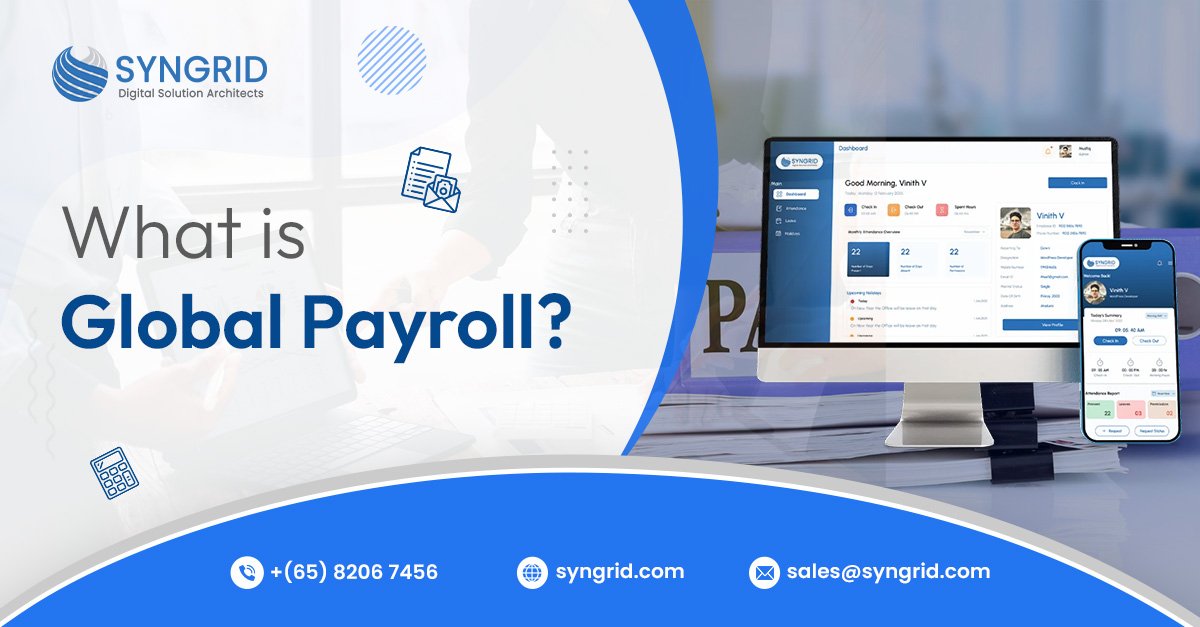
Global Payroll

Online Leave Management Software  

Managing employee leave efficiently is essential for productivity, payroll accuracy, and workforce satisfaction. Manual methods such as spreadsheets often lead to miscommunication, data errors, and approval delays. At Syngrid Technologies, we provide a cloud-based leave management software that automates leave tracking, approvals, and reporting. The platform gives HR teams complete control while improving accuracy and compliance.Whether you manage a small team or operate across multiple branches, Syngrid’s Leave Management System helps you simplify HR tasks, reduce paperwork, and keep employees informed in real time. What Is Online Leave Management Software? Online Leave Management Software is a digital platform that automates the process of managing employee leave. It eliminates paperwork and provides real-time visibility for both employees and HR departments. The system manages requests, approvals, leave tracking, and payroll integration from a single dashboard. With Syngrid Technologies, businesses can maintain clear leave policies, avoid payroll mismatches, and ensure compliance with labor laws.Our solution supports on-site, remote, and hybrid teams — providing a flexible, accessible platform that works from anywhere. Common Challenges in Manual Leave Management Many organizations still handle leave requests through emails or spreadsheets, which can result in delays and inaccuracies. Manual processes often lead to: These challenges reduce overall productivity and can affect employee satisfaction. Syngrid Technologies eliminates these issues through automation and centralized tracking, giving HR teams better control and faster results.  Features of Syngrid’s Online Leave Management Software   Aside from simplifying leave requests, Syngrid Technologies’ Online Leave Management System helps HR teams, managers, and employees save time through a smooth, automated approval process. With our cloud-based platform, employees can easily apply for leave via web or mobile — while managers approve requests in real-time with full visibility and control.  Employees   Approving Officers   HR Managers   Benefits of Using Online Leave Management Software   Implementing Online Leave Management Software brings measurable improvements in efficiency, accuracy, and employee experience. Instead of juggling spreadsheets and emails, HR teams can focus on strategic initiatives while the system handles repetitive administrative tasks. Improved Accuracy and Transparency   Eliminate manual errors and give employees full visibility into their leave balances and history. Time and Cost Savings   Automated workflows reduce HR workload, minimize delays, and speed up approvals — saving valuable time and resources. Enhanced Compliance   Stay aligned with company policies and regional labor laws through automatic rule enforcement and audit-ready records. Better Decision-Making   Data-driven reports help HR and management identify trends, track absenteeism, and plan resources more effectively. Seamless Integration   Our system connects easily with payroll, attendance, and HR tools — ensuring consistency and smooth data flow across platforms.At Syngrid Technologies, we help businesses of all sizes create a more connected, efficient, and compliant HR ecosystem through intelligent automation. Explore the Leave Management Software Functions   Syngrid Technologies’ Online Leave Management Software is designed to simplify complex HR operations with powerful, user-friendly functions that enhance accuracy and collaboration. Apply and Approve Leave Instantly   Employees can submit leave requests through an online dashboard, while managers review and approve them in real-time — ensuring quick communication and zero paperwork. Track Leave Balances Effortlessly   Monitor available leave, pending requests, and history all in one place. The system automatically updates balances after every approval or cancellation. Configure Custom Leave Policies   Set up rules for leave types, accruals, and carry-forward options based on company policy or regional labor laws. Centralized Calendar View   Get a complete overview of who’s on leave, plan team schedules effectively, and prevent overlapping absences. Real-Time Reporting and Insights   Generate reports on employee attendance, leave patterns, and departmental trends — helping HR make data-backed decisions.With Syngrid Technologies, every function is designed to make HR operations simpler, faster, and more transparent — empowering both management and employees. Leave Management Software for Small Business   For small businesses, managing employee leave manually can quickly become time-consuming and error-prone. Spreadsheets and email approvals often lead to confusion, especially as the team grows. That’s why Syngrid Technologies offers a simple yet powerful Leave Management Software tailored for small businesses. It automates leave tracking, approvals, and reporting — giving HR and business owners more time to focus on growth instead of administration. Key Advantages for Small Businesses   With Syngrid’s Leave Management Software, small businesses gain the tools they need to operate efficiently, boost employee satisfaction, and scale confidently. Who Can Use This Software (SMB to Enterprise)?   Syngrid Technologies’ Online Leave Management Software is designed for every business size — from startups to large enterprises. Its flexible, cloud-based structure makes it easy to adapt to different organizational needs, policies, and hierarchies. Small and Medium Businesses (SMBs)   Ideal for growing teams that need a simple, affordable, and efficient way to manage leave. SMBs can automate manual tasks, reduce HR workload, and ensure accuracy without heavy setup costs. Large Enterprises   For enterprises managing hundreds or thousands of employees, Syngrid’s system provides advanced configurations — multi-branch management, approval hierarchies, integration with ERP and payroll, and detailed analytics for strategic HR insights. Remote and Hybrid Teams   Our cloud-based platform enables global teams to request, approve, and track leave anytime, from anywhere. Perfect for distributed workforces that require centralized visibility and control.With Syngrid Technologies, every organization — no matter the size or structure — can streamline leave processes, maintain compliance, and enhance operational efficiency. Why Businesses Choose Syngrid Technologies for Online Leave Management Software  ? Businesses across industries trust Syngrid Technologies for our reliable, scalable, and user-friendly Online Leave Management Software. We go beyond automation — delivering solutions that fit seamlessly into your existing HR ecosystem. Custom-Built for Every OrganizationOur solution adapts to your company’s policies, hierarchy, and operational needs. Integration-ReadyConnect with ERP, CRM, HR, and payroll tools to unify employee data. Scalable and Secure Cloud PlatformDesigned to grow with your organization while maintaining data protection and compliance.End-to-End Implementation and SupportFrom setup to onboarding and updates, Syngrid Technologies ensures smooth operation and long-term value. Conclusion   Efficient leave management isn’t just an HR necessity — it’s a key part of creating a productive and motivated workplace. By adopting a smart, automated system, businesses can eliminate manual errors, save time, and ensure complete transparency.

Software Development

Top 10 Fintech Software Development Companies in 2026

Introduction The fintech sector is evolving at an unprecedented pace, transforming how businesses and consumers manage financial services. From mobile banking apps to blockchain-powered solutions, fintech software development companies are driving digital innovation globally. In 2026, choosing the right fintech partner is critical for businesses seeking secure, scalable, and future-ready financial software solutions. This article explores the top 10 fintech software development companies and highlights why Syngrid Technologies stands out as a leading choice for businesses worldwide. What Makes a Fintech Software Development Company Stand Out A top fintech software development company offers more than coding skills. Key qualities include: Domain Expertise—In-depth knowledge of banking, payments, lending, insurance, and blockchain solutions. Regulatory Compliance – Adherence to financial regulations like PCI DSS, GDPR, and regional banking laws. Scalability—Ability to build apps that can grow with increasing users and transactions. Security—Robust encryption, secure APIs, and proactive threat monitoring. Innovative Tech Stack—Expertise in AI, ML, blockchain, cloud-based platforms, and mobile solutions. Companies with these qualities ensure fintech apps are reliable, high-performing, and user-friendly. Key Factors to Consider When Choosing a Fintech Development Company Selecting the right fintech partner requires careful evaluation. Businesses should consider: Portfolio and Experience – Look for companies with proven fintech solutions and case studies. Technology Expertise—Check if they specialize in mobile apps, web platforms, AI, blockchain, or payment integrations. Client Reviews and Ratings – Verified client testimonials and industry recognition reflect trustworthiness. Security and Compliance Standards – Ensure they follow financial data protection and cybersecurity best practices. Post-Launch Support – Continuous maintenance, updates, and optimization are critical for fintech apps. How Fintech Companies Are Driving Digital Transformation Fintech companies are redefining financial services by: Streamlining payments and banking services through mobile and web applications. Enabling blockchain and crypto-based transactions for faster and transparent operations. Leveraging AI and machine learning to provide personalized financial insights and fraud detection. Automating loan approvals, insurance claims, and wealth management for greater efficiency. By partnering with a reliable fintech software development company, businesses can accelerate digital transformation and remain competitive in 2026 and beyond. Top 10 Fintech Software Development Companies in 2026 1. ConsenSys   ConsenSys is a leading blockchain-focused company that develops decentralized finance (DeFi) solutions for global enterprises. Their services include smart contracts, crypto wallets, and secure blockchain applications. With a strong emphasis on transparency and trustless operations, they empower financial institutions to innovate confidently. ConsenSys continues to set the standard for blockchain-powered fintech.   2. Appinventiv Appinventiv specializes in custom fintech software, delivering digital banking, payment gateways, and insurance platforms. They combine robust security measures with intuitive UX designs to create high-performing financial apps. Appinventiv serves both startups and enterprises, helping them scale their fintech operations efficiently. Their focus on innovation makes them a preferred partner in fintech development. 3. Syngrid Technologies Syngrid Technologies provides end-to-end fintech software solutions tailored to business needs. Their expertise spans mobile banking apps, blockchain integration, and AI-driven analytics. With a focus on compliance, scalability, and agile development, they ensure seamless financial operations. Syngrid empowers businesses to accelerate digital transformation in the financial sector. 4. Miquido Miquido develops AI-powered fintech applications designed to enhance customer experience and engagement. They specialize in mobile banking, investment platforms, and wealth management solutions. Leveraging predictive analytics and data-driven insights, they optimize financial decision-making. Miquido continues to innovate at the intersection of finance and smart technology. 5. Intellectsoft Intellectsoft delivers enterprise-grade fintech software, including digital wallets, payment platforms, and banking applications. They integrate advanced technologies such as AI, blockchain, and cloud computing to ensure scalability and security. Their solutions streamline complex financial processes for enterprises worldwide. Intellectsoft is recognized for driving efficiency and innovation in financial services. 6. LeewayHertz LeewayHertz focuses on blockchain-based fintech solutions, including smart contracts, tokenized platforms, and crypto wallets. They emphasize security, transparency, and scalability for financial transactions. By leveraging decentralized technologies, they enable businesses to innovate confidently in fintech. LeewayHertz is a trusted partner for organizations adopting blockchain solutions. 7. Hyperlink InfoSystem Hyperlink InfoSystem develops secure fintech apps, banking solutions, and payment platforms with a mobile-first approach. They specialize in cryptocurrency integration, digital wallets, and financial analytics. Their focus on seamless performance and security ensures reliable fintech solutions for businesses. Hyperlink InfoSystem empowers clients to scale their financial operations efficiently. 8. MindInventory MindInventory builds fintech software for banking, trading, and payment systems with an emphasis on security and performance. They design digital wallets, investment apps, and integrated payment gateways for diverse industries. MindInventory combines user-friendly interfaces with advanced technologies to deliver scalable solutions. Their mission is to help businesses optimize and transform financial services. 9. Simform Simform provides end-to-end fintech software development services leveraging AI, blockchain, and cloud technologies. They develop secure, compliant, and scalable web and mobile applications for financial enterprises. Their solutions help businesses enhance operational efficiency and customer engagement. Simform is known for delivering innovative fintech solutions with reliability and precision. 10. Softeq Softeq delivers comprehensive fintech solutions, including mobile banking, digital wallets, and SaaS platforms. They specialize in secure architecture, regulatory compliance, and scalable software development. With services like blockchain integration and AI analytics, they empower businesses to modernize financial operations. Softeq helps organizations build future-ready fintech applications. Emerging Fintech Technologies Shaping 2026 The fintech landscape in 2026 is driven by several emerging technologies: Blockchain & DeFi – Ensuring secure, decentralized financial transactions. Artificial Intelligence & Machine Learning – Enhancing fraud detection, personalized financial insights, and automation. RegTech—Software that ensures compliance with financial regulations. Cloud Computing—Enabling scalable, cost-effective fintech platforms. Embedded Finance – Integrating financial services within non-financial apps. Companies leveraging these technologies remain at the forefront of innovation Why Syngrid Technologies Leads the Future of Fintech Software Development? Syngrid Technologies stands out because of: Custom Fintech Solutions – From mobile banking to blockchain and AI-enabled finance apps. Agile Development Methodology—Fast delivery without compromising quality. Regulatory Expertise – Compliance with global financial and data security standards. Proven Track Record – Successful fintech solutions across multiple industries. Full Lifecycle Support—From consultation to post-launch maintenance, ensuring seamless operations. Partnering with Syngrid ensures businesses get innovative,

Scroll to Top