

Syngrid

Hubspot

Hubspot

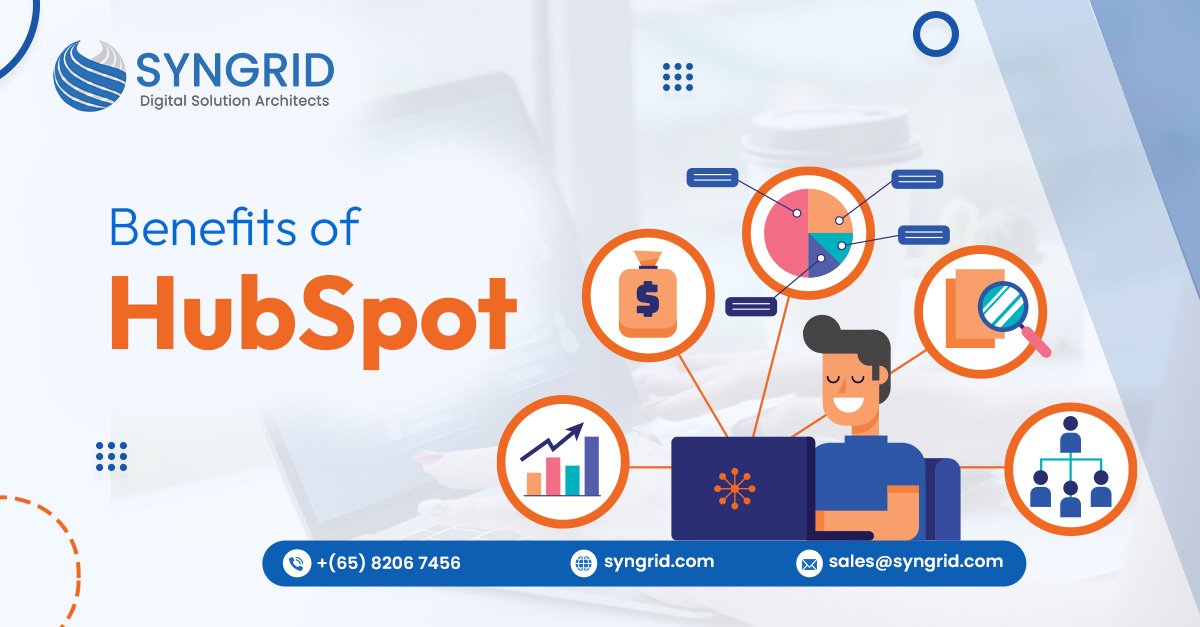
Benifita of Hubspot

Introduction Businesses today are shifting toward digital-first operations, automated marketing, and customer-centric sales processes. Customer journeys are becoming more complex across websites, email, social media, and mobile platforms, which means companies can no longer depend on scattered tools and manual workflows to grow. Organizations now demand smarter systems that centralize data, automate engagement, improve collaboration between departments, and deliver measurable business outcomes.   This shift has led many fast-growing companies to adopt modern digital platforms that simplify lead management, boost revenue, enhance customer experience, and accelerate overall business growth. What Is HubSpot? HubSpot is an all-in-one business platform that unifies CRM, marketing automation, sales pipelines, customer service, CMS, and operations tools. Instead of using separate systems for each department, HubSpot centralizes everything so teams can work together from capturing leads to converting them into loyal customers. Top 7 Benefits of HubSpot for Modern Businesses 1. Unified CRM for Sales, Marketing & Support   HubSpot CRM acts as a single source of truth, storing customer activities, communication history, deal status, support tickets, and engagement metrics, all accessible across teams. It eliminates data silos and reduces communication gaps, improving lead management and customer experiences. 2. Marketing Automation for Lead Generation & Nurturing   HubSpot Marketing Hub automates email campaigns, workflows, lead scoring, landing pages, newsletters, and audience segmentation. Businesses generate more qualified leads while saving time on repetitive manual tasks. 3. Sales Pipeline Management & Deal Forecasting   Sales teams get clear visibility of every deal from first interaction to final payment. HubSpot makes it easy to track prospects, automate follow-ups, forecast revenue, and prioritize high-value opportunities. 4. Smart Customer Service & Ticketing Solutions   With HubSpot Service Hub, customer support becomes more structured and proactive. Support tickets, live chat, automated emails, knowledge base, and SLA monitoring help businesses deliver faster, more personalized assistance. 5. Built-in Analytics & Real-Time Performance Dashboards   HubSpot provides powerful insights into customer behavior, website performance, campaign ROI, deal status, and revenue analytics. No external analytics tools are required; everything is available in real time. 6. 1,000+ Integrations for Faster, Centralized Operations   HubSpot integrates with tools such as Shopify, Salesforce, Zoho, WhatsApp, Google Workspace, QuickBooks, Stripe, and many more. Teams get complete visibility without switching platforms or losing data. 7. Scalable Platform for SMEs to Large Enterprises   Whether a startup with 5 employees or an enterprise with 5,000, HubSpot grows with the business. Its modular pricing allows organizations to use the hubs they need and expand anytime. HubSpot vs. Traditional Business Tools Category Traditional Tools HubSpot CRM Separate database Integrated with marketing & support Marketing Manual campaigns Fully automated workflows Reporting Multiple software Centralized real-time analytics Team Collaboration Low visibility Shared access across departments Scaling High complexity Flexible plug-and-play scalability How HubSpot Enhances Customer Experience & Team Collaboration? Customers receive faster and more personalized responses. Sales, marketing, and support teams access the same customer data. Automated workflows reduce delays and follow-up gaps. Real-time tracking improves trust, transparency, and communication. By focusing on consistency and personalization, HubSpot increases both customer satisfaction and retention. How Syngrid Technologies Helps Businesses Maximize HubSpot? Syngrid Technologies is a HubSpot Solutions Provider helping companies leverage HubSpot to its full potential. With deep expertise in CRM, automation, and customer experience systems, the team supports:   ✔ CRM Setup, Customization & Data Migration✔ Marketing, Sales & Service Hub Implementation✔ Dashboard & Report Building✔ Workflow Automation & Lead Nurturing Funnels✔ HubSpot CMS Website Development✔ HubSpot Training & Ongoing Support   Businesses get a performance-focused, streamlined HubSpot setup tailored to real-world processes and growth goals. Conclusion insights, and unified collaboration between teams. Its CRM-first ecosystem improves marketing performance, sales productivity, service quality, and long-term customer relationships all inside one connected platform. If you’re planning to implement HubSpot, migrate from existing systems, or optimize your current setup, Syngrid Technologies is ready to support your transformation journey.   👉 Contact Syngrid Technologies for HubSpot CRM, CMS, Automation, and Migration Services.

Hubspot
Hubspot

HubSpot Migration Services

Introduction As businesses scale, managing websites, CRM, marketing automation, and customer data across multiple platforms can become overwhelming. Syngrid Technologies helps organizations seamlessly transition from outdated systems to the HubSpot CMS Hub and HubSpot CRM ecosystem. Our expert HubSpot migration services ensure zero data loss, enhanced performance, and improved ROI. With our proven approach, companies unlock automation, personalized marketing, and unified customer management all in one platform. What Is HubSpot Migration? HubSpot migration refers to the complete transfer of digital assets, website pages, blog content, CRM data, email templates, workflows, and automation into the HubSpot platform.Our process moves businesses from legacy systems like WordPress, Salesforce, Zoho, Wix, Webflow, Mailchimp, or custom CRMs into HubSpot without affecting website performance, SEO rankings, or ongoing operations. Why Migrate to HubSpot? Migrating to HubSpot is more than switching platforms; it’s a growth accelerator. Our clients benefit from Centralized CRM, CMS, marketing automation, and sales tools Personalized customer journeys and automated workflows Advanced analytics and reporting across marketing and sales Built-in SEO and website performance optimization Scalable architecture for growing businesses 24/7 website security, hosting, and CDN (no plugins required) With HubSpot, businesses gain an all-in-one engine for lead generation, automation, and revenue growth. Types of HubSpot Migration Services 1. Website Migration  Our experts migrate website design, layout, pages, blogs, and media to HubSpot CMS while maintaining brand identity, URL structure, responsiveness, and SEO.   2. CRM & Data Migration  Secure transfer of customer data, contacts, deals, pipelines, activities, and custom properties into HubSpot CRM without losing historical records. 3. Marketing Automation Migration Migration of workflows, email automation, campaigns, lead scoring, ad tracking, and customer journeys into HubSpot Marketing Hub. 4. Blog & Content Migration  Moving blog posts, categories, tags, CTAs, internal links, and author profiles while maintaining SEO and readability. 5. Email & Template Migration   Migration of email templates, sequences, newsletters, and branded layouts into HubSpot Email Builder, ensuring mobile-friendly and personalization-ready designs. Challenges Businesses Face During Migration Without professional support, organizations may encounter: Data loss, duplicate records, or property mismatch Broken internal links and SEO drops Layout and theme compatibility issues Downtime affecting traffic and leads Disrupted marketing and sales automation Security vulnerabilities Our structured migration approach addresses these challenges to ensure a smooth transition. Syngrid Technologies’ Step-by-Step HubSpot Migration Process 1. Audit & Planning  Conduct a detailed analysis of the existing system, business goals, workflows, and data architecture to create a precise migration roadmap. 2. Data Mapping  Map CRM fields, automation rules, properties, and modules to ensure 100% data integrity. 3. Secure Migration Execution  Migrate data, website pages, forms, templates, and automations using encryption, validated APIs, and governed practices. 4. Quality Check & Validation Test automation, UI/UX, CRM data, and SEO to ensure everything works as expected before go-live. 5. Go-Live & Optimization Post-launch, optimize website performance, lead tracking, reporting, and marketing ROI. SEO Preservation During HubSpot Migration Migration should never harm search rankings. Our team ensures: URL redirections and canonical tags Metadata retention (titles, descriptions, alt text, schemas) Page speed and Core Web Vitals optimization Internal linking and backlink mapping XML sitemap syncing Analytics and tracking continuity The result is a smooth migration where SEO performance improves rather than drops. Why Choose Syngrid as Your HubSpot Solution Provider? Syngrid is more than a migration vendor; we are a growth partner. Our services include: Expertise in HubSpot CRM, CMS, Marketing, and Sales Hub 100% secure, accurate, and SEO-friendly migration Zero downtime and zero data loss guarantee Tailor-made setups for website scaling and revenue growth Dedicated HubSpot consultancy and post-migration support Whether migrating from WordPress, Salesforce, Zoho, Mailchimp, Shopify, Webflow, or a custom system, our approach ensures a flawless transition into the HubSpot ecosystem. Conclusion Migrating to HubSpot empowers businesses with automation, personalization, scalability, and centralized control. With Syngrid Technologies, your HubSpot migration will be smooth, secure, and ROI-driven.   👉 Contact Syngrid Technologies today for expert HubSpot migration services. Our team specializes in websites, CRM, marketing automation, and content migration with SEO-first execution and uninterrupted business continuity. Let us help you unlock growth and transform your digital presence with HubSpot.

Hubspot

HubSpot Starter vs Professional vs Enterprise

Introduction  HubSpot has become one of the most powerful and user-friendly CRM platforms for businesses looking to streamline marketing, sales, and customer service. With its tiered plans, Starter, Professional, and Enterprise, businesses often struggle to decide which one fits their needs and budget. Each hub comes with tools that simplify automation, reporting, lead management, email marketing, customer communication, and workflows. What Is HubSpot? HubSpot is an all-in-one CRM platform designed to help businesses attract visitors, convert leads, close deals, and support customers all through a unified ecosystem. It includes multiple hubs: Marketing, Sales, Service, CMS, and Operations.Each hub comes with tools that simplify automation, reporting, lead management, email marketing, customer communication, and workflows. Understanding HubSpot Pricing Tiers HubSpot offers three main pricing tiers: 1. Starter   Affordable tools for small teams starting with CRM, email marketing, and basic automation. 2. Professional   Advanced automation, personalization, analytics, and scaling features for growing businesses. 3. Enterprise   Enterprise-grade customization, permissions, multi-team management, AI tools, and advanced reporting.   Each tier applies separately to Sales Hub, Marketing Hub, and Service Hub, so choosing the right one depends on your requirements. HubSpot Starter vs. Professional vs. Enterprise: Key Differences Starter   Best for small businesses or teams just beginning automation. Offers basic email marketing, lead capture, and simple automation. Affordable entry point into HubSpot CRM. Professional   Ideal for companies ready to scale. Includes advanced marketing automation, workflows, ABM, custom reporting, and AI tools. Essential for fast-growing sales and customer service teams. Enterprise   Designed for large businesses with complex requirements. Offers advanced permissions, custom objects, predictive analytics, and scalable automation. Best for multi-team and multi-region organizations. Marketing Hub Comparison: Starter vs. Pro vs. Enterprise Marketing Hub Starter   Basic email marketing Landing pages Forms & lead capture Simple automation Marketing Hub Professional   Advanced email automation Smart content personalization SEO tools Campaign reporting & attribution A/B testing Marketing Hub Enterprise   Multi-touch revenue attribution Custom behavioral events Predictive lead scoring Team permissions &partitioning Sales Hub Comparison: Starter vs. Pro vs. Enterprise Sales Hub Starter   Deal pipelines Email sequences Meeting scheduler Live chat Sales Hub Professional   Automated sequences Sales forecasting Custom dashboards Playbooks Sales Hub Enterprise   Custom objects Predictive forecasting Advanced permissions Hierarchical team Service Hub Comparison: Starter vs. Pro vs. Enterprise Service Hub Starter   Ticketing Live chat Basic customer support tools Service Hub Professional   Knowledge base Customer feedback surveys Helpdesk automation SLAs Service Hub Enterprise   Advanced routing Custom roles AI-driven support tools Which HubSpot Tier Is Right for Your Business? Choose Starter if: Your business is small. You need email marketing + basic automation. Your budget is limited. Choose Professional if: You’re scaling fast. Automation is essential. You need personalization, advanced reports, and workflows. Choose Enterprise if: You have large teams. You need deep customization and permissions. Reporting and predictive analytics matter Pricing Breakdown: Monthly & Annual Costs HubSpot’s pricing varies based on features, contact limits, tool capabilities, and the level of automation included in each tier. Starter offers essential tools at an affordable price, Professional introduces advanced automation and reporting, while Enterprise provides enterprise-grade features for large teams. Costs increase depending on the number of users, contacts, and add-ons you require. Businesses should evaluate their current needs and expected growth before selecting a monthly or annual plan. Hidden Costs & Add-Ons You Should Know While HubSpot is transparent, many businesses overlook hidden costs such as Contact tier upgrades Add-ons like API calls, phone calling, or premium integrations Onboarding fees (especially for Professional & Enterprise) Extra seats for sales or service teams Understanding these helps you plan a realistic long-term budget. How to Choose the Best Plan Based on Your Business Size? Small Business→HubSpot Starter is usually enough.You get essential CRM, email, live chat, and simple automation. Medium-Sized Business→ HubSpot Professional fits best.You need deeper analytics, workflows, and automated marketing. Large Enterprises→HubSpot Enterprise ensures scalability. You need multiple teams, advanced permissions, and predictive tools. Why Businesses Upgrade from Starter to Pro or Enterprise? Most businesses upgrade when: They need automation beyond simple workflows. Lead volume increases Sales teams expand Advanced reporting becomes necessary. They require personalization or segmentation How Syngrid Helps You Implement HubSpot Solutions? Syngrid Technologies provides end-to-end HubSpot services, including: HubSpot onboarding and setup CRM and pipeline automation Custom workflows and integrations Dashboard and reporting setup Marketing, sales, service automation Training and long-term support We make HubSpot simple, scalable, and ROI-driven for your business. Conclusion HubSpot’s Starter, Professional, and Enterprise tiers are designed to support businesses at every stage of growth. By understanding your goals, team size, and automation needs, you can choose the right plan that delivers maximum value. Whether you’re just starting out or scaling to the enterprise level, HubSpot has a solution for you. Need help choosing or implementing the right plan? Syngrid Technologies is here to guide you every step of the way.

Scroll to Top