

Syngrid

UX/UI Design & Development

UX/UI Design & Development

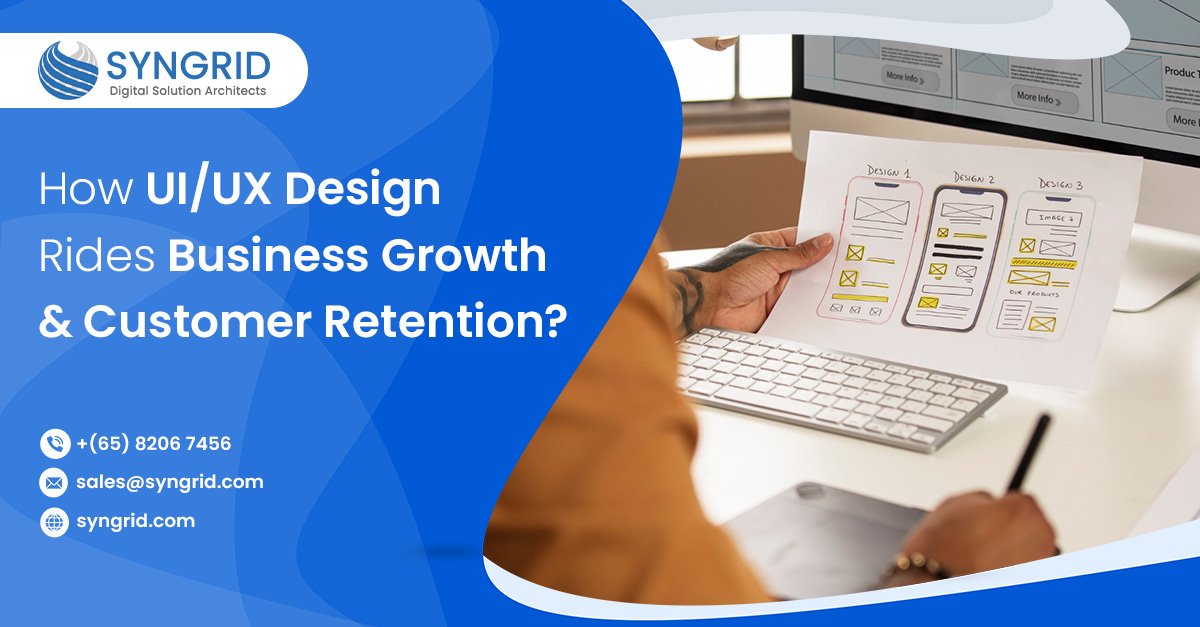
How UI/UX Design rides Business Growth and Customer Retention?

1. Introduction: Why UI/UX Matters for Business Growthe As digital expectations continue to rise, customers judge a brand not only by what it offers but also by how effortless and enjoyable it is to interact with it online. In a competitive digital landscape, functionality alone isn’t enough; your platform must be intuitive, visually appealing, and easy to navigate. UI (User Interface) and UX (User Experience) shape how users feel and behave while interacting with your website, mobile app, or digital product. A well-designed UI/UX doesn’t just enhance satisfaction; it directly leads to higher retention, stronger conversions, and sustainable business growth. 2. How UI/UX Design Drives Customer Retention Customers return to products that provide smooth, enjoyable experiences. When users can accomplish tasks effortlessly, they naturally stay engaged and come back again. Strong UI/UX ensures: A seamless and frictionless flow through key actions Clear, predictable user journeys Positive emotional experiences while interacting Strong brand recall and loyalty Businesses with excellent UX succeed because customers enjoy the experience—not just the solution. Step 2: Performing Market Research & Competitive Analysis Understanding the market landscape is essential for building a product users actually need. This step includes: • Studying competitors to identify market gaps• Validating demand with user research and analytics• Reviewing industry standards and best practices• Understanding compliance and regulatory needs   With this information, businesses can position their application effectively and avoid investing in features with low demand. 3. UI/UX and Conversion Rates: Why Usability Increases Revenue Conversion rates are directly tied to usability. When interfaces are intuitive, users complete actions faster, such as signing up, booking a service, or completing a purchase. Great UI/UX leads to: Higher form submissions Smoother checkout experiences Lower cart abandonment Increased trust in your brand Research shows that effective UX can boost conversions by up to 200%, proving that design has a measurable impact on revenue. 4. How Good UI/UX Reduces Bounce Rate A confusing or slow interface drives users away almost instantly.Good UI/UX reduces bounce rates by offering: Clear, well-structured navigation Fast-loading pages across all devices Predictable content layout Clean, organized design with strong visual hierarchy When users instantly understand how your platform works, they stay longer and are much more likely to convert. 5. Essential UI/UX Elements That Boost Business Performance 5.1 User-Centric Design   Effective UI/UX starts with understanding your users: what they need, how they think, and what challenges they face. A user-centric approach includes: User research and persona development Customer journey mapping Usability testing based on real behavior When users feel that your platform understands them, they engage more, need less support, and show higher satisfaction. 5.2 Mobile-Responsive Experience   With over 60% of online traffic coming from mobile devices, responsiveness is essential. A strong mobile experience includes: Flexible layouts for all screen sizes Touch-friendly interactions Optimized images and content Consistent design across mobile, tablet, and desktop Mobile optimization also enhances SEO, helping your business rank higher. 5.3 Intuitive Navigation   Users should find what they need quickly and effortlessly. Effective navigation features: Simple, easy-to-understand menus Clear and strategic call-to-action buttons Logical content grouping Breadcrumbs and clear page hierarchy Intuitive navigation reduces frustration and increases time spent on your platform. 5.4 Visual Design & Branding   Visual design builds trust and emotional connection. A strong design makes your brand memorable.   Key principles include: Consistent use of brand colors and typography High-quality images and graphics Ample whitespace for readability Clear visual hierarchy for easy scanning A polished visual identity enhances credibility and sets your brand apart. 5.5 Fast Load Speeds   Speed is one of the biggest contributors to great user experience. Every extra second of loading time reduces engagement and conversions.   High-performance UI/UX includes: Compressed and optimized visuals Clean, lightweight code Fast server response time Removal of unnecessary plugins or scripts Faster websites improve rankings, user satisfaction, and overall business performance. 6. Why Invest in Professional UI/UX Services? Hiring professional UI/UX experts helps you build digital experiences that users love. A professional team provides: Skilled designers, researchers, and strategists Data-driven design decisions Usability testing and iterative improvements Increased conversions and customer loyalty Long-term cost savings through reduced redesigns UI/UX is not a cost; it’s a long-term investment in business growth. 7. Practical UI/UX Tips for Small & Growing Businesses Keep designs clean, simple, and distraction-free. Use strong color contrast and readable typography. Add alt-text for accessibility and SEO Conduct user testing on real customers Use micro-interactions for delightful moments. Prioritize mobile-first design Improve SEO with fast-loading, structured pages Small improvements can create a noticeably better user experience. 8. Why Companies Choose Syngrid Technologies for UI/UX Design Syngrid Technologies helps brands create intuitive, high-performance digital experiences built for conversion and growth.   With Syngrid, you get: Expert-designed, user-centric UI/UX Industry-specific design strategies Rapid prototyping and usability testing Conversion-focused visuals and layouts Scalable design systems for brand consistency Mobile-first and accessibility-compliant structures SEO-friendly, performance-optimized interfaces We transform your digital presence into a powerful, conversion-driven experience. 9. Conclusion UI/UX design is no longer optional; it is a core part of business strategy. A thoughtfully designed experience boosts engagement, improves retention, increases conversions, and strengthens brand loyalty. Companies that invest in UI/UX gain a significant competitive advantage. With Syngrid Technologies as your UI/UX partner, you get future-ready designs that deliver exceptional customer experiences and accelerate long-term business growth.

Mobile app development, UX/UI Design & Development

The Role of UX/UI in Mobile App Development Success

Introduction   In today’s hyper-connected world, mobile applications are more than just tools they are the primary touchpoints between businesses and their audiences. A seamless mobile experience can be the difference between a loyal user and a lost opportunity. Increasingly, the success of a mobile app hinges not only on its functionality but also on its mobile app UX design and user interface optimization. Businesses aiming to thrive in this competitive market must prioritize these design elements to enhance engagement, retention, and overall satisfaction. At Syngrid Technologies, we recognize the critical role that mobile app user experience plays in shaping app success. Our approach to app development emphasizes design principles that are both user-centric and strategically aligned with business goals. Understanding the Psychology of User Experience User experience goes beyond aesthetics; it’s about how users feel and interact with your app. Cognitive psychology reveals that humans process visuals faster than text, and decision-making is heavily influenced by ease of use and intuitive design. Apps that frustrate users, even slightly, experience abandonment rates as high as 23%, according to recent industry reports. A well-designed interface leverages principles such as hierarchy, visual cues, and feedback mechanisms to guide users naturally through tasks. Mobile app UX design focuses on reducing friction, anticipating user needs, and creating a flow that feels effortless. By integrating behavioral insights into design, Syngrid ensures that every tap, swipe, and scroll contributes to a positive user journey. Key UX/UI Design Elements for Mobile Apps   Effective mobile app design principles combine usability, accessibility, and aesthetic appeal. Some of the critical elements include: Intuitive Navigation: Clear pathways and consistent menus prevent user confusion. A study by Forrester indicates that apps with straightforward navigation see 50% higher engagement. Visual Hierarchy: Strategic use of colors, typography, and spacing ensures that the most important content captures attention first. Responsive Design: Mobile users expect apps to perform seamlessly across devices and screen sizes. Poor responsiveness can deter users quickly. Micro interactions: Small animations and feedback cues such as button responses or progress indicators enhance mobile app user experience by providing subtle guidance. Accessibility: Inclusive design accommodates users with disabilities, expanding your app’s reach and adherence to ethical and legal standards. At Syngrid, our development teams meticulously integrate these elements to ensure apps are not only visually appealing but also functionally robust. User-centered mobile applications are at the heart of our design philosophy, emphasizing the balance between technical sophistication and human-centric simplicity. Impact of Design on User Retention   Retention is a direct measure of app success. Data from Mobile engagement platform shows that nearly 25% of users abandon an app after one use, often due to poor usability or confusing interfaces. High retention rates correlate strongly with apps that implement user interface optimization strategies focused on user needs and preferences. Investing in design is not just about aesthetics it’s a strategic decision. Applications that prioritize UX see higher user satisfaction, longer session duration, and increased conversion rates. By incorporating analytics and user feedback, Syngrid continually refines app interfaces, ensuring sustained engagement and loyalty. Syngrid’s Approach to Mobile App Design   At Syngrid Technologies, our approach to app development is grounded in expertise, research, and a deep understanding of end users. We combine app development success strategies with proven mobile app design principles to create solutions that deliver measurable results. Our process involves: Discovery & Research: Understanding target audiences, market needs, and competitor benchmarks. Wireframing & Prototyping: Visualizing app flow and interface layouts to optimize usability before development begins. Iterative UX/UI Testing: Conducting rigorous usability testing to ensure design meets real-world user expectations. Integration with Development: Aligning design with backend functionality for seamless performance. This comprehensive methodology ensures that our user-centered mobile applications are not just functional but delightful to use, ultimately translating into tangible business outcomes. Future Trends in Mobile App UX/UI   The landscape of mobile app design is constantly evolving. Staying ahead requires awareness of emerging trends: Voice-Activated Interfaces: As voice recognition technology improves, integrating voice commands can enhance accessibility and ease of use. Augmented Reality (AR) Experiences: AR overlays can create immersive interactions, particularly in retail, education, and entertainment apps. Personalized User Journeys: AI-driven recommendations and adaptive interfaces deliver highly tailored experiences. Dark Mode & Customizable Themes: Catering to user preferences not only enhances usability but also improves battery efficiency on mobile devices. By incorporating these trends, Syngrid ensures that our clients’ apps remain cutting-edge, competitive, and aligned with modern user expectations. Conclusion   The success of a mobile application is inseparable from the quality of its UX/UI design. Mobile App UX Design and User Interface Optimization are no longer optional they are critical drivers of user engagement, retention, and business growth. From intuitive navigation to visually compelling layouts, each design choice can significantly influence app performance. Syngrid Technologies brings unparalleled expertise in creating user-centered mobile applications that prioritize user satisfaction while achieving business objectives. Our meticulous design process, combined with a forward-thinking approach, ensures that every app we develop is optimized for success. Transform your mobile app vision into reality with Syngrid’s expert design and development services. Partner with us to deliver applications that users love and businesses thrive on.

Mobile app development, UX/UI Design & Development

UI vs UX Design: Essential Differences Every Designer Must Know

Introduction Over decades, first impressions are often formed through a website or a mobile app. The look and feel of a product can make or break the user experience. This is UI (User Interface) and UX (User Experience) design into the play in web and mobile development. Though often used interchangeably, these two design disciplines serve disparate purposes. Understanding the key differences between UI and UX design is essential for anyone involved in product design, web development, or mobile app development. For any web development company, delivering seamless and intuitive digital experiences depends heavily on the synergy between UI and UX. In this article, we’ll break down their definitions, key aspects, and how they impact a business, helping you understand why both are vital in creating successful digital products. What is UX Design? UX (User Experience) Design focuses on the overall feel of the experience. It’s about enhancing user satisfaction by improving the usability, accessibility, and pleasure provided in the interaction with a product. In simpler terms, UX design is about solving user problems. It answers questions like: Is this product easy to use? Does it help the user achieve their goals efficiently? How do users feel when interacting with it? UX is not just about design; it encompasses market research, prototyping, testing, and continuous iteration. Key Aspects of UX Design   1. User Research   It starts with understanding who your users are, what they want, and what pain points they face. Interviews, surveys, and usability tests guide decisions throughout the design process. 2. Personas and Scenarios   UX designers create detailed profiles of potential users and map their journeys through the app or website, predicting interactions and challenges. 3. Information Architecture (IA)   IA ensures that information is logically organized so users can navigate and find what they need with ease. 4. Wireframes and Prototypes   Low-fidelity wireframes outline the layout, while high-fidelity prototypes simulate user interactions, helping designers test and refine experiences. 5. Usability Testing   Before the final product is launched, it undergoes testing with real users. Feedback is used to improve the design. What is UI Design?  UI (User Interface) Design concerns the look, style, and feel of a product. It’s about translating a brand’s identity into a visually appealing and cohesive interface. UI design focuses on how each element buttons, icons, spacing, typography, and color schemes guides the user visually and intuitively through the interface. A skilled UI designer ensures that users can interact with a system smoothly, using familiar visual cues and consistent design patterns. Key Elements of UI Design Here are the main components that make up a compelling UI design: 1. Visual Design   This includes color schemes, typography, and iconography. The goal is to create an aesthetically pleasing and brand-consistent experience. 2. Interactive Elements   Buttons, sliders, and forms must be designed to be both functional and attractive, with appropriate states (hover, active, disabled). 3. Consistency   A consistent UI allows users to learn your interface faster and feel more confident navigating through it. 4. Responsiveness   Good UI design ensures that a product looks and performs well on all screen sizes a must for mobile app development and responsive web development. 5. Accessibility   UI must accommodate all users, including those with disabilities, by using appropriate contrast, readable fonts, and keyboard-friendly navigation. Different Between UI/UX Design   Aspect UX Design UI Design Focus User journey, research, and strategy Visual aesthetics, branding, and interactivity Process Research → IA → Wireframes → Testing Moodboards → Style Guides → High-fidelity mockups Outcome Functional prototypes and flows Visual designs and interactive components Tools Sketch, Figma, Adobe XD (wireframing) Figma, Sketch, Adobe Photoshop/Illustrator Goal Ensure usability and satisfaction Ensure attractiveness and engagement Why Is UI/UX Design Essential?   Many businesses make the mistake of undervaluing UI/UX design until it’s too late. Whether you’re building a new product or improving an existing one, UI/UX design is no longer optional it’s a competitive necessity. Here’s why it matters: First impressions count: You have a few seconds to impress a user. A poor UI can drive users away instantly. Functionality isn’t enough: Even the most feature-rich application will fail if it’s hard to use. User expectations are rising: With so many polished digital experiences out there, users expect excellence. Better ROI: A well-designed product increases engagement and conversion rates, reducing the cost of customer acquisition and support. For businesses investing in web development or mobile app development, prioritizing UI/UX design leads to more successful launches and sustained growth. The Business Impact of UI/UX Design A well-designed product doesn’t just look good, performs well, converts users into customers, and fosters brand loyalty. Whether you’re launching a startup or revamping your eCommerce site, the design experience is directly tied to business performance. Here’s how great UI/UX design can impact your business: Increased Conversion Rates: Clear, intuitive interfaces reduce friction and drive users toward desired actions. Enhanced User Retention: A seamless UX ensures users return to your product, especially in mobile app development. Improved Customer Satisfaction: When users can easily navigate and find what they need, satisfaction scores soar. Reduced Development Costs: Addressing usability issues during the design phase prevents costly reworks later. Competitive Advantage: In a crowded digital market, exceptional UI/UX helps you stand out. Wrapping   Syngrid Technologies believes that UI and UX design are two sides of the same coin. While UX focuses on the user’s journey and overall satisfaction, UI ensures that journey is visually intuitive and engaging. For every designer, and every web development company knowing the difference between UI and UX is essential for building digital products that people love. Whether you’re working on a new website or diving into mobile app development, aligning your design strategy with solid UI/UX principles will lead to better outcomes for your users and your business. Investing in user-centric design isn’t just a trend it’s a standard in today’s digital-first world. By understanding the essential differences between UI and UX, designers and developers alike can create smarter, more impactful products.

UX/UI Design & Development

Neumorphism vs. Glassmorphism: Which Trend Works in 2025?

Table of Contents     Section No. Section Title 1 Introduction 2 Why Businesses Outsource IT Support 3 Cost Efficiency: Cutting Overhead Without Cutting Corners 4 Access to Expertise and Latest Technologies 5 Focus on Core Business Activities 6 Scalability and Flexibility 7 24/7 Support and Improved Productivity 8 Cybersecurity and Risk Management 9 Regulatory Compliance Support 10 Business Continuity and Disaster Recovery 11 How to Choose the Right IT Support Outsourcing Partner 12 Common Misconceptions About Outsourcing IT Support 13 Syngrid Technologies: Your Trusted IT Outsourcing Partner 14 Conclusion Introduction  In today’s fast-evolving digital landscape, user interface (UI) design plays a pivotal role in shaping how users interact with applications. As we embrace 2025, two striking visual trends Neumorphism and Glassmorphism are battling for prominence in the UI/UX world. If you’re wondering which trend will deliver the best blend of usability and aesthetics this year, you’re not alone. This comprehensive guide on Neumorphism vs. Glassmorphism 2025 explores everything you need to know to make the right design decision for your business. What is Neumorphism?   Neumorphism, or “new skeuomorphism,” is a UI style that replicates the physical feel of materials by combining subtle shadows and light. This soft 3D effect gives elements a tactile, embedded appearance, creating a minimalist yet modern interface. Key Characteristics: Soft, blurred shadows for a realistic depth effect Smooth, monochrome color schemes Clean, uncluttered layouts Embedded buttons and toggles that mimic physical touchpoints While visually elegant, neumorphism’s success depends on the right balance of contrast and lighting. What is glassmorphism?   Glassmorphism is a visually dynamic UI design style that replicates frosted glass. By using transparency, background blur, and light refractions, this technique creates a floating, multi-layered effect perfect for futuristic and tech-savvy interfaces. Key Characteristics: Transparent panels with background blur Light or neon gradients Vivid color overlays A sense of depth through layering Glassmorphism continues to be a preferred choice in 2025, especially in tech websites, fintech dashboards, and macOS-style designs. Visual Appeal and Trend Relevance in 2025     Between the two styles, glassmorphism stands out in 2025 for its sleek, futuristic aesthetic. It aligns perfectly with modern user expectations especially for startups, SaaS platforms, and AR/VR environments that are driving Digital Transformation. In contrast, neumorphism has seen a more niche adoption due to its limited contrast and subtle nature. Accessibility: A Crucial Differentiator  When it comes to accessibility, glassmorphism often takes the lead. Its layered structure allows for better use of color contrast and text clarity. Neumorphism, while visually soft, can pose challenges for visually impaired users due to low-contrast UI elements. User Experience and Interaction  From a UX perspective, glassmorphism enables more dynamic interactions. The depth it creates helps users easily distinguish between layers and functions. Neumorphism, while appealing, often blurs the line between clickable and static elements, which can confuse users. Performance & Device Compatibility    Neumorphism has an edge when it comes to performance. Its reliance on shadows and gradients makes it less demanding on the GPU. Glassmorphism, which utilizes blur filters and transparency, can affect loading speeds and responsiveness—especially on older devices. Ease of Implementation   Neumorphism is relatively simple to implement using CSS gradients and shadows. Glassmorphism, however, requires a more intricate use of blur filters, RGBA layers, and careful planning for mobile responsiveness. Design Flexibility and Branding Potential   Glassmorphism allows more room for creativity. Its ability to integrate colorful backgrounds and glowing layers makes it perfect for vibrant, energetic brands. On the other hand, neumorphism is ideal for minimalistic brands that prefer a clean, elegant look. Use Cases in 2025 Neumorphism Works Best For:  Productivity and note-taking apps Minimalist health dashboards Smart home interfaces Banking apps requiring intuitive design Glassmorphism Shines in:   SaaS and tech product dashboards Cryptocurrency and fintech apps Portfolio and agency websites Modern OS-based UIs (macOS, iOS) Combining Both Trends: Hybrid Interfaces   In 2025, UI experts are increasingly blending both design trends. A hybrid approach, using Neumorphic buttons with Glassmorphic backgrounds, creates a rich, layered interface that offers both familiarity and innovation. Design Tools and Tech Stack Support   To create these modern UIs, design and development teams typically utilize Figma, Adobe XD for prototyping Tailwind CSS, Glass UI plugins for styling React, Vue.js, and Flutter for responsive frameworks Lottie and Framer Motion for animations A streamlined design-to-development pipeline ensures seamless UI delivery from concept to launch. The Future Beyond 2025   While neumorphism and glassmorphism dominate current trends, the future is inching toward immersive UI design. Think AR, VR, voice-enabled interfaces, and 3D motion-based UI. Staying adaptive and flexible in design strategy will be critical as technologies evolve. Conclusion It’s not about choosing one over the other it’s about selecting the right tool for the right experience. Glassmorphism stands out for its modern, high-tech visual flair, while Neumorphism excels in simplicity and tactile realism. At Syngrid Technologies Pvt Ltd, we help businesses deliver visually stunning and highly functional UIs. Whether you’re aiming for an immersive user experience, improving accessibility, or keeping pace with evolving design trends we’ve got you covered.

Scroll to Top